


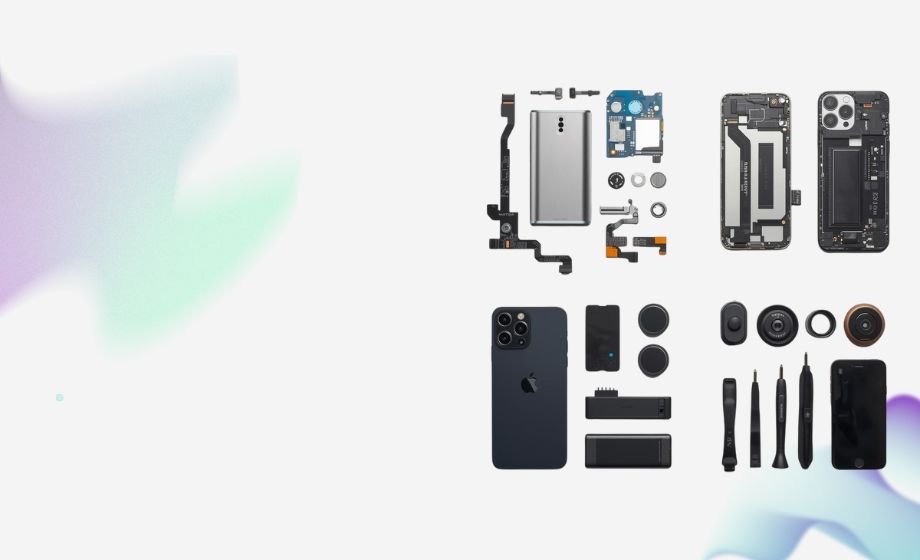
 FLEX CABLE STRIPS
 Camera Components
 Outer Parts
 Batteries




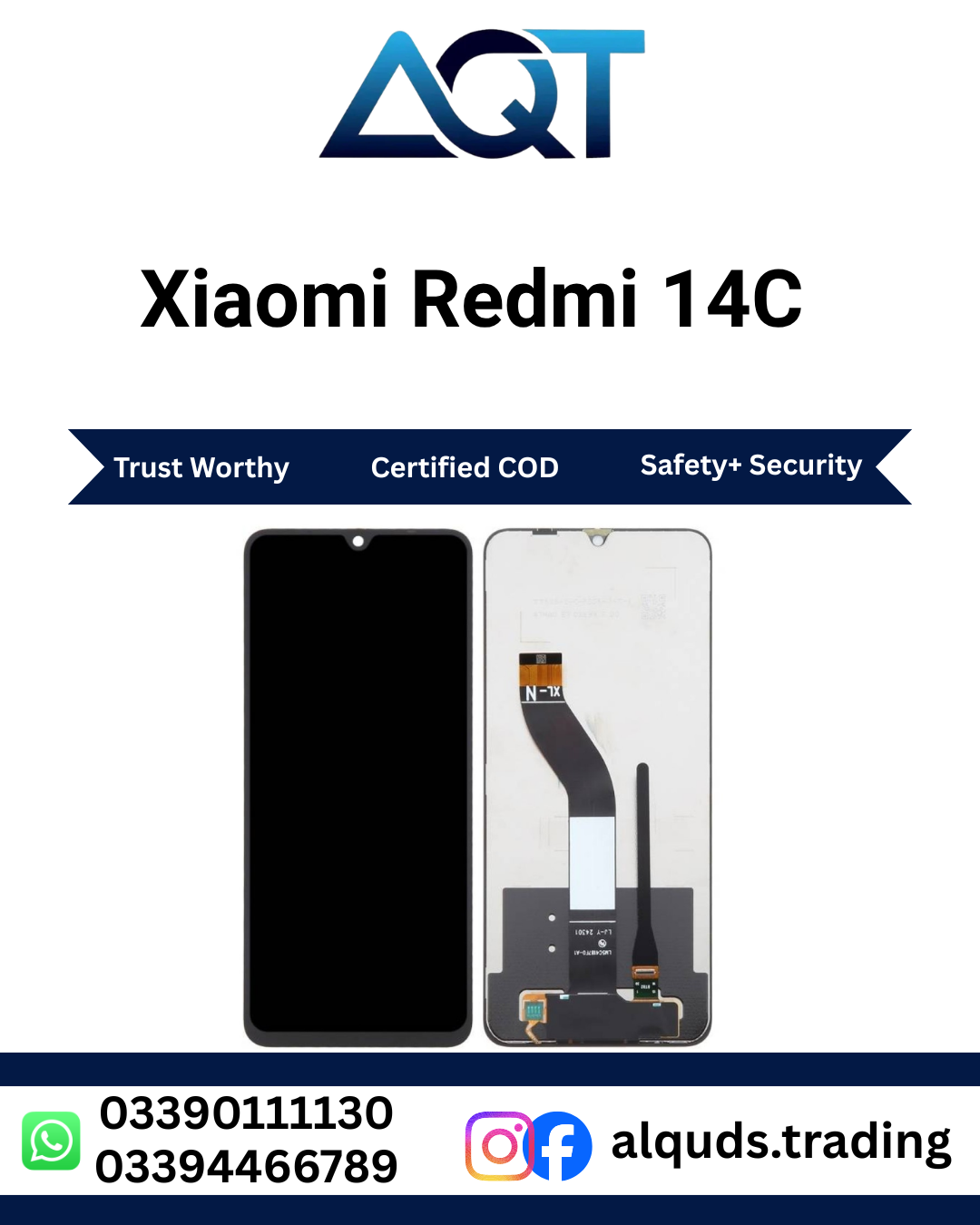

Xiaomi Redmi 14C LCD Panel – Premium Quality Display Replacement
The Xiaomi Redmi 14C LCD Panel is a practical replacement solution for a Redmi 14C smartphone with a damaged, cracked, broken, or faulty screen. A damaged display can make it difficult to use apps, read messages, watch videos, browse the internet, or operate the phone normally. Replacing the damaged panel with a compatible display can help restore the phone’s screen functionality.
This Redmi 14C LCD Panel is suitable for mobile phone repair technicians, repair shops, retailers, wholesalers, and customers looking for a display replacement for a compatible Xiaomi Redmi 14C device. Before ordering, always confirm the exact phone model and required display configuration.
Xiaomi Redmi 14C LCD Panel – Quick Product Information
| Product Name | Xiaomi Redmi 14C LCD Panel |
|---|---|
| Brand | Xiaomi |
| Compatible Model | Redmi 14C |
| Product Type | LCD Panel |
| Product Use | Smartphone Screen Replacement |
| Suitable For | Repair Shops, Technicians, Retail & Wholesale |
| Installation | Professional Installation Recommended |
| Testing | Test Before Permanent Installation |
| Condition | Replacement Mobile Phone Part |
About Xiaomi Redmi 14C LCD Panel
The Xiaomi Redmi 14C LCD Panel is designed as a replacement display component for compatible Redmi 14C smartphones. It can be considered when the existing screen has suffered physical damage or has developed display-related problems.
A damaged Redmi 14C LCD Panel may show cracks, black areas, lines, flickering, abnormal colors, or touch problems. In some cases, the Redmi 14C LCD Panel may stop displaying an image completely. A professional technician should inspect the smartphone before replacement to identify whether the display is actually responsible for the problem.
The replacement panel should be checked carefully before installation. The technician should inspect the screen surface, edges, flex cable, and connector. It is also recommended to connect and test the Redmi 14C LCD Panel before completing permanent installation.
Key Features of Redmi 14C LCD Panel
- Designed for compatible Redmi 14C LCD Panel smartphones.
- Suitable for display repair and replacement applications.
- Useful for mobile repair technicians and repair shops.
- Supports normal smartphone display usage when correctly installed.
- Touch function should be tested before final installation.
- Display image, brightness, colors, and complete screen area should be checked.
- Suitable for retail and wholesale mobile parts requirements.
- Professional installation is recommended.
Why Replace Your Redmi 14C Display?
A damaged display can affect both the appearance and usability of a smartphone. Cracks may make the screen difficult to read, while display faults can prevent users from accessing important phone functions.
If the rest of the smartphone is working correctly, replacing the damaged display may be a practical repair option. The Xiaomi Redmi 14C LCD Panel can be used as part of the repair process after the phone has been properly diagnosed.
Before replacing the screen, a technician should check the phone’s display connector, flex cable, motherboard condition, battery, and other relevant components. This helps make sure the correct part is being replaced.
Display Quality and Testing
Testing is an important step when installing a Redmi 14C LCD Panel. The panel should be connected and tested before permanent installation.
During testing, check the complete image output and look for lines, dark areas, flickering, abnormal colors, or other visible problems. The brightness should also be checked through the phone settings.
The complete touch area should be tested by tapping, swiping, scrolling, opening applications, and using the keyboard. Testing different areas of the screen can help identify possible touch problems.
Compatibility Information
Compatibility should always be confirmed before purchasing a Xiaomi Redmi 14C LCD Panel. Xiaomi and Redmi smartphones have many different models, and panels from different models may not be interchangeable.
Check the exact phone model and compare it with the product information. If you are purchasing the Redmi 14C LCD Panel for a repair shop, it is recommended to confirm the required part with your technician before ordering.
If you are unsure about compatibility, contact the supplier before placing an order. This is especially important for wholesale customers ordering multiple panels.
Who Can Use This Redmi 14C LCD Panel?
The Redmi 14C LCD Panel can be useful for different types of customers and businesses.
- Mobile Repair Technicians: Suitable for compatible Redmi 14C LCD Panel repair jobs.
- Repair Shops: Useful for maintaining display inventory for customer repairs.
- Retailers: Suitable for customers looking for Redmi 14C LCD Panel replacement parts.
- Wholesalers: Useful for supplying mobile repair businesses and retailers.
- Individual Customers: Suitable for customers who need a replacement panel and professional installation.
Important Buying Advice
When buying a Xiaomi Redmi 14C LCD Panel, do not select a product only because it has a similar name or appearance. Always confirm the exact model, display configuration, quality, and compatibility.
After receiving the panel, inspect it for visible damage before installation. Check the display surface, edges, connector, and flex cable. The Redmi 14C LCD Panel should then be tested before permanent installation.
Customers who do not have mobile repair experience should use a professional technician for installation. Correct handling of the Redmi 14C LCD Panel and internal connectors is important for a successful repair.
Final Note
The Xiaomi Redmi 14C LCD Panel provides a practical replacement option for compatible Redmi 14C smartphones with damaged or faulty displays. Proper model verification, product inspection, pre-installation testing, and professional installation are recommended.
For the best repair experience, always confirm compatibility before ordering and test the complete display and touch functions before completing the final installation.
Xiaomi Redmi 14C LCD Panel – Benefits, Technical Details & Buying Guide
The Xiaomi Redmi 14C LCD Panel is a useful replacement component for customers and mobile repair professionals dealing with a damaged or faulty Redmi 14C screen. Choosing the correct panel is important because display compatibility, connector design, physical fit, and touch functionality can affect the final repair result.
A suitable Redmi 14C LCD Panel can help restore normal screen use when the existing display has been damaged by accidental drops, pressure, cracks, or other display-related problems. Before installation, the phone and replacement panel should be checked by a professional technician.
Main Benefits of Xiaomi Redmi 14C LCD Panel
1. Practical Screen Replacement
A damaged Redmi 14C LCD Panel can make a smartphone difficult to use. The Xiaomi Redmi 14C LCD Panel provides a practical option when the existing display requires replacement and the rest of the phone is working properly.
2. Suitable for Repair Professionals
The Redmi 14C LCD Panel can be used by mobile repair technicians and repair shops handling compatible Redmi 14C devices. Professional installation allows the technician to inspect the phone, connect the Redmi 14C LCD Panel correctly, and test all important functions.
3. Clear Screen Experience
A properly compatible Redmi 14C LCD Panel should provide suitable visual output for everyday smartphone activities such as viewing photos, watching videos, reading messages, browsing websites, and using applications.
4. Touch Function Testing
Touch response is an important part of a smartphone display. After connecting the Xiaomi Redmi 14C LCD Panel, the complete touch area should be tested for tapping, swiping, scrolling, keyboard input, and application controls.
5. Useful for Mobile Repair Businesses
Repair shops can keep suitable Redmi 14C LCD Panel stock for customers who need display repairs. Properly organized inventory can help technicians quickly identify the correct part for each repair job.
Important Technical Considerations
Before purchasing a Xiaomi Redmi 14C LCD Panel, buyers should verify several details. The exact smartphone model should be confirmed first. Product configuration, connector, flex cable, physical size, and installation requirements should also be considered.
Model Compatibility
Always confirm that the Xiaomi Redmi 14C LCD Panel is intended for the exact Xiaomi Redmi 14C LCD Panel. Similar Xiaomi or Redmi model names do not mean that their display panels are interchangeable.
Connector Compatibility
The display connector must match the smartphone. Never force a connector into place. Incorrect alignment or excessive pressure can damage the connector or flex cable.
Flex Cable Condition
Inspect the flex cable before installation. It should not have visible cuts, sharp bends, creases, or other signs of physical damage. Handle the cable carefully during testing and installation.
Physical Fit
The replacement panel should fit the intended Redmi 14C LCD Panel assembly correctly. The technician should check the edges, alignment, frame position, and connector location before completing the installation.
How to Choose the Right Redmi 14C LCD Panel
Selecting the correct Redmi 14C LCD Panel starts with identifying the exact smartphone model. Check the model information on the device and compare it with the product information before ordering.
If the customer is unsure which display is required, a professional technician should inspect the phone. This can help reduce the chance of ordering an incompatible component.
Pre-Installation Testing
Testing the panel before permanent installation is strongly recommended. Connect the Xiaomi Redmi 14C LCD Panel and check the screen before applying final adhesive or completing the assembly.
The technician should check image output, brightness, colors, touch response, lines, dark areas, flickering, and the complete touch surface. If an issue is found, inspect the connector and compatibility before final installation.
Common Redmi 14C LCD Panel Display Problems
Black Screen
A completely black screen can be caused by the display, connector, flex cable, battery, motherboard, or another hardware problem. The technician should diagnose the phone before assuming that the display panel is faulty.
Broken or Cracked Screen
Physical cracks can affect the appearance and usability of the phone. If the Xiaomi Redmi 14C LCD Panel is severely damaged, professional inspection can determine whether a replacement panel is required.
Touch Not Working
Touch problems may be related to the display assembly, connector, flex cable, software, or other hardware. The complete touch area should be tested before replacing additional components.
Screen Flickering
Flickering can have several causes. The technician should inspect the display connection and flex cable and confirm compatibility before deciding whether the Redmi 14C LCD Panel needs replacement.
Lines on Screen
Lines can appear because of display damage or connection problems. Check the connector and Xiaomi Redmi 14C LCD Panel before completing the repair.
Buying Guide for Redmi 14C LCD Panel
When purchasing a Redmi 14C LCD Panel, follow a simple verification process to reduce the risk of ordering the wrong component.
- Confirm the exact Redmi 14C LCD Panel model.
- Confirm the required display configuration.
- Check product quality information.
- Verify compatibility with the supplier if necessary.
- Inspect the Redmi 14C LCD Panel after receiving it.
- Test the display before permanent installation.
- Use professional installation when required.
Redmi 14C LCD Panel for Wholesale Buyers
Wholesale customers can keep the Xiaomi Redmi 14C LCD Panel as part of their mobile parts inventory. Before placing a bulk order, buyers should confirm model compatibility, product configuration, quality, quantity, packaging, availability, and current pricing.
Clear inventory labeling is recommended for businesses that stock panels for multiple Xiaomi and Redmi models. This can help reduce confusion and make order processing easier.
Redmi 14C LCD Panel for Mobile Repair Shops
Mobile repair shops can use compatible Xiaomi Redmi 14C LCD Panel products for customer display repair jobs. Technicians should inspect the phone before replacement and test the Xiaomi Redmi 14C LCD Panel before final assembly.
A professional repair process should include compatibility checking, connector inspection, display testing, touch testing, and final inspection after installation.
Redmi 14C LCD Panel for Individual Customers
Customers who need a Xiaomi Redmi 14C LCD Panel should confirm the phone model before ordering. If the customer does not have experience with smartphone repair, professional installation is recommended.
The final repair result depends not only on the Xiaomi Redmi 14C LCD Panel component but also on correct installation and the condition of the smartphone’s other hardware.
How to Avoid Buying the Wrong Panel
One of the most common mistakes is selecting a mobile display based only on a similar model name. Xiaomi and Redmi have many smartphones with different display components.
Always compare the exact model with the product information. If you are ordering for a repair business, ask the technician to confirm the required part before placing the order.
After-Installation Care
After installing a new Redmi 14C LCD Panel, users should protect the phone from drops, pressure, moisture, and sharp objects. A suitable protective case and screen protection can help reduce the risk of future screen damage.
If the display develops lines, flickering, touch problems, or other unusual behavior, have the smartphone inspected by a professional technician.
Important Reminder
Always test the Xiaomi Redmi 14C LCD Panel before permanent installation. Check the image, brightness, colors, touch response, connector, and flex cable. If any issue appears, confirm compatibility and inspect the connection before completing the repair.
Xiaomi Redmi 14C LCD Panel – Installation, Testing & Troubleshooting
Proper installation and testing are important when replacing a damaged Xiaomi Redmi 14C LCD Panel. Even a compatible panel can develop problems if the connector is not fitted correctly, the flex cable is damaged, or the display is installed without proper testing.
For the best repair result, the Xiaomi Redmi 14C LCD Panel should be inspected and tested before permanent installation. Professional installation is recommended for customers who do not have mobile phone repair experience.
Before Installing Redmi 14C LCD Panel
Confirm the Phone Model
First, confirm that the smartphone is the correct Xiaomi Redmi 14C LCD Panel model. Do not rely only on the phone’s appearance because different Xiaomi and Redmi models can use different display components.
Inspect the Replacement Panel
Check the Xiaomi Redmi 14C LCD Panel before connecting it. Inspect the screen surface, edges, connector, and flex cable for visible damage.
Power Off the Phone
The smartphone should be switched off before working on internal components. Professional technicians should follow appropriate repair procedures and use suitable tools.
General Installation Process
- Switch off the Redmi 14C.
- Open the smartphone carefully using suitable repair tools.
- Disconnect the battery where appropriate.
- Disconnect the existing display connector carefully.
- Inspect the replacement panel and flex cable.
- Connect the new Redmi 14C LCD Panel correctly.
- Power on the phone and test the display.
- Test the complete touch area.
- Check brightness, colors, lines, and flickering.
- Complete permanent installation only after successful testing.
How to Test Xiaomi Redmi 14C LCD Panel
Testing should be completed before permanent installation. This allows the technician to identify possible problems while the panel is still accessible.
Check Image Output
Make sure the complete screen produces an image. Look for dark areas, lines, flickering, unusual colors, or sections that do not display correctly.
Check Brightness
Adjust the phone’s brightness level and check whether the display responds normally across different brightness settings.
Check Touch Response
Test the entire screen by tapping and swiping across different areas. Open applications, scroll through menus, and use the keyboard to check touch response.
Check for Display Lines
Inspect the entire screen for unwanted vertical or horizontal lines. If lines appear, check the connector and flex cable before completing the installation.
Check for Flickering
Observe the screen for flickering or unstable display output. If flickering occurs, inspect the connection and confirm panel compatibility.
Common Problems After Installation
Black Screen
If the Redmi 14C LCD Panel remains black, first confirm that the phone is powered on. Check the display connector, flex cable, battery connection, and compatibility.
If the screen remains black after checking these points, professional diagnosis may be required because the problem could be related to another smartphone component.
Touch Not Working
If the Redmi 14C LCD Panel displays an image but touch does not work, check the display connector and flex cable. Confirm that the panel is compatible with the phone and test the complete screen again.
Partial Touch Response
If only some areas respond to touch, inspect the connection and test the panel carefully. The issue may be related to the display assembly, connector, flex cable, or another hardware component.
Lines on Display
Lines can be caused by display damage, connector problems, flex cable issues, or other hardware conditions. Inspect the connection and panel before completing the repair.
Screen Flickering
Flickering may occur because of an unstable connection, flex cable problem, panel issue, or another hardware condition. Check the connection and compatibility before final installation.
Abnormal Colors
If colors appear unusual, check the display connection and test different images and applications. If the problem continues, professional diagnosis is recommended.
Installation Mistakes to Avoid
- Do not force the display connector.
- Do not pull the flex cable excessively.
- Do not sharply bend the display flex.
- Do not apply unnecessary pressure to the screen.
- Do not skip pre-installation testing.
- Do not install an unverified panel.
- Do not use unsuitable repair tools.
- Do not apply excessive adhesive.
- Do not complete assembly before checking touch response.
How to Handle Redmi 14C LCD Panel
The Xiaomi Redmi 14C LCD Panel should be handled carefully during transportation, testing, and installation. Avoid placing heavy objects on the panel and do not apply pressure to the center of the screen.
The flex cable should be protected from sharp bends, twisting, pulling, and unnecessary pressure. The connector should also be handled carefully to avoid damage.
How to Store Redmi 14C LCD Panel
If the Redmi 14C LCD Panel is being kept as stock, store it in suitable protective packaging in a clean and dry location. Avoid stacking heavy items on top of display panels.
Repair shops should label their display inventory clearly according to brand and model. Proper organization can help prevent different Redmi panels from being mixed together.
After-Installation Care
After installing a new Redmi 14C LCD Panel, protect the phone from drops, heavy pressure, sharp objects, and unnecessary moisture.
Using a suitable protective case and screen protection can help reduce the risk of future physical damage. Keep the display clean and avoid applying excessive pressure while using the phone.
When Professional Repair Is Recommended
Professional repair is recommended when the customer does not have the tools or experience required to open a smartphone and replace its display.
A qualified technician can inspect the device, confirm compatibility, test the Redmi 14C LCD Panel, handle the connector correctly, and complete the final installation.
Final Testing Checklist
| Check | What to Test |
|---|---|
| Model | Confirm Redmi 14C compatibility |
| Surface | Check for visible damage |
| Connector | Check connection and condition |
| Flex Cable | Check for cuts, bends, or damage |
| Image | Check complete display output |
| Brightness | Check brightness operation |
| Colors | Check display colors |
| Touch | Test the complete touch area |
| Lines | Check for unwanted lines |
| Flickering | Check for unstable display |
Important Repair Advice
The Xiaomi Redmi 14C LCD Panel should be tested carefully before permanent installation. If any display or touch problem appears, inspect the connector and confirm compatibility before assuming that the panel is faulty.
Correct installation, careful handling, and complete testing are important steps in achieving a successful Xiaomi Redmi 14C LCD Panel screen repair. Customers without technical experience should use a qualified mobile phone repair technician.
Xiaomi Redmi 14C LCD Panel – FAQs, Links & Final Guide
The Xiaomi Redmi 14C LCD Panel is a practical replacement option for compatible Redmi 14C smartphones with damaged, cracked, broken, or faulty displays. Before ordering, always confirm the exact phone model and required display configuration.
For the best repair result, the Xiaomi Redmi 14C LCD Panel should be inspected and tested before permanent installation. Professional installation is recommended for customers without mobile repair experience.
Frequently Asked Questions
What is Xiaomi Redmi 14C LCD Panel?
The Xiaomi Redmi 14C LCD Panel is a replacement display component designed for compatible Redmi 14C smartphones. It can be used when the existing display is damaged or faulty.
When should I replace my Redmi 14C display?
A display may require replacement when it has serious cracks, broken areas, black spots, lines, flickering, abnormal colors, or major touch problems. A technician should inspect the phone before replacement.
Is this panel compatible with every Redmi model?
No. Display panels are model-specific. Always confirm that the panel is designed for the exact Xiaomi Redmi 14C LCD Panel before ordering.
Should I test the panel before installation?
Yes. The Xiaomi Redmi 14C LCD Panel should be connected and tested before permanent installation. Check image output, brightness, colors, touch response, lines, and flickering.
Can I install the panel myself?
Display replacement requires suitable tools and technical knowledge. Customers without repair experience should use a professional mobile technician.
What if the screen is black after installation?
Check whether the phone is powered on and inspect the display connector and flex cable. Confirm compatibility before completing further troubleshooting.
What if Xiaomi Redmi 14C LCD Panel touch does not work?
Check the display connection and flex cable and confirm that the correct compatible panel has been installed. Test the complete touch area again.
What if lines appear on the Xiaomi Redmi 14C LCD Panel?
Inspect the connector and flex cable and check the panel for physical damage. If the problem remains, professional diagnosis is recommended.
Is professional installation of Xiaomi Redmi 14C LCD Panel recommended?
Yes. Professional installation can help reduce the risk of connector damage, flex cable damage, incorrect alignment, and other repair problems.
Related Xiaomi & Redmi Parts
If you need other Xiaomi or Redmi mobile parts, explore the related categories below. These internal links can help you find additional panels and repair components.
More Mobile Phone Panels
AQT Mobile Parts also provides mobile phone panels and repair components for different smartphone brands and models.
External Reference
For official Xiaomi product information, customers can visit the official Xiaomi website. Always confirm the exact device model before ordering a replacement mobile part.
Why Choose AQT Mobile Parts?
AQT Mobile Parts focuses on mobile phone parts and repair solutions for customers, technicians, repair shops, retailers, and wholesalers in Pakistan.
Our product range includes mobile display panels, batteries, charging parts, flex cables, cameras, and other smartphone repair components. Customers can explore different brands and models according to their repair requirements.
When purchasing a Xiaomi Redmi 14C LCD Panel, we recommend confirming compatibility before ordering and testing the panel before permanent installation.
- Wide range of mobile phone parts
- Xiaomi and Redmi repair components
- Products for technicians and repair shops
- Retail and wholesale support
- Multiple smartphone brands available
- Online ordering for customers across Pakistan
Redmi 14C LCD Panel in Pakistan
Customers searching for a Redmi 14C LCD Panel in Pakistan can check AQT Mobile Parts for current product availability. Availability and pricing may change according to stock and market conditions.
Customers in Lahore, Karachi, Islamabad, Rawalpindi, Faisalabad, Multan, Peshawar, and other cities can check the product details and confirm compatibility before ordering.
Important Product Reminder
Compatibility: Confirm the exact Redmi 14C LCD Panel before ordering.
Testing: Test the display and touch before permanent installation.
Installation: Professional installation is recommended.
Handling: Avoid bending, twisting, pulling, or applying excessive pressure to the panel.
Quality Check: Inspect the screen, connector, and flex cable before installation.
Final Summary
The Xiaomi Redmi 14C LCD Panel is a practical replacement solution for compatible Redmi 14C smartphones with damaged or faulty displays. It can be useful for individual customers, mobile repair technicians, repair shops, retailers, and wholesalers.
Before purchasing, confirm the exact smartphone model and display requirements. After receiving the Xiaomi Redmi 14C LCD Panel, inspect it carefully and test the image, brightness, colors, touch response, lines, and flickering before permanent installation.
For customers without professional repair experience, a qualified technician should install the Xiaomi Redmi 14C LCD Panel. Proper compatibility checking, careful handling, testing, and installation can help support a successful screen repair.
Order Xiaomi Redmi 14C LCD Panel from AQT Mobile Parts
Looking for a Xiaomi Redmi 14C LCD Panel for your mobile repair? Explore AQT Mobile Parts for Xiaomi, Redmi, Samsung, Vivo, Oppo, OnePlus, Realme, Infinix, Tecno, and other mobile phone parts.
Visit AQT Mobile Parts to explore mobile phone repair parts and compatible display solutions.
Reviews
There are no reviews yet.