


 FLEX CABLE STRIPS
 Camera Components
 Outer Parts
 Batteries




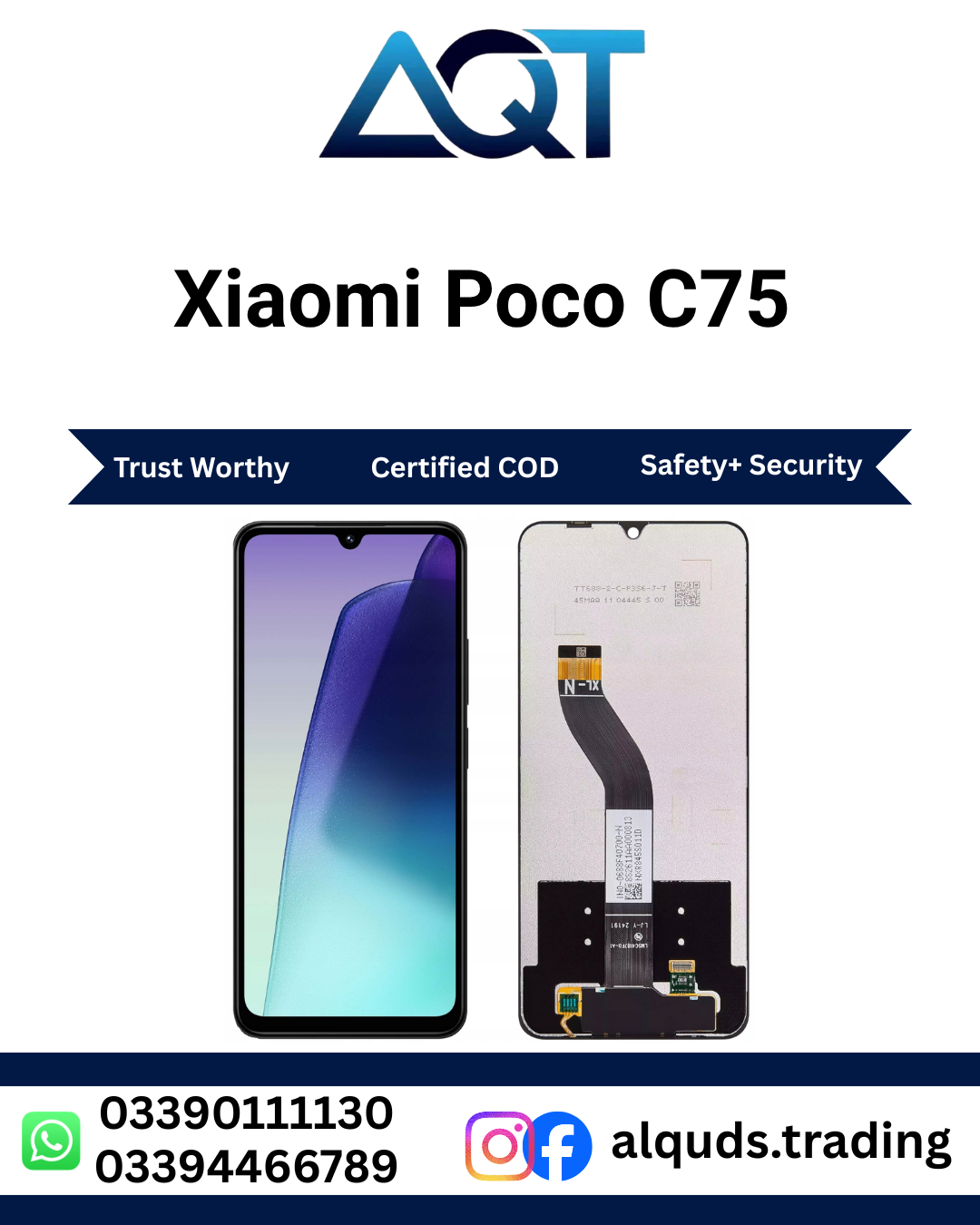

Xiaomi POCO C75 LCD Panel – Premium Quality Display Replacement
The Xiaomi POCO C75 LCD Panel is a replacement display solution for compatible POCO C75 smartphones with a cracked, damaged, broken, or faulty screen. A damaged display can make everyday phone use difficult and can affect viewing, touch operation, reading, browsing, video playback, and other normal smartphone activities.
The POCO C75 LCD Panel is suitable for mobile phone repair technicians, repair shops, retailers, wholesalers, and customers who need a compatible replacement screen for the POCO C75. Before ordering or installing the panel, always confirm the exact phone model and required display configuration.
POCO C75 LCD Panel – Official Display Information
The POCO C75 officially features a 6.88-inch Dot Drop display with a resolution of 1640 × 720 pixels. Xiaomi lists the display at approximately 260 ppi, with up to 120Hz refresh rate, 450 nits typical brightness, and up to 600 nits HBM brightness. The official specifications also mention 8-bit color depth and 70% NTSC color gamut. :contentReference[oaicite:1]{index=1}
| Product Name | Xiaomi POCO C75 LCD Panel |
|---|---|
| Brand | POCO / Xiaomi |
| Compatible Model | POCO C75 |
| Display Type | LCD |
| Screen Size | 6.88 Inches |
| Resolution | 1640 × 720 Pixels |
| Refresh Rate | Up to 120Hz |
| Typical Brightness | 450 nits |
| HBM Brightness | Up to 600 nits |
| Color Depth | 8-bit |
| Color Gamut | 70% NTSC |
| Use | Smartphone Screen Replacement |
| Installation | Professional Installation Recommended |
About Xiaomi POCO C75 LCD Panel
The Xiaomi POCO C75 LCD Panel is designed for compatible POCO C75 smartphones. It can be considered when the original screen has suffered physical damage or has developed display-related problems.
A damaged screen may show cracks, black areas, lines, flickering, abnormal colors, or touch problems. In some cases, the display may stop showing an image completely. Before replacing the screen, a professional technician should inspect the smartphone to identify the actual cause of the problem.
The POCO C75 uses a large 6.88-inch Dot Drop display with 1640 × 720 resolution and supports a refresh rate of up to 120Hz according to Xiaomi’s official specifications. :contentReference[oaicite:2]{index=2}
Key Features of POCO C75 LCD Panel
- Designed for compatible Xiaomi POCO C75 smartphones.
- 6.88-inch display specification for the POCO C75.
- 1640 × 720 pixel display resolution.
- Supports up to 120Hz refresh rate on the original device.
- Suitable for display replacement and repair applications.
- Useful for mobile repair technicians and repair shops.
- Suitable for retail and wholesale mobile parts requirements.
- Professional installation is recommended.
Why Replace Your POCO C75 Display?
A damaged display can affect the normal use of a smartphone. Cracks may make the screen uncomfortable to view, while display faults can make it difficult to use applications, read messages, watch videos, or operate the phone.
If the rest of the smartphone is working correctly, replacing the damaged display can be a practical repair option. The POCO C75 LCD Panel can be used as part of the repair process after the device has been properly inspected.
A technician should also check the display connector, flex cable, battery connection, and other relevant components before deciding that the display panel needs replacement.
Display Quality and Testing
Testing is an important step when installing a Xiaomi POCO C75 LCD Panel. The panel should be connected and tested before permanent installation.
Check the complete image output and look for lines, dark areas, flickering, abnormal colors, or sections that do not display correctly. Brightness should also be checked through the phone settings.
The complete touch area should be tested by tapping, swiping, scrolling, opening applications, and using the keyboard. Testing different sections of the screen can help identify possible touch problems before final assembly.
POCO C75 LCD Panel Compatibility
Compatibility should always be confirmed before purchasing a POCO C75 LCD Panel. Xiaomi and POCO smartphones have many different models, and display panels from different models should not automatically be considered interchangeable.
Check the exact phone model and compare it with the product information. If you are purchasing the panel for a repair shop or wholesale inventory, confirm the required part with your technician before ordering.
Who Can Use This POCO C75 LCD Panel?
- Mobile Repair Technicians: Suitable for compatible POCO C75 display repair jobs.
- Repair Shops: Useful for maintaining display inventory for customer repairs.
- Retailers: Suitable for customers looking for POCO C75 display replacement parts.
- Wholesalers: Useful for supplying mobile repair businesses and retailers.
- Individual Customers: Suitable for customers who need a replacement panel with professional installation.
Important Buying Advice
When buying a Xiaomi POCO C75 LCD Panel, do not select a product only because it has a similar name or appearance. Always confirm the exact model, display configuration, product quality, and compatibility.
After receiving the panel, inspect the screen surface, edges, flex cable, and connector before installation. It is recommended to test the display and touch functions before completing the permanent installation.
Customers without mobile repair experience should use a professional technician for installation. Correct handling of the display and internal connectors is important for a successful repair.
Final Note
The Xiaomi POCO C75 LCD Panel is a practical replacement option for compatible POCO C75 smartphones with damaged or faulty displays. Proper model verification, product inspection, pre-installation testing, and professional installation are recommended.
For the best repair process, confirm compatibility before ordering and test the complete display and touch functions before completing the final installation.
Xiaomi POCO C75 LCD Panel – Benefits, Features & Buying Guide
The Xiaomi POCO C75 LCD Panel is a practical replacement option for compatible POCO C75 smartphones with a damaged or faulty screen. A smartphone display is one of the most important parts of the device because it is used for viewing content, operating applications, reading messages, browsing websites, watching videos, and interacting with the phone.
When the original display becomes cracked, broken, black, flickering, or develops touch problems, a suitable POCO C75 LCD Panel can be considered as part of the repair process. Correct compatibility and professional installation are important for a successful repair.
Main Benefits of Xiaomi POCO C75 LCD Panel
1. Suitable Display Replacement
The Xiaomi POCO C75 LCD Panel can be used as a replacement display for compatible POCO C75 smartphones. It is suitable for repair situations where the existing screen is physically damaged or no longer working correctly.
2. Large Display Specification
The original POCO C75 features a 6.88-inch display with 1640 × 720 resolution. Xiaomi also lists support for up to a 120Hz refresh rate on the device. These specifications provide a useful reference when checking the correct replacement display for the phone.
3. Suitable for Repair Technicians
The POCO C75 LCD Panel can be useful for mobile phone repair technicians who regularly handle Xiaomi and POCO smartphones. A technician can inspect the damaged phone, confirm compatibility, test the replacement panel, and complete the installation.
4. Useful for Repair Shops
Mobile repair shops can keep compatible Xiaomi POCO C75 LCD Panel stock for customers who need display repairs. Keeping model-specific parts properly labeled can make it easier to identify the correct component during repair work.
5. Suitable for Retail and Wholesale
The panel can also be suitable for retailers and wholesalers who supply mobile phone repair parts to technicians and repair businesses. Bulk buyers should confirm the exact model, product configuration, quality, quantity, and current availability before placing an order.
Important POCO C75 Display Features
| Feature | Information |
|---|---|
| Display Size | 6.88 Inches |
| Resolution | 1640 × 720 Pixels |
| Refresh Rate | Up to 120Hz |
| Typical Brightness | 450 nits |
| HBM Brightness | Up to 600 nits |
| Color Depth | 8-bit |
| Color Gamut | 70% NTSC |
The above specifications are based on Xiaomi’s official POCO C75 specifications. Replacement-part specifications and configurations can vary depending on the specific product option, so compatibility should always be confirmed before ordering.
How to Choose the Right POCO C75 LCD Panel
Choosing the correct POCO C75 LCD Panel starts with confirming the exact smartphone model. Similar names between Xiaomi and POCO devices do not mean that their display panels are interchangeable.
Before ordering, check the model information of the phone and compare it with the product listing. If the panel is being purchased for a repair shop, ask the technician to confirm the required component.
Check the Model
Confirm that the phone requiring repair is a POCO C75. Do not select a display simply because it looks similar to another POCO model.
Check the Product Configuration
Different display products can have different configurations. Confirm the exact configuration being offered before placing an order.
Check the Connector
The display connector and flex connection should be compatible with the smartphone. Never force a connector into place because incorrect handling can damage the connector or flex cable.
Check Physical Compatibility
The replacement panel should be physically suitable for the intended POCO C75 assembly. The technician should check alignment, edges, connector position, and fitting before permanent installation.
Why Testing Is Important
A Xiaomi POCO C75 LCD Panel should be tested before permanent installation. Testing while the panel is still accessible allows the technician to identify display or touch problems before completing the final assembly.
The technician should check the complete image, brightness, colors, touch response, lines, dark areas, and flickering. Different areas of the screen should be tested to make sure the touch function responds correctly.
Common Reasons for POCO C75 Screen Replacement
- Cracked display glass
- Broken screen after accidental dropping
- Black or blank display
- Display lines
- Screen flickering
- Abnormal colors
- Damaged touch function
- Dead areas on the touch screen
- Physical display damage
A technician should diagnose the phone before replacement because some display problems can be caused by connectors, flex cables, software, motherboard components, or other hardware rather than the panel itself.
POCO C75 LCD Panel for Mobile Repair Shops
Repair shops handling POCO smartphones can keep the POCO C75 LCD Panel as part of their replacement-parts inventory. Proper stock management can help technicians quickly find the required component when a customer brings a damaged POCO C75 for repair.
For businesses, panels should be stored carefully and labeled according to the exact model. This helps reduce the possibility of mixing similar Xiaomi and POCO display products.
POCO C75 LCD Panel for Wholesale Buyers
Wholesale buyers should confirm product details before ordering larger quantities. Important points include the exact model, display configuration, product quality, available quantity, packaging, current price, and stock availability.
Wholesale customers should also test sample units when appropriate before making large purchases. This can help businesses understand the product configuration and ensure that it matches their repair requirements.
POCO C75 LCD Panel for Individual Customers
Customers looking for a Xiaomi POCO C75 LCD Panel should first confirm that their phone is the correct POCO C75 model. If the customer does not have experience opening and repairing smartphones, professional installation is strongly recommended.
The final repair result depends on several factors, including the compatibility of the panel, condition of the smartphone, installation quality, connector condition, and proper testing.
Buying POCO C75 LCD Panel in Pakistan
Customers searching for a POCO C75 LCD Panel in Pakistan should compare compatibility and product information before ordering. AQT Mobile Parts provides mobile phone parts for repair technicians, repair shops, retailers, wholesalers, and individual customers.
Customers in Lahore, Karachi, Islamabad, Rawalpindi, Faisalabad, Multan, Peshawar, Gujranwala, Sialkot, Hyderabad, and other cities can check current availability and confirm the required product before placing an order.
Important Buying Checklist
- Confirm the exact Xiaomi POCO C75 LCD Panel model.
- Confirm the required display configuration.
- Check the product description carefully.
- Confirm compatibility if you are unsure.
- Inspect the panel after receiving it.
- Connect and test the panel before permanent installation.
- Check image and brightness.
- Test the complete touch area.
- Check for lines and flickering.
- Use professional installation when required.
After-Installation Care
After installing the Xiaomi POCO C75 LCD Panel, protect the smartphone from accidental drops, excessive pressure, sharp objects, and unnecessary moisture. A suitable protective case and screen protection can help reduce the risk of future physical damage.
If the display later develops lines, flickering, touch problems, or other unusual behavior, have the smartphone inspected by a professional technician rather than applying excessive pressure to the screen.
Important Reminder
Always confirm compatibility before purchasing a POCO C75 LCD Panel. Test the panel before permanent installation and carefully check the display, touch function, connector, and flex cable. Professional installation is recommended for the safest repair process.
Xiaomi POCO C75 LCD Panel – Installation, Testing & Troubleshooting
Correct installation and testing are important when replacing a Xiaomi POCO C75 LCD Panel. A compatible display can still develop problems if the connector is not connected properly, the flex cable is damaged, or the panel is installed without proper testing.
The POCO C75 LCD Panel should always be inspected and tested before permanent installation. Customers without mobile repair experience should use a qualified technician because smartphone display replacement requires proper tools and careful handling.
Before Installing the POCO C75 LCD Panel
Confirm the Phone Model
Before starting the repair, confirm that the smartphone is the correct Xiaomi POCO C75 LCD Panel model. Do not rely only on the appearance of the phone because different Xiaomi and POCO models can use different display components.
Inspect the Replacement Panel
Carefully inspect the Xiaomi POCO C75 LCD Panel before connecting it. Check the screen surface, edges, flex cable, connector, and other visible areas for signs of physical damage.
Prepare Suitable Repair Tools
Professional technicians should use appropriate smartphone repair tools. Unsuitable tools can damage the phone frame, connectors, flex cables, or other internal components.
General Installation Process
- Switch off the Xiaomi POCO C75 LCD Panel before beginning the repair.
- Open the smartphone carefully using suitable repair tools.
- Disconnect the battery where required by the repair procedure.
- Disconnect the existing display connector carefully.
- Inspect the display connector and flex cable.
- Connect the new POCO C75 LCD Panel correctly.
- Power on the phone and test the display.
- Test the complete touch area.
- Check brightness, colors, lines, and flickering.
- Complete permanent installation only after successful testing.
How to Test Xiaomi POCO C75 LCD Panel
Testing should be completed before permanent installation. This gives the technician an opportunity to identify problems while the panel is still accessible.
Check the Display Image
Make sure the complete screen produces an image. Check for black areas, lines, flickering, abnormal colors, or sections that do not display correctly.
Check Brightness
Adjust the phone brightness through the settings and observe the display at different brightness levels. This helps confirm normal display operation.
Test Touch Response
Test the entire touch area by tapping, swiping, scrolling, opening applications, and using the keyboard. Make sure different areas of the screen respond correctly.
Check for Lines
Inspect the complete screen for vertical or horizontal lines. If unwanted lines appear, check the connector and flex cable before completing the installation.
Check for Flickering
Observe the display for flickering or unstable image output. If flickering occurs, check the connection and confirm that the correct compatible panel is being used.
Common Problems After Installation
Black Screen
If the POCO C75 LCD Panel remains black after connection, first confirm that the phone is powered on. Check the display connector, flex cable, battery connection, and model compatibility.
If the screen remains black after these checks, professional diagnosis may be required because the problem could be related to another component of the smartphone.
Touch Not Working
If the display produces an image but touch does not respond, inspect the connector and flex cable. Confirm that the correct panel has been installed and test the complete touch area again.
Partial Touch Response
If only certain areas of the display respond to touch, check the connection and carefully test the panel. The issue may be related to the panel, connector, flex cable, or another hardware component.
Lines on Screen
Lines can result from display damage, connection problems, flex cable issues, or other hardware conditions. Inspect the display connection and panel before completing the repair.
Screen Flickering
Flickering may be caused by an unstable connection, flex cable problem, display issue, or another hardware condition. Check the connector and confirm compatibility before final installation.
Abnormal Colors
If colors appear unusual, check the display connection and test different images and applications. If the problem continues, professional diagnosis is recommended.
Installation Mistakes to Avoid
- Do not force the display connector.
- Do not pull the flex cable unnecessarily.
- Do not sharply bend the display flex cable.
- Do not apply excessive pressure to the screen.
- Do not skip pre-installation testing.
- Do not install a panel without confirming compatibility.
- Do not use unsuitable tools.
- Do not apply excessive adhesive.
- Do not complete final assembly before testing touch response.
Safe Handling of POCO C75 LCD Panel
The Xiaomi POCO C75 LCD Panel should be handled carefully during transportation, testing, and installation. Avoid placing heavy objects on top of the panel and do not press heavily against the screen surface.
The flex cable should be protected from sharp bends, twisting, pulling, and unnecessary pressure. The connector should also be handled carefully to reduce the risk of damage.
Storage Advice for Repair Shops
If the POCO C75 LCD Panel is being stored as repair inventory, keep it inside suitable protective packaging in a clean and dry location. Avoid placing heavy products on top of display panels.
Repair shops should label display stock according to brand and model. Proper labeling helps prevent different Xiaomi and POCO panels from being mixed together.
After-Installation Care
After installing a new Xiaomi POCO C75 LCD Panel, protect the phone from accidental drops, heavy pressure, sharp objects, and unnecessary moisture.
A suitable protective case and screen protection can help reduce the risk of future physical damage. Avoid pressing excessively on the display during normal use.
When Professional Repair Is Recommended
Professional installation is recommended when the customer does not have the tools or technical knowledge required to open a smartphone and replace its display.
A qualified technician can inspect the phone, confirm compatibility, connect the display correctly, test the panel, and complete the final installation.
POCO C75 LCD Panel Testing Checklist
| Check | What to Verify |
|---|---|
| Model | Confirm Xiaomi POCO C75 LCD Panel compatibility |
| Screen Surface | Check for visible damage |
| Connector | Check correct connection |
| Flex Cable | Check for cuts, bends, or damage |
| Image | Check complete display output |
| Brightness | Test different brightness levels |
| Colors | Check for abnormal colors |
| Touch | Test the complete touch area |
| Lines | Check for unwanted lines |
| Flickering | Check for unstable display output |
Final Repair Advice
The Xiaomi POCO C75 LCD Panel should be tested carefully before permanent installation. If any display or touch problem appears, inspect the connector and confirm compatibility before assuming that the panel itself is faulty.
Correct model verification, careful handling, proper testing, and professional installation are important steps for a successful Xiaomi POCO C75 LCD Panel repair.
Xiaomi POCO C75 LCD Panel – FAQs, GEO Information & Final Guide
The Xiaomi POCO C75 LCD Panel is a replacement display option for compatible POCO C75 smartphones with cracked, damaged, broken, or faulty screens. It is suitable for mobile repair technicians, repair shops, retailers, wholesalers, and customers looking for a POCO C75 screen replacement.
Before ordering a POCO C75 LCD Panel, always confirm the exact phone model and required display configuration. The panel should also be tested before permanent installation to check image quality, brightness, colors, touch response, lines, and flickering.
Frequently Asked Questions
What is Xiaomi POCO C75 LCD Panel?
The Xiaomi POCO C75 LCD Panel is a replacement display component for compatible POCO C75 smartphones. It can be used when the existing display has been damaged or develops display-related problems.
What display does the POCO C75 use?
The original Xiaomi POCO C75 LCD Panel features a 6.88-inch Dot Drop display with 1640 × 720 resolution and support for up to 120Hz refresh rate according to Xiaomi’s official specifications.
When should I replace my Xiaomi POCO C75 LCD Panel?
Display replacement may be required when the screen is cracked, broken, black, flickering, showing lines, producing abnormal colors, or experiencing serious touch problems. A technician should diagnose the phone before replacement.
Is this LCD Panel compatible with every POCO phone?
No. Display panels are model-specific. The POCO C75 LCD Panel should be used only for a compatible POCO C75 configuration. Always confirm compatibility before ordering.
Should I test the panel before installation?
Yes. Connect and test the panel before permanent installation. Check the complete image, brightness, colors, touch response, lines, and flickering.
Can I install the POCO C75 LCD Panel myself?
Display replacement requires appropriate tools and technical knowledge. Customers without mobile repair experience should use a professional technician.
What should I do if the screen remains black?
Check whether the phone is powered on and inspect the display connector and flex cable. Confirm the compatibility of the panel before further troubleshooting.
What if touch is not working?
Check the Xiaomi POCO C75 LCD Panel connection and flex cable and confirm that the correct compatible panel is being used. Test the complete touch area again before final installation.
What if lines appear on the display?
Inspect the Xiaomi POCO C75 LCD Panel connection and flex cable. If the lines remain after checking the connection, professional diagnosis is recommended.
Is professional installation recommended?
Yes. Professional installation can reduce the risk of connector damage, flex cable damage, incorrect fitting, and other repair-related problems.
Xiaomi POCO C75 LCD Panel in Pakistan
Customers searching for a POCO C75 LCD Panel in Pakistan should confirm compatibility and product configuration before ordering. AQT Mobile Parts provides mobile phone repair components for customers, technicians, repair shops, retailers, and wholesalers.
Customers looking for a Xiaomi POCO C75 Panel in Pakistan can check product availability and confirm the required panel before placing an order.
The product may be relevant to customers and repair businesses in Lahore, Karachi, Islamabad, Rawalpindi, Faisalabad, Multan, Peshawar, Gujranwala, Sialkot, Hyderabad, and other areas of Pakistan.
Related Xiaomi & Redmi Mobile Parts
If you need other Xiaomi or Redmi repair components, explore the relevant categories below.
More Mobile Phone Display Panels
AQT Mobile Parts also provides display panels and other mobile repair components for multiple smartphone brands.
Official Xiaomi Reference
For official information about the POCO C75 specifications, customers can refer to Xiaomi’s official product information. This can be useful when confirming the device model and original display specifications.
Official POCO C75 Specifications
Why Choose AQT Mobile Parts?
AQT Mobile Parts provides mobile phone parts and repair components for customers and businesses in Pakistan. The product range includes display panels, batteries, charging parts, flex cables, cameras, and other smartphone repair components.
Whether you are a mobile repair technician, repair shop, retailer, wholesaler, or individual customer, checking compatibility before ordering is important. AQT Mobile Parts aims to make it easier to find suitable mobile repair components for different brands and models.
- Wide range of mobile phone parts
- Xiaomi and POCO repair components
- Products for mobile repair technicians
- Suitable options for repair shops
- Retail and wholesale support
- Multiple smartphone brands available
POCO C75 LCD Panel – Quick Summary
| Product | Xiaomi POCO C75 LCD Panel |
|---|---|
| Compatible Device | POCO C75 |
| Display Size | 6.88 Inches |
| Resolution | 1640 × 720 Pixels |
| Refresh Rate | Up to 120Hz |
| Use | Display Replacement |
| Installation | Professional Installation Recommended |
| Market | Pakistan |
Important Product Reminder
Compatibility: Confirm the exact Xiaomi POCO C75 LCD Panel model before ordering.
Testing: Test the display and touch before permanent installation.
Installation: Professional installation is recommended.
Handling: Avoid bending, twisting, pulling, or applying excessive pressure to the panel.
Inspection: Check the screen, connector, and flex cable before installation.
Final Summary
The Xiaomi POCO C75 LCD Panel is a practical replacement solution for compatible POCO C75 smartphones with damaged or faulty displays. It can be useful for mobile repair technicians, repair shops, retailers, wholesalers, and customers who need a POCO C75 screen replacement.
Before purchasing, confirm the exact model and required display configuration. After receiving the Xiaomi POCO C75 LCD Panel, inspect it carefully and test the image, brightness, colors, touch response, lines, and flickering before completing permanent installation.
For customers without professional repair experience, a qualified mobile technician should handle the installation. Correct compatibility checking, careful handling, testing, and professional installation can help support a successful screen repair.
Order Xiaomi POCO C75 LCD Panel from AQT Mobile Parts
Looking for a Xiaomi POCO C75 LCD Panel for your mobile repair? Explore AQT Mobile Parts for Xiaomi, POCO, Redmi, Samsung, Vivo, Oppo, OnePlus, Realme, Infinix, Tecno, and other mobile phone parts.
Visit AQT Mobile Parts to explore mobile phone repair parts and display solutions.
Reviews
There are no reviews yet.