


 FLEX CABLE STRIPS
 Camera Components
 Outer Parts
 Batteries




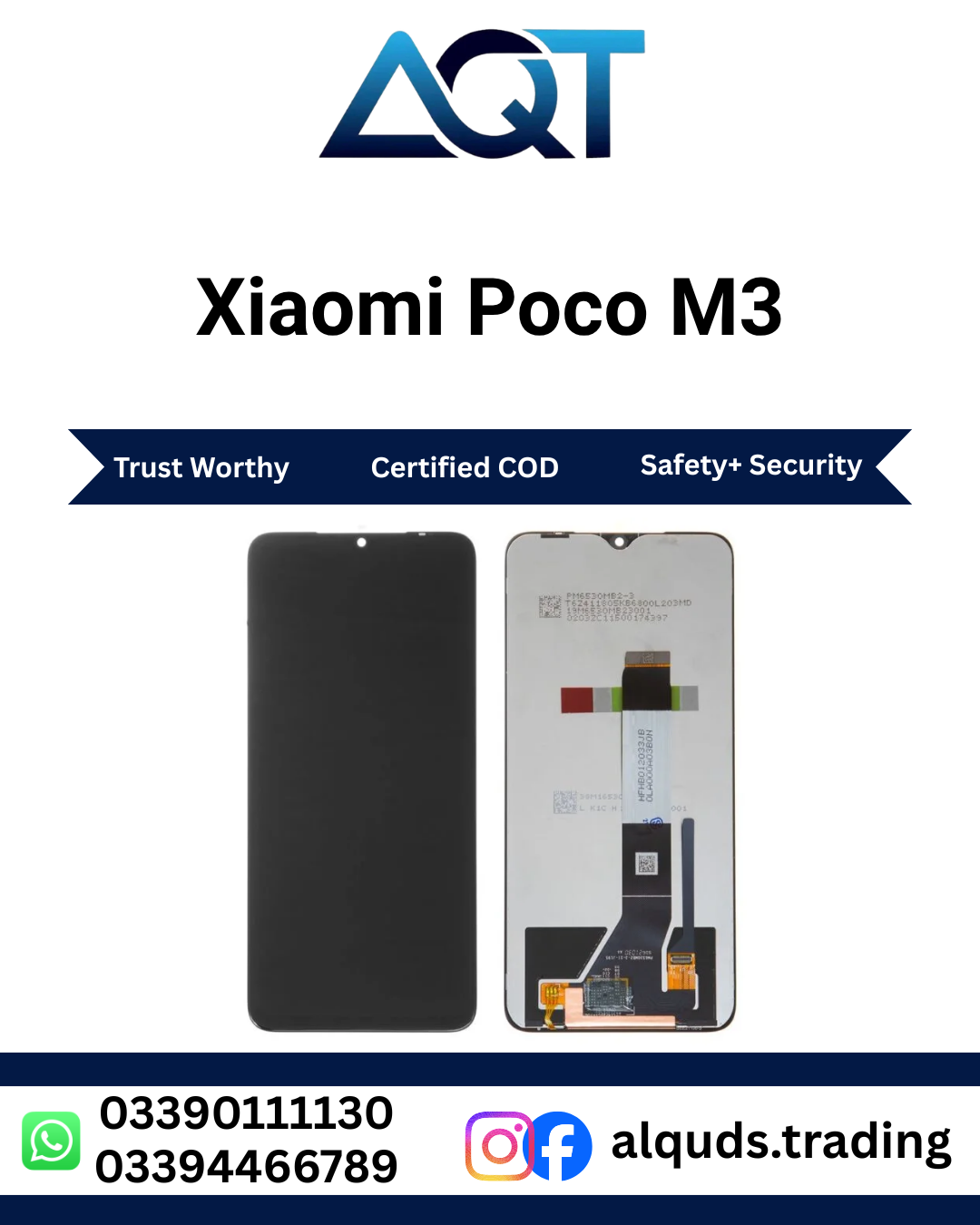

XIAOMI Poco M3 LCD Panel – Premium Quality
The XIAOMI Poco M3 LCD Panel is designed for Xiaomi Poco M3 smartphones and provides clear FHD+ visual output with responsive touch interaction. It is a practical choice for mobile phone repair technicians, repair shops, retailers, wholesalers, and customers looking for a compatible Poco M3 panel in Pakistan.
The Poco M3 features a 6.53-inch display with a 2340 × 1080 pixel resolution, making display quality an important part of the overall smartphone experience. The XIAOMI Poco M3 LCD Panel is suitable for everyday activities such as browsing websites, watching videos, viewing photographs, reading messages, using social media, and operating mobile applications.
XIAOMI Poco M3 LCD Panel – Quick Product Information
| Product Detail | Information |
|---|---|
| Product Name | XIAOMI Poco M3 LCD Panel |
| Brand | POCO / Xiaomi |
| Compatible Model | Poco M3 |
| Panel Type | LCD |
| Display Size | 6.53 Inches |
| Resolution | 2340 × 1080 Pixels |
| Display Category | FHD+ |
| Aspect Ratio | 19.5:9 |
| Touch | Capacitive Multi-Touch |
| Application | Mobile Phone Repair |
| Market | Pakistan |
Clear Display for Everyday Smartphone Use
The XIAOMI Poco M3 LCD Panel is intended to provide a clear and comfortable viewing experience on the Poco M3. The FHD+ resolution helps deliver detailed images for everyday smartphone activities.
Users can comfortably use the screen for browsing, messaging, watching videos, checking social media, viewing photos, reading documents, and using different Android applications.
Responsive Touch Performance
Touch functionality is an essential part of the Poco M3 user experience. The XIAOMI Poco M3 LCD Panel supports touch-based interaction for tapping, swiping, scrolling, typing, application navigation, and other everyday operations.
Technicians should test the complete touch surface before permanently fitting the panel. Testing different areas of the screen helps confirm that touch response is functioning properly across the usable display area.
When Do You Need a Poco M3 LCD Panel?
A smartphone screen can become damaged because of accidental drops, impact, pressure, or general physical damage. A compatible XIAOMI Poco M3 LCD Panel can be considered when the existing screen has display or touch-related problems.
- Cracked or damaged screen
- Black or blank display
- Lines appearing on the screen
- Screen flickering
- Unresponsive touch areas
- Touch delay or inconsistent response
- Abnormal display colors
- Display brightness problems
- Damaged viewing area
- Other screen-related issues
Poco M3 LCD Panel Specifications
| Specification | Details |
|---|---|
| Screen Technology | LCD |
| Screen Size | 6.53 Inches |
| Resolution | 2340 × 1080 Pixels |
| Resolution Category | FHD+ |
| Aspect Ratio | 19.5:9 |
| Touch Interface | Capacitive Multi-Touch |
| Compatible Device | Xiaomi Poco M3 |
| Purpose | Smartphone Repair |
Why Model Verification Is Important
Before ordering the XIAOMI Poco M3 LCD Panel, confirm that the smartphone is specifically the Poco M3. Xiaomi and POCO have released multiple smartphone models with similar names, but their display dimensions, connectors, and internal components can differ.
Checking the exact device model helps customers and technicians select a compatible panel. If there is any uncertainty about the device, professional model verification is recommended before ordering.
Redmi and Poco Panel Compatibility
Poco M3 is a specific POCO smartphone model and should not be confused with other Poco or Redmi devices. A panel designed for another model should not be assumed to fit the Poco M3 simply because the devices have similar screen sizes or names.
For the best result, verify the exact model before purchasing the XIAOMI Poco M3 LCD Panel.
Poco M3 LCD Panel Price in Pakistan
The Poco M3 LCD Panel price in Pakistan can vary according to panel quality, market availability, supplier pricing, and current stock. Customers should confirm the latest price and availability before placing an order.
AQT Mobile Parts provides mobile phone panels and components for individual customers, mobile repair technicians, repair shops, retailers, and wholesale buyers across Pakistan.
Who Can Use the Poco M3 LCD Panel?
- Poco M3 smartphone users
- Mobile phone repair technicians
- Mobile repair shops
- Smartphone service centers
- Mobile parts retailers
- Mobile parts wholesalers
- Electronics repair businesses
Pre-Installation Testing
The XIAOMI Poco M3 LCD should be connected and tested before permanent installation. This allows the technician to verify display and touch performance before applying adhesive or securing the panel.
Poco M3 LCD Panel Testing Checklist
- Confirm Poco M3 compatibility
- Inspect the panel for physical damage
- Check the display connector
- Inspect the flex cable
- Test the complete display
- Test the complete touch area
- Check brightness
- Check color output
- Look for lines or flickering
- Test before permanent installation
AQT Mobile Parts – Mobile Panels in Pakistan
AQT Mobile Parts specializes in mobile phone panels and components for popular smartphone brands, including Xiaomi, POCO, Redmi, Samsung, Vivo, Oppo, OnePlus, Realme, Infinix, and Tecno.
Customers looking for the XIAOMI Poco M3 LCD can check AQT Mobile Parts for current stock and pricing. Retail customers, mobile technicians, repair shops, retailers, and wholesale buyers can choose products according to their repair requirements.
Product Highlights
- Product: XIAOMI Poco M3 LCD Panel
- Compatible Model: Poco M3
- Panel Type: LCD
- Screen Size: 6.53 Inches
- Resolution: 2340 × 1080 Pixels
- Display: FHD+
- Aspect Ratio: 19.5:9
- Touch: Capacitive Multi-Touch
- Application: Mobile Phone Repair
- Market: Pakistan
Benefits of the XIAOMI Poco M3 LCD Panel
The XIAOMI Poco M3 LCD is designed to provide clear visual output and responsive touch interaction for compatible Poco M3 smartphones. It is suitable for everyday smartphone activities and professional mobile repair applications.
Clear FHD+ Display
The Poco M3 features a 6.53-inch FHD+ display with a 2340 × 1080 pixel resolution. The XIAOMI Poco M3 LCD is designed around these display specifications, making it suitable for viewing photos, videos, websites, messages, and applications.
Responsive Touch Interaction
A responsive touch interface allows users to tap, swipe, scroll, type, and navigate applications comfortably. Technicians should test the complete touch area before permanently fitting the panel.
Suitable for Mobile Repair
The XIAOMI Poco M3 LCD Panel is suitable for mobile phone repair technicians, repair shops, service centers, retailers, and wholesalers handling Poco M3 repair requirements.
Practical Repair Component
When the existing Poco M3 screen has display or touch problems, a compatible LCD panel can help restore normal screen functionality. Proper model verification and testing are important before installation.
Technical Details of Poco M3 LCD Panel
Technical Specification Details Product XIAOMI Poco M3 LCD Panel Compatible Device Poco M3 Panel Technology LCD Display Size 6.53 Inches Resolution 2340 × 1080 Pixels Display Category FHD+ Aspect Ratio 19.5:9 Touch Capacitive Multi-Touch Application Mobile Phone Repair Common Problems Associated With a Damaged Poco M3 Screen
A damaged smartphone display can affect both viewing and touch interaction. The XIAOMI Poco M3 LCD Panel can be considered for repair requirements involving common screen-related problems.
- Cracked or physically damaged screen
- Black or blank display
- Lines across the screen
- Screen flickering
- Unresponsive touch areas
- Delayed touch response
- Abnormal colors
- Brightness problems
- Damaged viewing area
- Other display-related faults
How to Choose the Right Poco M3 LCD Panel
1. Confirm the Exact Model
Before ordering, confirm that the smartphone is the Xiaomi Poco M3. Do not assume that a panel designed for another POCO or Redmi model will automatically be compatible.
2. Verify the Panel Type
If you specifically require an LCD panel, confirm that the product listing states LCD. Different display technologies can have different specifications, performance characteristics, and pricing.
3. Check Compatibility
The connector, flex cable, dimensions, and fitting arrangement should be compatible with the Poco M3. A qualified technician can verify these details before installation.
4. Consider Your Repair Requirements
Choose the panel according to your intended application, quality expectations, repair requirements, and available budget. Repair shops may also select stock according to different customer requirements.
5. Test Before Permanent Installation
Connect the XIAOMI Poco M3 LCD Panel and test it before applying permanent adhesive. Check the display image, touch response, brightness, colors, connector, and flex cable.
Poco M3 LCD Panel Price in Pakistan
The Poco M3 LCD Panel price in Pakistan can change according to panel quality, stock availability, supplier pricing, and market conditions. Always check the current price and availability before placing an order.
AQT Mobile Parts serves customers throughout Pakistan and provides mobile phone panels and components for retail, repair, and wholesale requirements.
Poco M3 LCD Panel for Mobile Technicians
Mobile repair technicians should inspect the panel before installation and perform a complete functional test after connecting it. Testing should cover the entire display and touch surface rather than only one area.
Technician Testing Points
- Complete display image
- Touch response across the screen
- Brightness adjustment
- Color appearance
- Screen uniformity
- Connector condition
- Flex cable condition
- Correct panel alignment
- Final display performance
Poco M3 LCD Panel for Repair Shops
Repair shops can keep the XIAOMI Poco M3 LCD Panel available for customers requiring Poco M3 screen service. Having compatible mobile panels in stock can help technicians handle common repair requests efficiently.
For wholesale requirements, mobile repair shops, retailers, and technicians can contact AQT Mobile Parts to check current availability and bulk pricing.
GEO: Poco M3 LCD Panel in Pakistan
Customers searching for a Poco M3 LCD Panel in Pakistan can check AQT Mobile Parts for current stock and pricing. The product is suitable for individual smartphone users and mobile repair businesses throughout Pakistan.
Major Pakistan Cities
- Poco M3 LCD Panel Lahore
- Poco M3 LCD Panel Karachi
- Poco M3 LCD Panel Islamabad
- Poco M3 LCD Panel Rawalpindi
- Poco M3 LCD Panel Faisalabad
- Poco M3 LCD Panel Multan
- Poco M3 LCD Panel Peshawar
- Poco M3 LCD Panel Gujranwala
- Poco M3 LCD Panel Sialkot
- Poco M3 LCD Panel Hyderabad
Who Can Purchase Poco M3 LCD Panel?
- Poco M3 smartphone users
- Mobile phone technicians
- Mobile repair shops
- Smartphone service centers
- Mobile parts retailers
- Mobile parts wholesalers
- Electronics repair businesses
Important Checks Before Ordering
- Confirm the smartphone model is Poco M3.
- Verify that you require an LCD panel.
- Check the current product price.
- Confirm stock availability.
- Inspect the panel after receiving it.
- Connect and test the panel before permanent fitting.
- Test the complete touch area.
- Use professional installation whenever possible.
Why Choose AQT Mobile Parts?
AQT Mobile Parts specializes in mobile phone panels and components for popular smartphone brands in Pakistan. The store serves individual customers, technicians, repair shops, retailers, and wholesale businesses.
- Wide selection of mobile phone panels
- POCO and Xiaomi mobile parts
- Retail and wholesale support
- Competitive market-based pricing
- Products for mobile repair businesses
- Customer service across Pakistan
Quick Product Summary
Feature Information Product XIAOMI Poco M3 LCD Panel Compatible Model Poco M3 Panel Type LCD Display Size 6.53 Inches Resolution 2340 × 1080 Pixels Display FHD+ Aspect Ratio 19.5:9 Touch Capacitive Multi-Touch Market Pakistan Key Takeaway
The XIAOMI Poco M3 LCD Panel is designed for Poco M3 repair applications where clear display output and responsive touch interaction are required. Always verify the exact model, confirm current availability and pricing, and test the panel before completing installation.
XIAOMI Poco M3 LCD Panel Installation Guide
Installing the XIAOMI Poco M3 LCD Panel requires careful handling of the display connector, flex cable, frame, and internal components. Professional installation is recommended for the best repair results.
Always connect and test the panel before permanent installation. This helps confirm display and touch performance before adhesive is applied or the panel is secured inside the device.
Tools and Preparation
Before installing the XIAOMI Poco M3 LCD, prepare the appropriate mobile repair tools and work in a clean, dry, and well-lit environment.
- Professional mobile repair tools
- Precision screwdrivers
- Suitable opening tools
- Plastic pry tools
- Clean microfiber cloth
- Suitable mobile repair adhesive
- Anti-static precautions where required
Pre-Installation Safety Checks
- Confirm the device is Poco M3.
- Switch off the smartphone completely.
- Inspect the LCD panel for physical damage.
- Check the display connector.
- Inspect the flex cable.
- Keep the panel away from excessive pressure.
- Avoid sharply bending the flex cable.
- Keep the work area clean and free from dust.
Step-by-Step Poco M3 LCD Panel Installation
- Verify the Device Model: Confirm that the smartphone is Xiaomi Poco M3 before beginning the repair.
- Power Off the Phone: Switch off the device completely before opening it or handling internal components.
- Disconnect the Battery: Where applicable, disconnect the battery before working with the display connector.
- Remove the Existing Screen: Carefully remove the damaged panel using appropriate professional repair tools.
- Clean the Frame: Remove old adhesive, dust, broken glass, and other residue from the frame.
- Connect the LCD Panel: Connect the display flex carefully without forcing, twisting, or damaging the connector.
- Test Before Fitting: Power on the device and check the display, touch response, brightness, colors, and complete screen area.
- Check Alignment: Position the panel correctly inside the frame before applying permanent adhesive.
- Secure the Panel: Apply suitable professional adhesive according to standard mobile repair procedures.
- Perform the Final Test: After assembly, test the display and touch functionality again.
How to Test the Poco M3 LCD Panel
Before permanently installing the XIAOMI Poco M3 LCD, perform a complete functional test. Inspect the entire display rather than checking only the center of the screen.
Display Testing Checklist
- Complete image output
- Screen brightness
- Color reproduction
- Screen uniformity
- Visible lines
- Dark or abnormal areas
- Flickering
- Display stability
Touch Testing Guide
Touch performance should be checked across the complete screen before final installation of the XIAOMI Poco M3 LCD Panel.
- Tap the top section.
- Tap the center section.
- Tap the bottom section.
- Swipe from left to right.
- Swipe from right to left.
- Scroll vertically.
- Open and close applications.
- Type using the keyboard.
- Test multi-touch where supported.
Common Poco M3 LCD Problems and Troubleshooting
Black or Blank Screen
If the screen remains black, first confirm that the smartphone is powering on. Check the battery connection and display connector. Carefully reconnect the panel and test it again.
Touch Not Working
If the display image is visible but touch is not responding, inspect the display connector and flex cable. Reconnect the panel carefully and test the complete touch surface.
Partial Touch Response
If only certain sections of the screen respond, test different areas of the touch surface. Check the connector and flex cable before completing installation.
Screen Flickering
Flickering may be associated with a loose connection, flex cable issue, device condition, or panel-related problem. Inspect the connector and make sure the panel is not under excessive pressure.
Lines on the Display
Check the display connector and inspect the panel for physical damage. Avoid applying strong pressure to the screen because excessive force can damage the LCD.
Abnormal Colors
Check the device display settings and brightness level. If unusual colors continue, inspect the display connection and perform another panel test.
Uneven Brightness
Check the brightness settings and inspect the display surface. If the issue continues, the technician should check the panel connection and overall condition.
Maintenance After Installation
Proper handling can help maintain the performance of the XIAOMI Poco M3 LCD after installation.
Protect the Screen
Avoid dropping, hitting, or placing excessive pressure on the smartphone. A suitable protective case and screen protection can help reduce the risk of physical damage.
Clean the Screen Properly
- Use a soft microfiber cloth.
- Clean the screen gently.
- Avoid abrasive materials.
- Do not spray liquid directly onto the panel.
- Avoid harsh cleaning chemicals.
Avoid Excessive Pressure
Do not place heavy objects on the smartphone or press strongly against the LCD surface. Excessive pressure can damage the display.
Avoid Excessive Heat
Keep the smartphone away from unnecessary high temperatures. Excessive heat can affect electronic components and overall device performance.
Professional Installation Recommendation
The XIAOMI Poco M3 LCD Panel contains delicate electronic components and should be handled carefully. Professional installation can reduce the risk of connector damage, incorrect alignment, flex cable problems, and installation-related faults.
If the smartphone has a damaged frame, liquid exposure, previous repair work, or internal hardware problems, it should be inspected by an experienced technician before installing the panel.
Final Quality Assurance Checklist
Test Area Required Check Device Model Confirm Xiaomi Poco M3 Display Complete image appears correctly Touch Entire touch area responds Brightness Brightness operates normally Colors Colors appear normally Screen Surface No unexpected lines or dark areas Connector Secure and correctly positioned Flex Cable No visible damage or excessive bending Alignment Panel fits correctly in the frame Final Assembly Display and touch work correctly Technician Quality-Control Procedure
- Verify Poco M3 compatibility.
- Inspect the LCD panel before connection.
- Check the connector and flex cable.
- Connect the panel carefully.
- Test the complete display.
- Test the complete touch surface.
- Check brightness and colors.
- Inspect for lines or flickering.
- Confirm correct panel alignment.
- Complete a final test after assembly.
Important Installation Reminder
Do not permanently install the XIAOMI Poco M3 LCD Panel before completing a full functional test. Testing first helps identify potential display, touch, connector, or installation-related issues before the repair is finalized.
Customers without professional mobile repair experience should have the panel installed by a qualified technician.
XIAOMI Poco M3 LCD Panel – Complete Product Guide
The XIAOMI Poco M3 LCD Panel is designed for Poco M3 smartphones and provides clear visual output with responsive touch interaction. It is suitable for customers, mobile repair technicians, repair shops, retailers, and wholesale buyers in Pakistan.
Before ordering, confirm the exact Poco M3 model and verify the required panel type. Professional installation and pre-installation testing are recommended for reliable repair results.
Frequently Asked Questions
What is the XIAOMI Poco M3 LCD Panel?
The XIAOMI Poco M3 LCD Panel is an LCD mobile panel designed for the Xiaomi Poco M3 smartphone. It provides the display and touch interface required for normal smartphone operation.
Is this panel compatible with Poco M3?
Yes, this product is intended for the Xiaomi Poco M3. Always verify the exact model before ordering because different POCO and Redmi models can use different display specifications and connectors.
What is the Poco M3 LCD Panel price in Pakistan?
The Poco M3 LCD Panel price in Pakistan may vary depending on panel quality, availability, supplier pricing, and market conditions. Check the latest price and stock before ordering.
Where can I get Poco M3 LCD Panel in Pakistan?
Customers searching for a Poco M3 LCD in Pakistan can check AQT Mobile Parts for current availability, pricing, and ordering information.
Should the Poco M3 LCD Panel be tested before installation?
Yes. Connect and test the panel before permanent fitting. Check the complete display, touch response, brightness, colors, connector, and flex cable.
Can a technician install the Poco M3 LCD Panel?
Yes. Professional installation is recommended because the LCD, connector, flex cable, and internal smartphone components require careful handling.
What problems can the Poco M3 LCD Panel be used for?
The panel can be considered for Poco M3 screen problems such as a cracked screen, black display, display lines, flickering, damaged viewing areas, or touch-related issues.
Can repair shops order Poco M3 LCD Panels in bulk?
Yes. Mobile repair shops, technicians, retailers, and wholesalers can contact AQT Mobile Parts regarding bulk requirements and current stock availability.
Is Poco M3 the same as other POCO models?
No. Poco M3 is a specific smartphone model. Other POCO models can have different screen sizes, connectors, display specifications, and fitting arrangements.
Poco M3 LCD Panel in Pakistan
Customers looking for the XIAOMI Poco M3 LCD can check AQT Mobile Parts for current availability and pricing. The product is suitable for individual customers as well as mobile repair businesses across Pakistan.
Who Can Order This Panel?
- Poco M3 smartphone users
- Mobile phone repair technicians
- Mobile repair shops
- Smartphone service centers
- Mobile parts retailers
- Mobile parts wholesalers
- Electronics repair businesses
Internal Links
Explore related mobile phone parts and Xiaomi products available from AQT Mobile Parts:
External Reference
For official manufacturer information and device specifications, customers can refer to the official POCO website.
Why Choose AQT Mobile Parts?
AQT Mobile Parts specializes in mobile phone panels and components for popular smartphone brands in Pakistan. The store serves individual customers, technicians, repair shops, retailers, and wholesale businesses.
- Wide selection of mobile phone panels
- POCO and Xiaomi panel options
- Retail and wholesale support
- Competitive market-based pricing
- Products for mobile repair businesses
- Service for customers across Pakistan
Before You Order
- Confirm that your device is Xiaomi Poco M3.
- Verify that an LCD panel is required.
- Check the latest product price.
- Confirm current stock availability.
- Inspect the panel after receiving it.
- Test display and touch before permanent fitting.
- Use professional installation whenever possible.
Poco M3 LCD Panel – Product Summary
Product Feature Details Product Name XIAOMI Poco M3 LCD Panel Compatible Model Poco M3 Panel Technology LCD Display Size 6.53 Inches Resolution 2340 × 1080 Pixels Display Category FHD+ Aspect Ratio 19.5:9 Touch Capacitive Multi-Touch Application Mobile Phone Repair Market Pakistan Final Overview
The XIAOMI Poco M3 LCD is a practical choice for Poco M3 repair requirements where clear display output and responsive touch interaction are needed. It is suitable for individual users, mobile technicians, repair shops, retailers, and wholesale buyers.
If you are searching for a Poco M3 LCD Panel Pakistan, verify the exact device model, confirm the latest price and availability, and test the panel before final installation. AQT Mobile Parts provides mobile phone panels and components for customers and repair businesses across Pakistan.
Looking for Poco M3 LCD Panel?
Check the latest availability and pricing of the XIAOMI Poco M3 LCD Panel at AQT Mobile Parts. Customers, mobile technicians, repair shops, retailers, and wholesale buyers can contact AQT Mobile Parts for their requirements.
Reviews
There are no reviews yet.