





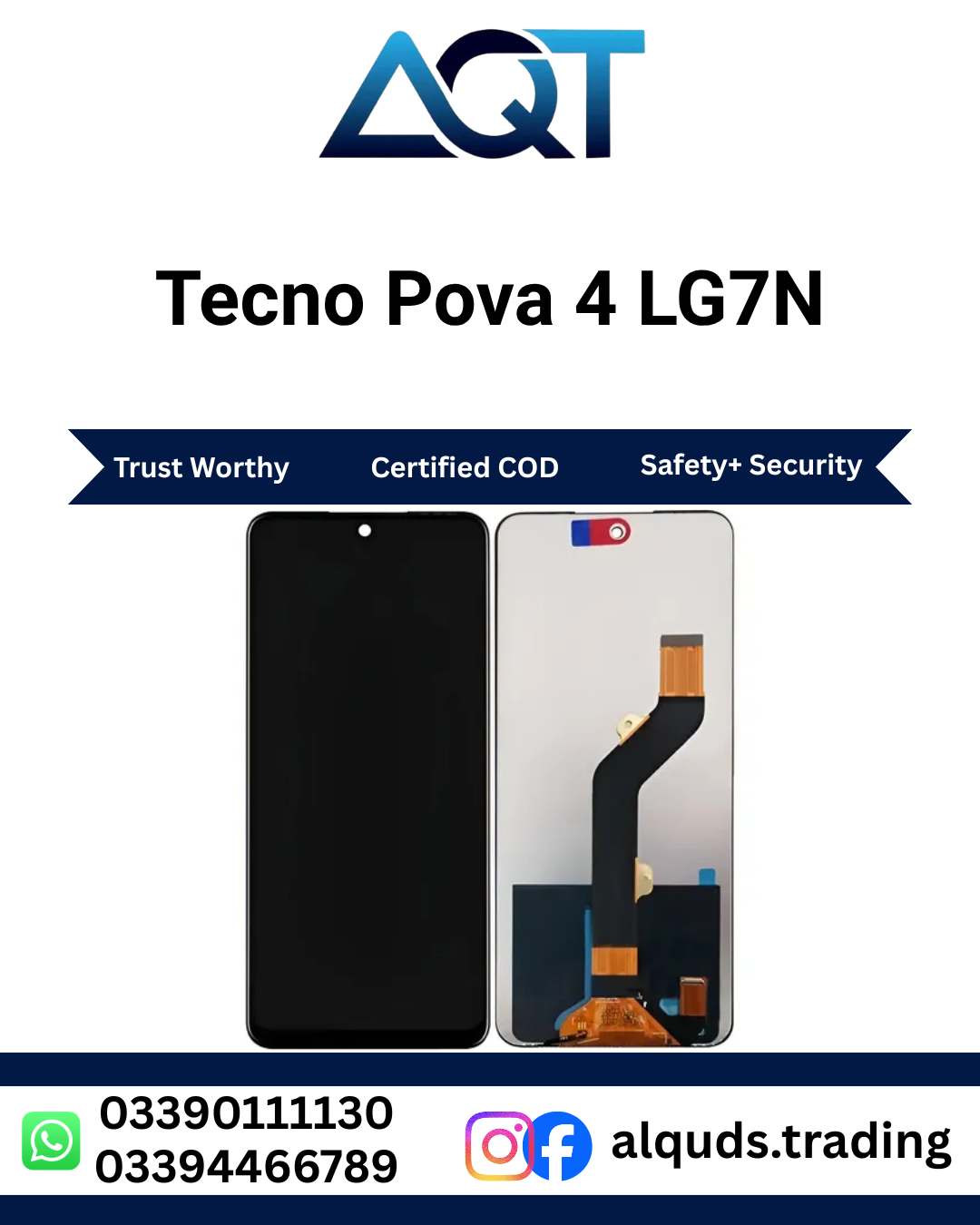

Tecno Pova 4 LG7N LCD Panel – Best Quality Display
Looking for a Tecno Pova 4 LG7N LCD Panel for your damaged smartphone? A broken screen, black display, flickering image, or unresponsive touch can make everyday mobile use difficult. Choosing a compatible display panel is important for restoring your phone’s usability and enjoying your device again. AQT Mobile Parts offers mobile parts for customers looking for suitable display components, whether they need a panel for personal use, a repair shop, or a wholesale business.
The Tecno Pova 4 LG7N LCD Panel is intended for the Tecno Pova 4 model identified by the code LG7N. Before purchasing, confirm your phone’s exact model and compare the replacement part with the original display assembly. This simple step can help you avoid compatibility issues and unnecessary installation costs.
At AQT Mobile Parts, our aim is to help customers find suitable mobile parts with clear product information and convenient purchasing support. Whether you are an individual customer or a professional mobile technician, check the available panel quality, compatibility, and current stock before placing your order.
Explore our Tecno Mobile Panels collection to discover additional display options for compatible Tecno smartphones.
Why Choose Tecno Pova 4 LG7N LCD Panel?
Your smartphone display is essential for almost every daily activity. You use it to make calls, send messages, browse websites, watch videos, use social media, and manage work. When the original screen becomes damaged, these activities can become difficult or impossible.
A suitable Tecno Pova 4 LG7N LCD Panel can provide a practical repair option when the original display assembly is faulty. Selecting the correct part and ensuring professional installation are important steps towards a successful repair.
Customers searching for a Tecno Pova 4 display should consider more than the product title. Model compatibility, panel grade, physical condition, testing, and warranty terms all matter. Always confirm the exact product specifications with the seller before making a purchase.
Important Product Benefits
- Model-specific selection: Intended for the Tecno Pova 4 LG7N, subject to model verification.
- Display repair solution: Suitable for consideration when the original display is cracked, damaged, or malfunctioning.
- Everyday mobile use: A correctly functioning replacement display helps restore access to regular phone activities.
- Repair technician support: A useful component to source for compatible smartphone repair jobs.
- Retail enquiries: Individual customers can contact AQT Mobile Parts to check availability.
- Wholesale enquiries: Shopkeepers and repair businesses can ask about stock, quantity, and applicable pricing.
- Compatibility checks: Confirm the model code and connector arrangement before installation.
Tecno Pova 4 LG7N LCD Panel Compatibility Guide
Compatibility is one of the most important considerations when buying a smartphone display. The Tecno Pova 4 LG7N LCD Panel listing is intended for the Tecno Pova 4 with model code LG7N. Nevertheless, customers should verify the handset’s identity before ordering because smartphones from the same brand can have different screen assemblies.
You can check the model information in your phone settings, on the original packaging, or through reliable device documentation. If the phone cannot be switched on, a technician can help identify the model using available device information.
It is also useful to compare the replacement part’s connector position, dimensions, mounting points, and physical design with the original assembly. Similar-looking panels are not necessarily interchangeable. A display that does not match the handset may fail to connect correctly or fit securely.
If you are uncertain about the Tecno Pova 4 LG7N LCD Panel, contact AQT Mobile Parts before purchasing. Share the model code and any relevant product details so compatibility can be checked before the repair begins.
Common Display Problems and Their Causes
Smartphone display problems can appear in different ways. Understanding the symptoms can help you decide when professional inspection is necessary. Not every screen-related problem requires a new panel, so diagnosing the fault first is recommended.
1. Cracked or Broken Screen
Accidental drops, impact, and pressure can damage the front glass or the display assembly underneath it. The phone may still receive calls and notifications even when the screen is difficult to use. If the display itself has been damaged, a compatible replacement may be required.
Before ordering a Tecno Pova 4 LG7N LCD Panel, have the phone inspected to determine whether the damage affects the display assembly, outer glass, frame, or other internal components.
2. Black Screen or No Picture
A black screen can be caused by a faulty display, a loose connector, a discharged battery, or another hardware problem. Sometimes the phone is running even though nothing appears on the screen.
A technician should check the phone’s power condition and display connections before deciding whether the panel needs replacement. Correct diagnosis can help prevent unnecessary parts purchases.
3. Lines, Spots, or Distorted Colours
Vertical lines, coloured patches, dark spots, and unusual colour patterns may indicate physical display damage. These problems can appear after a drop or when pressure is applied to the screen.
If these symptoms appear, avoid pressing or bending the display. Have the handset checked and confirm whether a replacement is required.
4. Touch Response Problems
An unresponsive touchscreen can make typing, scrolling, and opening applications difficult. The issue may come from the display assembly, a connector, software, or another internal fault.
A proper inspection helps establish whether a new display is the right solution. After installation, the technician should check touch response across the usable screen area.
5. Flickering or Intermittent Display
A screen that flickers, becomes dim unexpectedly, or switches off intermittently may have a hardware or connection issue. Software problems can sometimes produce similar symptoms.
Before fitting a Tecno Pova 4 LG7N LCD Panel, ask a qualified technician to investigate the underlying cause. A replacement display cannot be guaranteed to fix a fault originating elsewhere in the phone.
Display Quality and Buying Advice
When shopping for a replacement display, confirm which quality grade is available. Different display components may vary in specifications, construction, brightness, colour reproduction, and overall performance. The exact grade should be confirmed rather than assumed from the product title.
The phrase “Best Quality” identifies the product listing’s intended positioning, but buyers should still ask about the actual available grade and testing procedure. This is especially important for repair businesses that need to provide accurate information to their own customers.
When enquiring about the Tecno Pova 4 LG7N LCD Panel, ask whether the panel can be tested before installation and which warranty or checking conditions apply. Keep the purchase details available in case you need after-sales assistance.
What to Check Before Ordering
- Verify the handset model code LG7N.
- Confirm the display’s compatibility with the original phone.
- Ask about the available panel quality and specifications.
- Check the physical condition and connector arrangement.
- Confirm the applicable warranty and checking policy.
- Ask about current stock and total purchase cost.
- Confirm shipping charges and delivery availability for your city.
Professional Installation and Testing
Installing a Tecno Pova 4 LG7N LCD Panel requires care, suitable tools, and knowledge of smartphone repair. Modern mobile phones contain delicate connectors, internal components, and batteries that can be damaged during improper disassembly. If you do not have repair experience, professional installation is the safer option.
Step 1: Inspect the Device
Before opening the phone, inspect the screen, frame, and body for signs of impact or bending. Back up important information if the device is still operational. The technician should also determine whether the fault is limited to the display or involves another component.
Step 2: Verify the Replacement Part
Compare the replacement panel with the original assembly. Check the model compatibility, dimensions, connector placement, and physical condition. Never force a connector into position or attempt to install a part that does not align properly.
Step 3: Test Before Final Fitting
Where the phone’s repair procedure allows it, a qualified technician should test the display before permanently securing it. Check whether the image appears correctly and inspect for visible lines, dark areas, flickering, or unusual colours.
Step 4: Check Touch Functionality
Test touch response across different areas of the screen. Try basic actions such as tapping icons, scrolling, and typing. This helps identify potential problems before the installation is completed.
Step 5: Complete the Installation
Once testing is satisfactory, the technician can secure the assembly according to the phone’s repair requirements. Avoid excessive pressure, unsuitable adhesives, and rushed fitting. Careful installation reduces the risk of damaging the new component.
How to Protect Your New Display
After replacing a damaged Tecno Pova 4 LG7N LCD Panel, take simple precautions to reduce the risk of future damage. Use a suitable protective case and a compatible screen protector where appropriate. Avoid placing your phone alongside keys, coins, or other objects that may scratch or press against the display.
Do not place heavy items on your handset or sit on a phone kept in a back pocket. Keep the device away from unnecessary moisture and extreme temperatures. If the screen starts flickering or becomes unresponsive, arrange a professional inspection instead of pressing hard on the affected area.
These precautions can help protect your device, although no case or screen protector can guarantee complete protection against every impact.
Buy Tecno Pova 4 LG7N LCD Panel from AQT Mobile Parts
AQT Mobile Parts serves customers looking for mobile components for repairs, resale, and everyday device maintenance. We understand the importance of finding the correct display for your smartphone and providing clear information before a purchase.
If you need a Tecno Pova 4 LG7N LCD Panel, contact our team to check current availability, confirm the available quality, and discuss pricing. Sharing your exact model code helps us guide you towards the appropriate component.
We welcome enquiries from individual customers, mobile technicians, repair shops, and wholesale buyers. Whether you require one Tecno Pova 4 LG7N LCD Panel for a personal repair or several pieces for your business, ask about current stock and order requirements before confirming your purchase.
Mobile Parts from Lahore to All Pakistan
AQT Mobile Parts is based at Hall Road Centre, Lahore, a well-known market for mobile phones, components, and repair supplies. Customers can enquire about this display and other mobile parts through our available contact channels.
For customers outside Lahore, delivery arrangements depend on the destination, courier service, parcel details, and current availability. Confirm the shipping cost and estimated delivery time before placing your order.
To make the process easier, share your device model, required quantity, and delivery city when contacting our team. This information helps us check stock and explain the available ordering options.
Why Correct Model Identification Matters
Buying a screen using only a brand name can lead to compatibility problems. Tecno offers multiple smartphone models, and their display assemblies may differ in size, connectors, and fitting arrangements.
The Tecno Pova 4 LG7N LCD Panel should therefore be checked against your actual handset before purchase. Avoid relying only on a product photograph, screen size, or a similar model name.
For repair technicians, confirming the model with the customer before dismantling the phone can save valuable time. Individual buyers should also verify the model before ordering to help avoid delays and unnecessary costs.
If you cannot identify your handset confidently, contact AQT Mobile Parts with the available model information. Confirm compatibility before proceeding with the purchase or installation.
Frequently Asked Questions
1. Which mobile phone is this panel for?
This listing is intended for the Tecno Pova 4 with model code LG7N. Verify your handset’s model before purchasing the Tecno Pova 4 LG7N LCD Panel.
2. How can I check compatibility?
Check your phone’s settings, packaging, or reliable device documentation for the model number. If the phone cannot be switched on, ask a qualified technician to identify it.
3. Can I install Tecno Pova 4 LG7N LCD Panel myself?
Display installation requires appropriate tools and repair experience. Professional installation is recommended to reduce the risk of damage to the panel, connectors, and other internal components.
4. Should Tecno Pova 4 LG7N LCD Panel be tested before installation?
Yes. Where possible, the technician should check the image, touch response, and visible display condition before permanently fitting the component.
5. Is this product Tecno Pova 4 LG7N LCD Panel suitable for repair shops?
Customers can enquire about the panel for compatible repair work. Technicians should verify the model, available grade, and product specifications before ordering.
6. Can I order Tecno Pova 4 LG7N LCD Panel for wholesale?
AQT Mobile Parts accepts wholesale enquiries. Contact the team to confirm stock, quantity, current pricing, and any applicable order requirements.
7. Do you deliver outside Lahore?
Customers can enquire about delivery to other cities across Pakistan. Shipping costs and delivery times depend on the destination and available courier service.
8. What should I do if my phone has a black screen?
A black screen may be caused by display damage, a loose connector, a battery issue, or another hardware fault. Have the device diagnosed before purchasing a replacement part.
Order Tecno Pova 4 LG7N LCD Panel Today
If you need a display for your Tecno Pova 4 LG7N, contact AQT Mobile Parts to check availability, confirm compatibility, and discuss the available quality options. Our team can assist with enquiries from personal customers, mobile technicians, retailers, and wholesalers.
Share your exact model number and delivery city so the product details and shipping options can be checked. Choose the appropriate panel, confirm the purchase terms, and arrange careful installation for a better repair experience.
AQT Mobile Parts — your mobile parts destination, from Lahore to all Pakistan.
For manufacturer information, visit the official TECNO website.

Reviews
There are no reviews yet.