





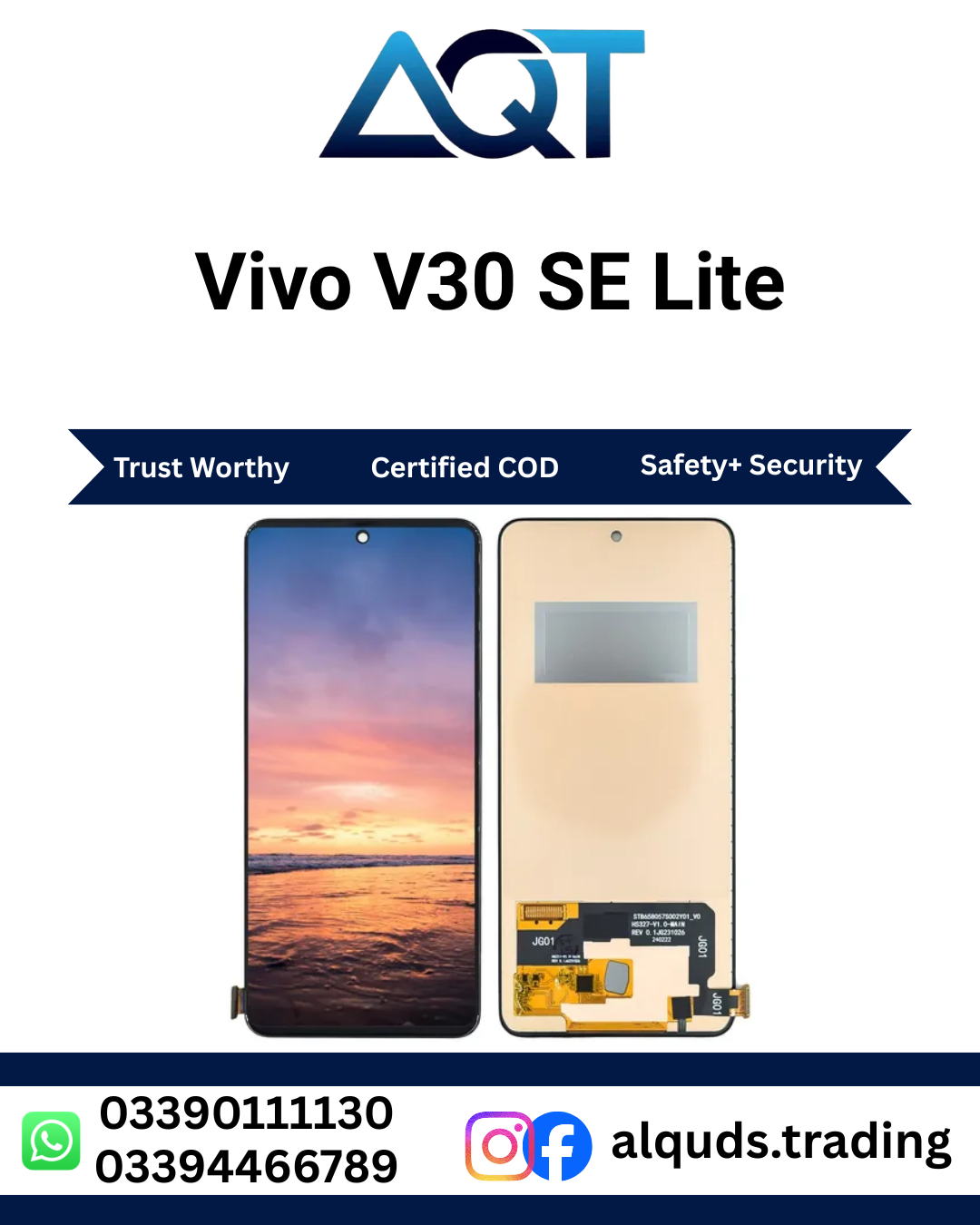

Vivo V30 SE Lite 5G Panel – Premium LCD, OLED & Original | Best Quality
If your smartphone has a cracked screen, display lines, black spots, flickering, or touch problems, choosing the correct display panel is important. The Vivo V30 SE Lite 5G Panel is listed for customers looking for a display component for mobile repair. Before placing your order, confirm the exact handset model, display connector, panel type, and available quality with AQT Mobile Parts. This helps you select a suitable part for your repair requirements.
AQT Mobile Parts serves mobile repair technicians, shop owners, retailers, and individual customers looking for mobile spare parts. We offer access to different mobile display categories, subject to current stock and availability. Customers can contact our team to ask about LCD, OLED, and Original panel options, their prices, and applicable checking or warranty terms.
Choosing a compatible display is important because similar smartphone model names do not always use the same parts. Always compare the replacement component with the original display before installation. If you are unsure about compatibility, ask an experienced technician to inspect your phone and confirm the correct part.
Available Display Quality Options
Display panels may be available in different technologies and quality grades. The correct choice depends on your phone’s original specifications, repair budget, intended use, and the stock available from the supplier. Not every display technology or quality grade is available for every model, so confirm the options before ordering.
LCD Panel
An LCD panel is a display option used in many smartphones. Its image quality, brightness, colour reproduction, and viewing experience depend on the panel design and manufacturing quality. LCD parts can be suitable for certain repair requirements, but they are not automatically compatible with every handset.
Before selecting an LCD option, ask whether it is designed for your exact model. Check the connector, fitting, touch functionality, and any differences from the original display. A technician should test the part before completing the installation.
OLED Panel
OLED technology uses self-emitting pixels to produce images. Depending on the panel, OLED displays can offer deep black levels, strong contrast, and rich colours. However, an OLED panel should only be selected when it is compatible with the phone’s display design and electronic connections.
Ask AQT Mobile Parts to confirm whether an OLED version is available for your particular device. Do not assume that every OLED panel fits simply because the screen size appears similar. The connector, display assembly, software support, and physical dimensions must be checked.
Original Quality Panel
Customers looking for an original-quality display should confirm exactly what the supplier means by Original. Product descriptions can use different terms for genuine service parts, original components, and compatible aftermarket products. The actual stock description and quality should be confirmed before purchase.
Ask about the supplied part, its condition, testing procedure, and warranty terms. This is especially important for repair shops that need consistent quality for customer devices. A clear understanding of the product helps avoid confusion and supports better purchasing decisions.
Common Display Problems and Their Causes
Cracked Screen
A phone may develop cracked glass after falling onto a hard surface. Sometimes the touch function and picture remain usable, while in other cases the impact damages the display underneath. Avoid pressing the damaged area because further pressure can spread cracks or make the screen stop working.
A technician can inspect the screen and determine whether the display assembly needs replacement. The phone should be handled carefully until the repair is completed, particularly when the glass has sharp or loose fragments.
Black Spots and Display Lines
Black patches, coloured lines, and uneven areas may indicate internal display damage. These problems can appear after a drop, twisting pressure, or other physical impact. They may grow over time, so it is sensible to arrange an inspection when the first symptoms appear.
However, a faulty connection or motherboard issue can sometimes create similar symptoms. A technician should check the phone before deciding which component needs replacement.
Touchscreen Not Responding
If the screen does not respond to taps or swipes, the touch layer may be damaged. Problems can affect the whole display or only certain areas. Loose connectors, liquid exposure, and software faults may also affect touch performance.
Before installing a new panel, ask the technician to inspect the connector and test the device. After installation, test different parts of the screen, including the edges, keyboard area, notification panel, and frequently used applications.
Flickering or No Display
Flickering, sudden brightness changes, or a completely black screen can have several causes. A damaged panel is one possibility, but battery problems, software errors, connector faults, or motherboard damage may also be responsible.
If the phone still rings or vibrates while the screen remains black, professional diagnosis can help identify the fault. Avoid buying a part before confirming the problem whenever possible.
How to Confirm the Correct Model
Correct model identification is one of the most important steps when purchasing a mobile display. Smartphone names can be similar across regions and product generations, while internal components may differ. A screen that looks similar may still have a different connector, flex cable, or fitting design.
Before ordering the Vivo V30 SE Lite 5G Panel, share the exact model name and model number with our team. If possible, ask a technician to compare the original part number, connector position, and physical dimensions with the available replacement.
- Confirm the full model name and model number.
- Check the display connector and flex cable design.
- Confirm whether the product is panel-only or includes a frame.
- Ask which quality grades are currently available.
- Confirm the product price and stock before payment.
- Check the seller’s inspection and warranty conditions.
These checks are useful for individual buyers as well as mobile repair businesses. They can reduce the risk of ordering an incompatible part and help make the repair process more efficient.
Testing the Panel Before Installation
Testing a display before final fitting is an important repair step. The technician should inspect the product for visible damage and compare its connector with the original part. The display should then be connected carefully and tested according to the manufacturer’s repair requirements.
Check the following functions before closing the phone:
- Confirm that the screen produces a clear image.
- Check brightness and colour consistency.
- Look for lines, flickering, spots, or unusual marks.
- Test touch response across the entire screen.
- Check whether the display remains stable during normal use.
- Inspect the flex cable and connector for proper alignment.
If the screen does not work correctly, disconnect power and ask the technician to inspect the connection and compatibility. Never force a connector into place or bend the flex cable sharply. Final adhesive should be applied only after the necessary checks have been completed.
Professional Installation Advice
Modern smartphones contain delicate internal parts, small connectors, adhesive seals, and lithium-ion batteries. Incorrect disassembly can damage the battery, camera, cables, frame, or motherboard. For this reason, professional installation is recommended for customers who do not have the required tools and repair experience.
A qualified technician should switch off the device, use appropriate tools, and follow a careful disassembly process. Any heat used to loosen adhesive must be controlled to reduce the risk of damage. The display cable should be routed correctly, and screws should be returned to their appropriate positions.
After fitting the replacement, the technician should test the display and touch functions again. The frame should be checked for proper alignment, and no cable should be trapped under the assembly. Correct installation helps reduce avoidable problems and supports reliable daily use.
Tips for Protecting Your New Display
After a successful repair, a few simple habits can help protect your phone’s screen. Use a suitable protective case and screen protector where compatible. These accessories may reduce everyday scratches and help protect the device from some minor impacts, although they cannot guarantee protection against every fall.
- Avoid dropping the phone on hard surfaces.
- Keep keys and sharp objects away from the screen.
- Do not place heavy objects on the device.
- Keep the phone away from water and excessive moisture.
- Clean the screen with a soft, lint-free cloth.
- Avoid excessive pressure on the display.
- Arrange a professional inspection if lines or touch issues appear.
Do not use harsh cleaning chemicals or spray liquid directly onto the handset. If the screen becomes unusually hot, starts flickering, or develops black spots, have the device inspected. Continuing to press or bend a damaged display can make the problem worse.
Mobile Display Parts for Retail and Wholesale Buyers
AQT Mobile Parts supports customers who purchase mobile parts for personal repairs, repair workshops, and retail businesses. Individual customers can ask about a single panel, while wholesale buyers can confirm stock quantities and applicable bulk prices before ordering.
When comparing products, consider compatibility, actual quality, availability, testing conditions, and the supplier’s stated warranty terms. A lower price is not the only factor to consider. The right part should meet the requirements of the phone and the repair being performed.
For the Vivo V30 SE Lite 5G Panel, contact our team to confirm the available quality, current price, and whether the required version is in stock. If you are purchasing multiple units, confirm the quantity and price for each quality option before completing the order.
Order from AQT Mobile Parts in Lahore
AQT Mobile Parts is located at Hall Road Centre, Lahore, and serves customers looking for mobile phone spare parts and repair components. Our team can help you check product availability and discuss suitable options based on your device and requirements.
We aim to serve customers from Lahore to all Pakistan. Before ordering, confirm delivery availability, shipping charges, estimated dispatch time, and payment arrangements. Keep your order details and proof of purchase so that you can refer to them if you need assistance after delivery.
Customers should inspect the received item according to the seller’s stated checking procedure. If the delivered product appears damaged or differs from the confirmed order, contact the seller promptly and follow the applicable return or warranty conditions.
Frequently Asked Questions
Which panel quality should I choose?
The best option depends on compatibility, budget, and the available stock. Ask AQT Mobile Parts to confirm whether LCD, OLED, or an original-quality option is available for your exact device before choosing.
Is the Vivo V30 SE Lite 5G Panel compatible with every Vivo V30 series phone?
No. Similar model names do not guarantee compatibility. Confirm the exact model number, connector, and assembly before purchasing a display.
Does the panel come with a frame?
Frame inclusion depends on the specific product supplied. Ask our team whether the available item is a panel-only component or a complete display assembly.
Can I install the display at home?
Professional installation is recommended unless you have the right tools and experience. Smartphone displays and internal components can be damaged by incorrect handling.
How can I check the price?
Contact AQT Mobile Parts for the latest price and stock information. Prices may vary according to the quality grade, supply, and availability.
Is a warranty available?
Warranty and checking terms depend on the specific item and its supplied quality. Confirm the applicable terms before placing your order.
Do you deliver outside Lahore?
Contact AQT Mobile Parts to confirm delivery options from Lahore to all Pakistan, including the applicable shipping charges and estimated delivery time.
Contact AQT Mobile Parts Today
If you need a display for a mobile repair, contact AQT Mobile Parts to confirm the exact model compatibility, available panel type, quality, price, and delivery details. The Vivo V30 SE Lite 5G Panel should be selected only after confirming that it matches your handset and repair requirements.
For manufacturer information and official product support, visit the official Vivo website.
Reviews
There are no reviews yet.