





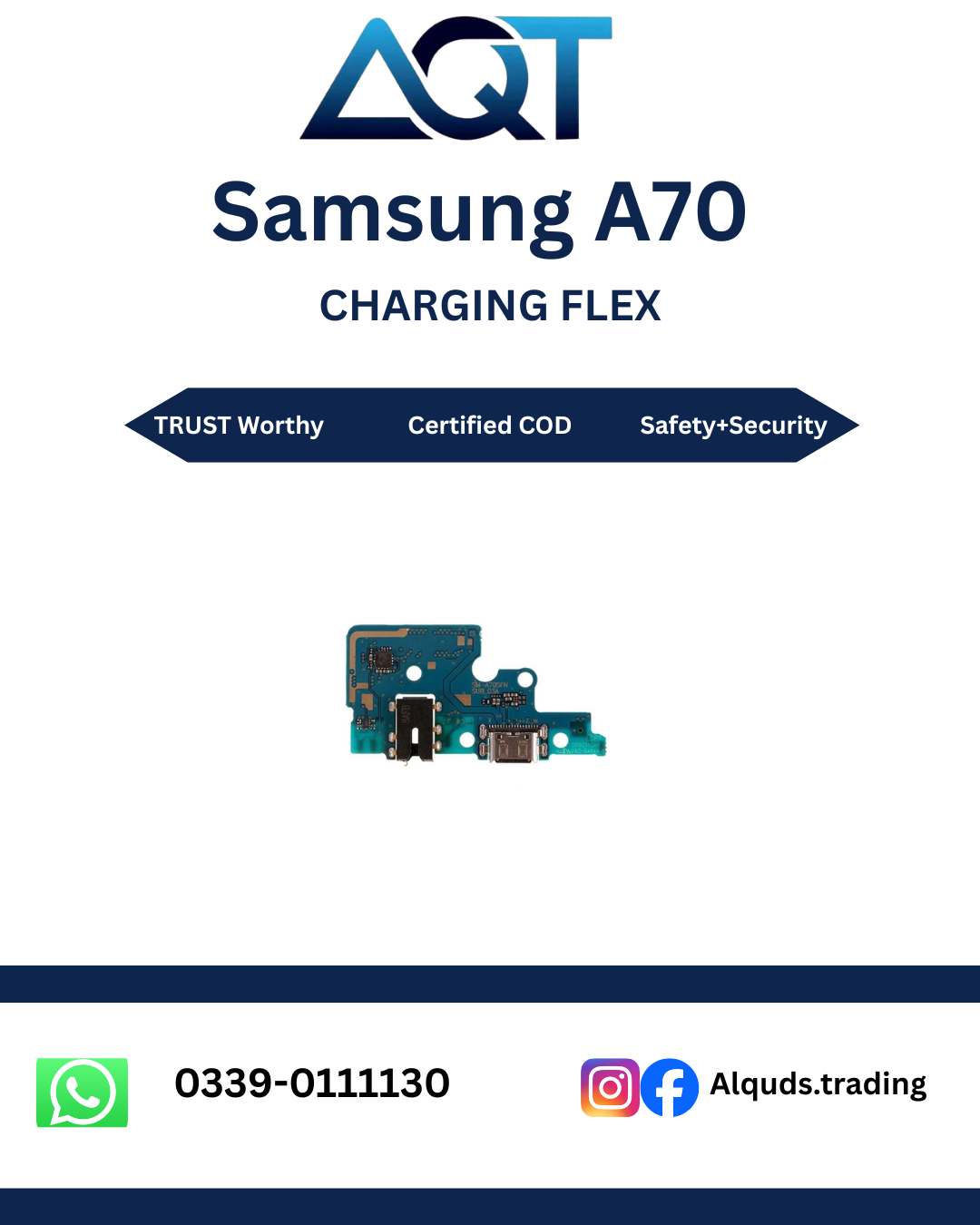

Samsung A70 Charging Flex | Best Quality
Looking for a dependable Samsung A70 Charging Flex for mobile phone repair? AQT Mobile Parts offers mobile spare parts for technicians, repair shops, wholesalers, and individual customers across Pakistan. Whether you are diagnosing a charging problem or repairing a damaged charging connector, selecting the correct part is an important step toward a reliable repair.
Visit AQT Mobile Parts to explore our mobile spare parts range and find components for compatible Samsung devices. We serve customers through wholesale and retail options, helping mobile repair professionals and everyday buyers source the parts they need.
Samsung A70 Charging Flex for Mobile Phone Repair
The Samsung A70 Charging Flex is a replacement service component intended for compatible Samsung Galaxy A70 devices. The charging assembly is part of the hardware involved in connecting a charging cable to the phone. Depending on the exact assembly design, it may also include other electrical connections or components.
When a phone stops charging correctly, the charging flex or charging port assembly may be one possible cause. However, charging problems can also result from a faulty cable, power adapter, damaged battery, software issue, corrosion, or a fault on the mainboard. Proper diagnosis helps prevent unnecessary part replacement.
If you are purchasing a Samsung A70 Charging Flex for a customer repair, confirm the handset model and compare the connector layout with the existing component. A matching part helps the technician carry out the repair without avoidable compatibility problems.
Why Choose the Correct Samsung A70 Charging Flex?
Choosing the correct component is essential for a successful mobile phone repair. Even parts that look similar can have different connector positions, board layouts, or flex cable designs. The Samsung A70 Charging Flex should therefore be selected according to the actual handset and the specifications of the part being sold.
Correct Model Compatibility
Compatibility should always be checked before placing an order. Confirm that the device is a Samsung Galaxy A70 and check the model code shown in the phone settings, on the device information label, or in the relevant service documentation. Do not rely only on the appearance of the handset.
The Samsung A70 Charging Flex must match the original assembly’s connection points and physical design. If you are a repair technician, comparing the old component with the replacement part before installation can help identify differences early.
Support for Charging Repairs
A damaged charging port may cause intermittent charging, a loose cable connection, or complete failure to recognize a charger. If testing confirms that the charging assembly is defective, replacing the appropriate component may help restore normal charging functionality.
However, a Samsung A70 Charging Flex cannot resolve every charging issue. If the fault comes from the battery, charging circuit, mainboard, or another damaged component, additional repair work may be necessary.
Suitable for Repair Professionals
Mobile repair technicians need components that can be checked for compatibility before installation. A clearly identified Samsung A70 Charging Flex makes it easier to organize repair inventory, identify the intended device, and select the appropriate component for a customer’s handset.
Repair shops should inspect the connector, flex cable, mounting points, and board layout before fitting the part. These checks are particularly useful when handling several Samsung models that may have similar product names.
Common Problems That May Require Charging Flex Inspection
Several symptoms may indicate a problem with the charging port or associated charging assembly. These symptoms are useful starting points for diagnosis, but they do not prove that the flex is defective.
1. Phone Does Not Charge
If the phone does not respond when connected to a charger, begin by checking the power outlet, adapter, and charging cable. Test with known-working accessories that are suitable for the device. Inspect the charging port for visible debris or damage without inserting metal objects.
If the accessories work correctly and the phone still does not charge, a technician can inspect the charging port, charging assembly, battery, and related circuitry. A Samsung A70 Charging Flex may be appropriate when the fault is traced to the compatible charging assembly.
2. Intermittent Charging
Charging that repeatedly starts and stops may be caused by a worn connector, damaged cable, loose internal connection, corrosion, or another electrical fault. Avoid forcing the charging cable into the port because this can worsen physical damage.
A professional inspection can establish whether the Samsung A70 Charging Flex needs replacement or whether the fault lies elsewhere in the phone.
3. Loose Charging Cable Connection
A charging cable should connect securely without excessive movement. If the connector feels loose, inspect both the cable and the phone’s charging port. Accumulated debris can affect the connection, while worn or damaged port contacts may require repair.
Do not assume that every loose connection requires a new charging assembly. A technician should first determine whether cleaning, cable replacement, or hardware repair is appropriate.
4. Slow Charging
Slow charging may result from an unsuitable adapter, a damaged cable, background activity, battery condition, temperature, or a hardware problem. Check the charging accessories and the phone’s operating conditions before ordering parts.
If testing identifies a fault in the charging port assembly, the correct Samsung A70 Charging Flex may form part of the repair solution. Charging performance should be verified after installation using suitable equipment and accessories.
5. Charging Port Damage
Repeated cable insertion, accidental pulling, moisture exposure, or physical impact can damage a charging connector. Bent contacts, corrosion, or a visibly damaged port require careful inspection.
When physical damage is confirmed, a qualified technician can determine whether the charging assembly can be replaced independently or whether the phone has additional damage that needs attention.
Samsung A70 Charging Flex Compatibility Guide
Before ordering a Samsung A70 Charging Flex, verify the precise device and part specifications. Product names alone are not always enough to establish compatibility, particularly when different regional variants or assembly revisions exist.
- Device: Samsung Galaxy A70, subject to model verification.
- Model code: Check the exact code on the customer’s handset before ordering.
- Part type: Charging flex or charging port assembly, according to the actual listing.
- Connector layout: Compare the replacement with the original component.
- Physical fit: Check cable length, mounting points, and connection positions.
- Quality: Confirm the actual quality grade with the seller before purchase.
Do not assume that a part for another Samsung Galaxy A-series phone will fit simply because the devices share a similar design. Different models can use different charging assemblies.
If you are uncertain about compatibility, provide the complete model code and clear pictures of the original component before ordering. This is especially helpful for repair shops purchasing parts in bulk.
Installation Guidance for Samsung A70 Charging Flex
Installing a Samsung A70 Charging Flex requires suitable tools, careful handling, and knowledge of mobile phone hardware. If you do not have experience opening smartphones, professional installation is recommended.
Step 1: Confirm the Fault
Test the charging cable and adapter first. Check the phone for visible port damage and establish whether the issue is related to the charging assembly, battery, or another circuit. Avoid ordering a part before completing basic checks.
Step 2: Power Off the Device
Before opening the handset, shut it down and follow the appropriate repair procedure. A qualified technician should disconnect the battery before handling internal connectors whenever the service procedure requires it.
Step 3: Open the Phone Carefully
Samsung smartphones may use adhesive and delicate internal components. The technician should use suitable opening tools and follow a model-specific disassembly guide. Excessive force can damage the rear cover, display, cables, or internal connectors.
Step 4: Inspect the Existing Assembly
Locate the charging assembly and examine its connectors, mounting points, flex cable, and surrounding components. Compare the original assembly with the new Samsung A70 Charging Flex before proceeding.
Step 5: Fit the Compatible Component
Remove the defective assembly according to the proper service procedure. Install the compatible component carefully and ensure that connectors are aligned correctly. Never force a connector or bend the flex cable unnecessarily.
Step 6: Test Before Final Reassembly
Follow the manufacturer’s service procedure for reconnecting the battery and testing the phone. Check charging recognition, connector stability, and other functions relevant to the repair. Complete the reassembly only after the required checks have passed.
Because repair procedures vary by handset and assembly revision, technicians should consult appropriate service documentation. Improper installation may damage the phone or create an electrical safety risk.
How to Maintain the Charging Port
Good charging habits can reduce avoidable wear on the charging connector and cable. They cannot prevent every hardware failure, but they can help protect the device during everyday use.
- Use a suitable, good-quality charging cable and adapter.
- Insert and remove the charging cable gently.
- Avoid pulling the cable sideways while it is connected.
- Keep liquids and moisture away from the charging port.
- Do not insert pins, needles, or other metal objects into the connector.
- Have visible corrosion or physical damage inspected by a technician.
- Arrange a professional inspection if charging becomes intermittent.
If these measures do not resolve a charging problem, proper diagnosis is preferable to repeatedly changing accessories or buying unverified components.
Buying Samsung A70 Charging Flex from AQT Mobile Parts
AQT Mobile Parts serves mobile repair professionals, retailers, wholesalers, and individual customers looking for mobile phone spare parts. Our business focuses on helping customers identify the components they need for common smartphone repair jobs.
When purchasing a Samsung A70 Charging Flex, check the listing details, available quality grade, product images, compatibility information, and current price. If any specification is unclear, confirm it before placing your order.
Customers looking for mobile spare parts can contact AQT Mobile Parts for product information and availability. Our business is based at Shop No. 15 & 16, 2nd Floor, Hall Road Centre, Kacha Hall Road, Garhi Shahu, Lahore, Pakistan.
We support wholesale and retail enquiries, with service for customers purchasing from Lahore to all Pakistan. Availability, delivery arrangements, and pricing should be confirmed at the time of purchase.
For repair businesses, confirming the exact part before ordering can help reduce compatibility mistakes and unnecessary delays. Individual buyers should also verify whether they need the charging flex alone or a complete charging board assembly.
Quality Checks Before Purchasing
The word “quality” can refer to different grades of mobile spare parts. Buyers should confirm whether a component is aftermarket, OEM-grade, or an original manufacturer part instead of assuming that all products have the same specifications.
Inspect product photographs for visible connector differences and compare the part with the assembly removed from the handset. If a listing does not identify the quality grade, ask the seller for clarification before purchase.
A Samsung A70 Charging Flex should be checked for visible cable damage, bent connectors, missing contacts, and incorrect mounting features before installation. Any suspected defect should be discussed with the supplier before the component is fitted.
Testing after installation is also important. The technician should verify charging recognition and inspect the repaired area for poor connections or other signs of an unsuccessful repair. Additional device functions should be checked where they are affected by the repair procedure.
Frequently Asked Questions
1. What is a Samsung A70 Charging Flex?
It is a charging-related hardware component for a compatible Samsung Galaxy A70 device. The exact functions included depend on the assembly design and the specific product being sold.
2. How do I know if my charging flex is faulty?
Symptoms can include intermittent charging, a damaged charging port, or failure to recognize a charger. These symptoms may also have other causes, so test the accessories and arrange a proper hardware diagnosis before replacing the component.
3. Is the Samsung A70 Charging Flex compatible with every Samsung A-series phone?
No. Charging assemblies vary between models. Verify the exact handset model and compare the connector layout and assembly specifications before ordering.
4. Can I install the charging flex at home?
Smartphone disassembly requires appropriate tools and technical knowledge. Professional installation is recommended if you are unfamiliar with internal phone connectors, adhesives, and battery safety.
5. Will replacing the charging flex fix slow charging?
It may help if the charging assembly is the confirmed cause. Slow charging can also result from the cable, adapter, battery, temperature, software, or charging circuitry. Diagnosis is necessary to identify the correct repair.
6. Should I check the model code before ordering?
Yes. Confirm that the device is the Samsung Galaxy A70 and check its complete model code. This helps reduce the risk of purchasing an incompatible component.
7. Can mobile repair shops order this part wholesale?
AQT Mobile Parts accepts wholesale and retail enquiries for mobile spare parts. Contact the business to confirm current stock, available quantities, pricing, and delivery arrangements.
8. How can I check the quality of the component?
Confirm the stated quality grade with the seller, inspect the product images, compare the connectors, and check the component before installation. Do not assume a part is manufacturer-original unless its authenticity is verified.
9. What should I do if the phone still does not charge after installation?
Stop repeated testing if the phone heats abnormally or shows signs of electrical damage. Have a technician recheck the connectors, battery, charging assembly, and relevant circuitry to identify any remaining fault.
Order from AQT Mobile Parts
If you need a Samsung A70 Charging Flex for a compatible Samsung Galaxy A70 repair, confirm the exact model and part specifications before ordering. Choosing the correct component and following proper installation and testing procedures can help reduce avoidable repair issues.
Contact AQT Mobile Parts for current availability, quality information, and wholesale or retail enquiries. We serve mobile spare parts customers from Lahore to all Pakistan, helping repair professionals and individual buyers source components for their repair requirements.
Before purchase: Verify the model code, connector layout, part type, and quality grade to make sure the component matches your repair needs.
For official device support and product information, visit Samsung Pakistan Support.
Reviews
There are no reviews yet.