





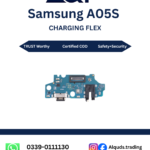
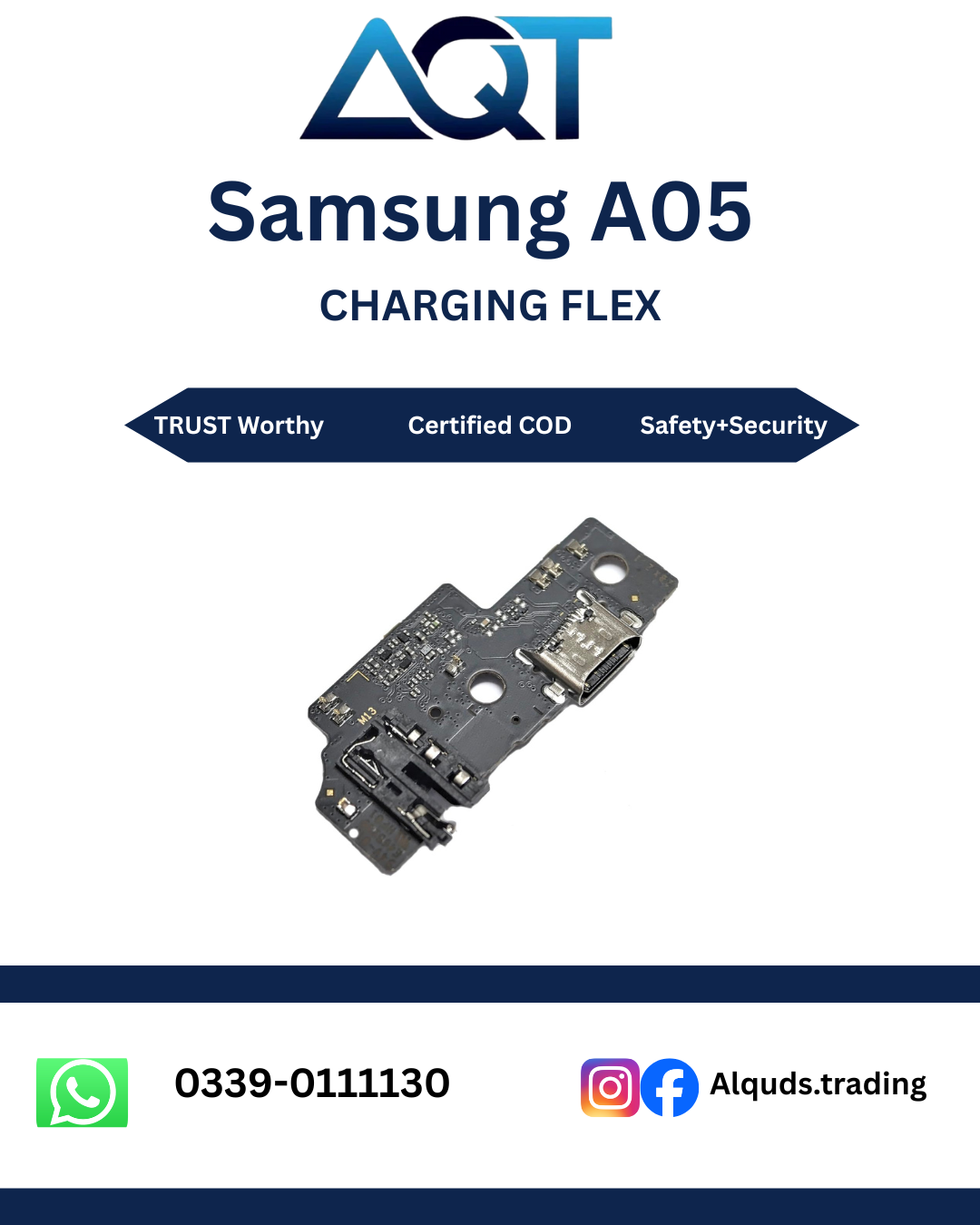

Samsung A05 Charging Flex – Reliable Part for Charging Repairs
The Samsung A05 Charging Flex is an important replacement part for technicians repairing charging-related problems on a compatible Samsung A05 handset. Selecting the correct Samsung A05 Charging Flex is an essential first step when the original assembly is damaged.
AQT Mobile Parts supplies mobile repair parts to customers in Lahore and across Pakistan. Ask about the Samsung A05 Charging Flex stock and compatibility before ordering. Before ordering the Samsung A05 Charging Flex, confirm the model code, physical design, connector position, and part revision with your technician. These checks are important for the Samsung A05 Charging Flex because similar-looking parts may differ.
A matching component helps reduce fitting issues and avoids unnecessary delays during repair. Confirm the Samsung A05 Charging Flex is the correct assembly for your handset. A matching part is important for a smooth repair process and reliable connections.
What Does a Charging Flex Do?
A charging flex or charging-board assembly connects the phone’s charging port with the relevant internal circuitry. Depending on the handset design, the assembly may also carry other small components or contacts. Its exact layout varies by model, so a flex made for another Samsung handset should not be assumed to fit the A05.
The Samsung A05 Charging Flex can be considered when inspection points to damage at the charging port or its connected assembly. A technician should confirm that the Samsung A05 Charging Flex is the part responsible for the fault. However, charging problems can also come from a faulty cable, adapter, battery, software issue, corrosion, or board-level fault. Proper diagnosis helps identify the actual cause before a part is replaced. This prevents replacing the Samsung A05 Charging Flex when the problem lies elsewhere.
Signs Your Phone May Need Charging-Flex Repair
1. The Phone Does Not Charge
If the handset does not respond when connected to a known-good charger and cable, the charging port and flex assembly should be inspected. First check the charger and cable on another compatible device. A non-charging phone does not automatically mean the flex is defective.
2. Charging Starts and Stops
Intermittent charging may occur when a port is worn, a connector is loose, or debris is present. A technician should inspect the port and internal connector carefully. Avoid repeatedly bending the cable to make contact, because pressure can worsen damage.
3. The Cable Feels Loose
A charging plug that does not sit securely may indicate wear, physical damage, or debris inside the port. If the port assembly is confirmed faulty, the Samsung A05 Charging Flex may be suitable. Do not force the cable or use sharp metal objects to clean the opening. Have the port examined before ordering a replacement component.
4. Charging Works at Certain Angles
If charging only works when the cable is held at a particular angle, the port or its soldered connections may be damaged. Continued use can make the fault worse. Professional inspection can help determine whether the charging assembly or another component needs attention.
5. The Phone Connects but Charges Slowly
Slow charging can be caused by an unsuitable adapter, a damaged cable, background activity, battery condition, temperature, or a fault in the charging circuit. Diagnose these causes before selecting a Samsung A05 Charging Flex. Test with compatible charging accessories and review the phone’s temperature and battery behaviour before replacing parts.
Check Compatibility Before You Buy
Correct compatibility is essential when ordering a Samsung A05 Charging Flex. Always match the Samsung A05 Charging Flex with the original component rather than choosing by appearance alone. Mobile parts can look similar while having different connector positions, board shapes, or contact layouts. A similar-looking component from another Samsung model may not fit or function correctly.
- Confirm that the handset is the Samsung A05, not a different model with a similar name.
- Ask the technician to check the exact model code printed in the phone settings or on its product label.
- Compare the original part’s shape, port position, screw holes, contacts, and flex connector.
- Check the seller’s product photos and confirm any model-specific compatibility notes before payment.
- Keep the original part available for comparison until the new part has been tested.
If you are unsure about compatibility, send the exact model code and clear photos of the original component to the seller or technician before placing your order. This simple check can help prevent purchasing an incompatible part.
Benefits of Choosing the Correct Charging Flex
Proper Fit
A compatible assembly should align with the intended port opening, mounting points, and internal connector. Correct alignment is one reason to check the Samsung A05 Charging Flex before fitting. Proper alignment helps prevent pressure on the flex cable and nearby components during reassembly.
Consistent Connection
When the charging fault is caused by a damaged port or flex assembly, replacing the defective component with a suitable part may restore a stable connection. The final result depends on the part’s condition and whether the diagnosis was correct.
Useful for Repair Professionals
Repair shops and independent technicians need parts that match the device being serviced. Confirming the model and inspecting the component before installation helps make repair work more organised and reduces the risk of fitting errors.
Practical Repair Option
Where the charging assembly is confirmed to be faulty, replacing the affected part may be more appropriate than continuing to use a damaged port. A correctly matched Samsung A05 Charging Flex may help resolve the issue when that assembly is the cause. A technician should first rule out problems with the cable, adapter, battery, and mainboard before confirming the Samsung A05 Charging Flex is needed.
How to Install a Samsung A05 Charging Flex
Installation should be carried out by a trained mobile technician with suitable tools. Opening a smartphone can damage the display, battery, seals, connectors, or nearby components if handled incorrectly. Do not attempt the repair while the phone is powered on or connected to a charger.
- Inspect the phone: Record the charging symptoms and test with known-good compatible charging accessories.
- Power down: Switch off the handset and disconnect all external power before opening it.
- Open carefully: Use suitable repair tools and follow a model-appropriate disassembly procedure.
- Disconnect the battery: A technician should isolate the battery before disconnecting or removing internal parts.
- Inspect the original assembly: Look for corrosion, torn flex material, damaged contacts, bent port components, or loose connectors.
- Compare the new part: Confirm that the new Samsung A05 Charging Flex matches the original layout and connectors.
- Fit without force: Align the part correctly and reconnect cables without bending or pressing excessively on delicate contacts.
- Test before final assembly: Check charging connection and stability with suitable accessories before closing the handset.
- Reassemble carefully: Secure the components and confirm that no cable is trapped or pinched.
Smartphone batteries can be hazardous if punctured, bent, or overheated. Stop the repair if the battery is swollen, damaged, or unusually hot. Do not use metal tools near a connected battery, and seek professional service when the repair requires specialised equipment.
Testing After Installation
After fitting the Samsung A05 Charging Flex, a technician should confirm that the charging cable connects securely and that charging begins normally. Testing the Samsung A05 Charging Flex before final assembly helps identify fitting problems early. Test with a compatible, known-good adapter and cable. Check for intermittent connection while the phone remains stationary rather than repeatedly forcing the cable in different directions.
Observe whether the handset reports charging and whether the connection remains stable for a reasonable test period. If supported by the repair workflow, the technician can also check related functions carried by the assembly. Do not assume every secondary function is included on every flex design; confirm the actual component layout.
If the phone still does not charge, do not keep replacing parts without diagnosis. The cause may be the battery, charging circuitry, a damaged connector on the mainboard, corrosion, or another electrical fault. Further testing by a qualified technician is recommended.
How to Maintain the Charging Port
- Use a compatible charger and cable in good condition.
- Insert and remove the cable gently; do not twist it or pull it sideways.
- Keep liquids, moisture, dust, and lint away from the charging port.
- Avoid putting pins, blades, or other metal objects inside the port.
- Do not continue charging if the port becomes unusually hot, smells burnt, or shows signs of corrosion.
- Have the phone inspected if charging repeatedly disconnects or the port becomes physically loose.
Good charging habits can help protect the port, but they cannot repair an already damaged connector or flex assembly. If a fault develops, stop using a loose or damaged connection and arrange a proper inspection.
Buying from AQT Mobile Parts in Pakistan
AQT Mobile Parts serves mobile repair professionals, retailers, and customers looking for phone spare parts. Our shop is located at Hall Road Centre, Lahore. Contact us to check the current Samsung A05 Charging Flex price and availability. Customers can confirm the product details and compatibility before ordering.
For buyers outside Lahore, ask about the available delivery arrangements from Lahore to all Pakistan. Confirm the product variant, price, shipping charges, and any applicable checking or return terms before completing the purchase. Availability and delivery times can vary, so verify these details with the seller.
To help the team identify the correct component, provide the handset model code and, when possible, a clear picture of the original charging assembly. This helps the team verify whether the Samsung A05 Charging Flex matches your device. It also makes it easier to compare the connector layout and reduce the chance of ordering a part that does not match your device.
Browse our Samsung parts category to explore related Samsung components. Contact AQT Mobile Parts if you need help confirming whether this charging assembly is suitable for your handset.
Frequently Asked Questions
What is a Samsung A05 Charging Flex?
It is a charging-related internal component for a compatible Samsung A05 handset. The Samsung A05 Charging Flex should be matched to the exact device variant. The precise assembly design should be checked against the original part and the phone’s model code before purchase.
How can I tell if the charging flex is faulty?
Symptoms may include no charging, intermittent connection, or a loose charging port. These symptoms can also be caused by the cable, adapter, battery, corrosion, or mainboard, so a technician should diagnose the phone before replacing parts.
Will this part fit every Samsung phone?
No. Charging flex assemblies are model-specific. Confirm the exact Samsung A05 model code and compare the part design before ordering.
Can I install the charging flex myself?
Professional installation is recommended because opening the phone involves delicate connectors, a battery, and other components that can be damaged. A technician should inspect the Samsung A05 Charging Flex and its connector before fitting. A trained technician can fit and test the part safely.
What should I check before ordering?
Verify the model code, connector arrangement, physical shape, product condition, availability, price, and seller terms. If uncertain, ask the seller or technician to confirm compatibility first.
What if the phone still does not charge after replacement?
Test the charger and cable, then have the battery, port connections, charging circuit, and mainboard checked. A charging flex replacement will not solve a fault located elsewhere in the phone.
Order the Correct Charging Part
Choosing the correct Samsung A05 Charging Flex starts with accurate model identification and a proper diagnosis. Confirm the Samsung A05 Charging Flex matches the original assembly before purchase, use a qualified technician for installation, and test the charging connection before the phone is fully reassembled. Ask AQT Mobile Parts about the Samsung A05 Charging Flex before placing your order. Contact AQT Mobile Parts in Lahore to check current stock, pricing, and delivery options for customers across Pakistan.
For manufacturer information, visit Samsung’s official website.


Reviews
There are no reviews yet.