





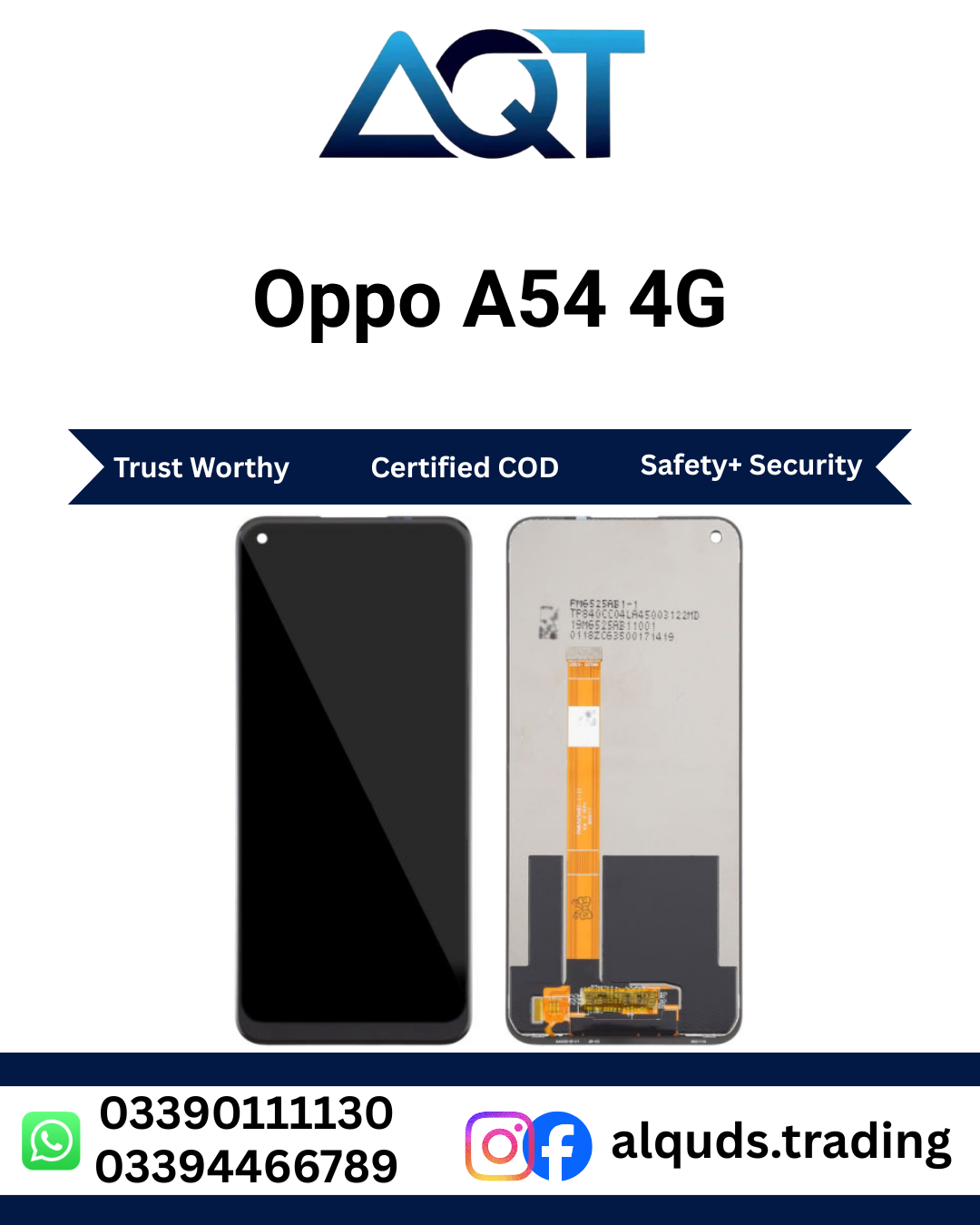

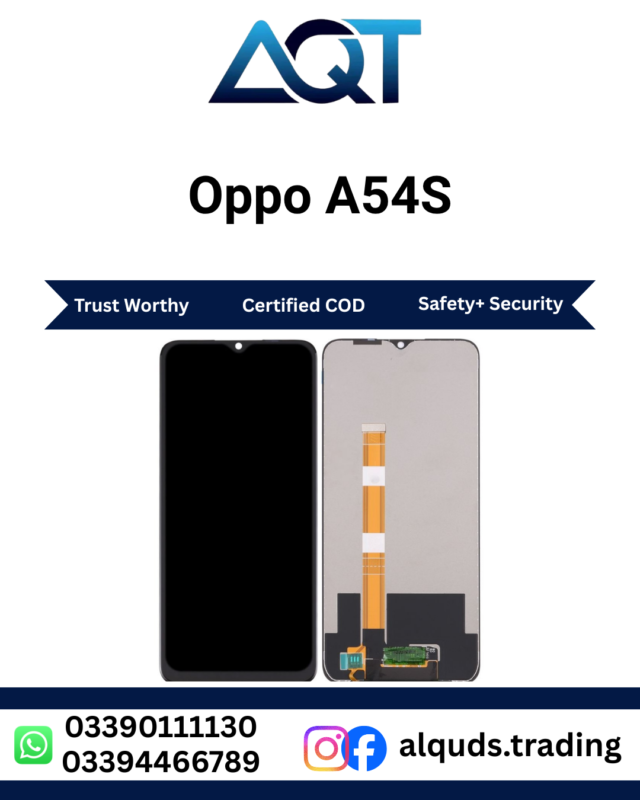
Oppo A54 4G LCD Panel | Premium Best Quality
Oppo A54 4G LCD Panel is a suitable screen replacement solution for the Oppo A54 4G when the existing screen is cracked, damaged, showing lines, developing black spots, flickering, or experiencing touch problems. A compatible replacement panel can help restore clear viewing and responsive touch performance, allowing the phone to remain useful for calls, messaging, browsing, social media, videos, and everyday applications. You can also explore more Oppo Mobile Panels available at AQT Mobile Parts.
Oppo A54 4G LCD Panel for Reliable Screen Replacement
A damaged smartphone screen can make normal phone use difficult. Cracks, display lines, black spots, flickering, and touch problems can interfere with almost every activity. The Oppo A54 4G LCD Panel provides a practical replacement option when the existing panel has been damaged or is no longer performing properly.
Whether the screen stopped working after an accidental drop or gradually developed display and touch issues, replacing the faulty panel can help restore the phone’s main viewing and interaction interface. Before ordering, always confirm that the handset is the correct Oppo A54 4G model to ensure proper compatibility.
Clear Display for Everyday Use
A properly compatible Oppo A54 4G LCD Panel can help restore a clear and usable viewing area. A functional screen is important for reading messages, checking notifications, browsing websites, viewing photos, watching videos, using social media, and navigating applications.
When a screen has damaged areas, even simple tasks can become frustrating. Black spots may hide important content, while lines or flickering can make text and images difficult to view. Replacing the damaged panel can provide a cleaner screen surface and restore normal smartphone interaction when the panel is the cause of the problem.
Responsive Touch Performance
The display and touchscreen work together to provide the main interface of a smartphone. A suitable Oppo A54 4G LCD Panel should provide responsive touch performance so users can type messages, scroll through pages, open applications, select options, and interact with the device comfortably.
If the existing panel has dead touch areas, delayed response, or inconsistent touch input, a screen replacement may resolve the issue when the panel itself is faulty. However, touch problems can also result from a damaged connector or another internal component, so proper diagnosis is recommended before replacement.
Common Reasons for Replacing the Oppo A54 4G Panel
Smartphone screens can be damaged in several ways. Accidental drops are one of the most common causes, but pressure, impact, bending, or other physical damage can also affect the display assembly.
- Cracked or broken screen
- Black spots on the display
- Vertical or horizontal display lines
- Flickering screen
- Unresponsive touch areas
- Delayed or inconsistent touch response
- Unusual colors or display distortion
- Dim or uneven screen brightness
- Display not turning on properly
- Screen damage after an accidental impact
If your Oppo A54 4G is experiencing one or more of these symptoms, it is advisable to have the handset checked by a technician. A professional inspection can help determine whether the problem is related to the panel, connector, flex cable, frame, or another internal component.
Oppo A54 4G LCD Panel for Repair Technicians
The Oppo A54 4G LCD Panel is also useful for mobile repair technicians and repair shops handling Oppo smartphones. Having suitable replacement panels available can help technicians complete customer screen repair jobs efficiently.
Repair professionals should inspect and test the panel before completing the final installation. Checking the display and touch functions first can help identify potential issues before the panel is permanently fitted.
Test the Panel Before Installation
Testing an Oppo A54 4G LCD Panel before final installation is an important step in mobile repair. Carefully connect the panel to the handset and power on the device. Check the complete display area and test touch response before applying adhesive or permanently securing the screen.
A recommended testing process includes:
- Inspect the panel for visible physical damage.
- Check the flex cable and connector carefully.
- Connect the panel to the handset correctly.
- Power on the device.
- Check the entire display area.
- Test touch response across different sections.
- Look for lines, spots, flickering, or unusual colors.
- Complete the final installation after successful testing.
Proper testing is particularly useful for technicians because it can reduce unnecessary installation and removal work.
Professional Installation Recommended
Installing an Oppo A54 4G LCD Panel requires care and suitable repair tools. The panel, flex cable, connector, and other internal components can be delicate, so incorrect handling may cause additional damage.
If you do not have experience with smartphone repairs, professional installation is recommended. A trained technician can carefully remove the damaged panel, inspect the phone frame, connect the replacement panel, test the screen, and complete the installation correctly.
The handset frame should also be checked before installation. If the phone has suffered a strong impact, the frame may be bent or damaged. Broken glass and debris should be removed carefully so the replacement panel can sit correctly.
Common Problems After Panel Replacement
Sometimes a replacement screen may appear to have a problem after installation when the actual cause is the connector, flex cable, handset frame, or another internal component. Proper troubleshooting can help identify the source.
Touch Not Working
If touch does not respond after installation, check the panel connector and flex cable. A loose or incorrectly connected flex can prevent the touchscreen from operating correctly. A technician can inspect and reconnect the panel as required.
Display Lines
Lines on the display can be caused by connection problems, physical pressure, flex damage, or an issue with the panel or handset. The connection should be checked before assuming that the replacement panel is faulty.
Screen Flickering
Flickering may result from an unstable connection, damaged flex, physical pressure, or another internal problem. Professional testing can help determine the exact cause.
Black Screen
If the phone powers on but the screen remains black, the panel connection should be checked first. If the connection is secure, the technician may need to inspect other internal components of the handset.
How to Choose the Right Oppo A54 4G Panel
Before purchasing an Oppo A54 4G LCD Panel, verify the exact model of your smartphone. Model verification is important because different Oppo models can have different screen sizes, connectors, flex arrangements, and installation requirements.
If you are purchasing for a repair shop, compare the handset details with the panel information before ordering multiple units. Confirming compatibility in advance can help reduce installation problems and unnecessary returns.
Oppo A54 4G LCD Panel in Lahore
Customers searching for an Oppo A54 4G LCD Panel in Lahore can order from AQT Mobile Parts. AQT Mobile Parts is located at Hall Road Centre, Lahore, and serves mobile users, technicians, and repair shops looking for smartphone panels and other mobile replacement parts.
Whether you need a panel for your own phone or for a customer repair job, checking the exact model before ordering is recommended. This helps ensure that the selected panel is suitable for the intended handset.
Delivery Across Pakistan
AQT Mobile Parts provides mobile parts to customers across Pakistan. Customers outside Lahore can place their orders and arrange delivery according to the available shipping options.
When ordering an Oppo A54 4G LCD Panel, make sure the model information is correct. For repair businesses purchasing multiple panels, testing one unit before larger installations can also be useful for quality control.
Care Tips After Screen Replacement
After installing an Oppo A54 4G LCD Panel, careful handling can help protect the replacement screen. Accidental drops, excessive pressure, bending, and moisture can damage a smartphone screen.
- Use a suitable protective case.
- Consider using a quality screen protector.
- Avoid applying excessive pressure to the display.
- Keep the phone away from unnecessary moisture.
- Avoid bending or twisting the handset.
- Do not place heavy objects directly on the phone.
- Have unusual touch or display problems checked promptly.
Why Order from AQT Mobile Parts?
AQT Mobile Parts is a mobile parts store based in Lahore, serving individual customers, mobile repair technicians, and repair shops. The store provides mobile panels and other replacement components for different smartphone models.
For customers looking for an Oppo A54 4G LCD Panel, AQT Mobile Parts offers a convenient ordering option from Lahore with delivery available across Pakistan. Customers can review the product information and confirm compatibility before placing an order.
Frequently Asked Questions
Is this panel compatible with Oppo A54 4G?
The panel is intended for the Oppo A54 4G. Always confirm your handset’s exact model before ordering and installation.
Can I install the Oppo A54 4G panel myself?
Screen replacement requires suitable tools and technical experience. Professional installation is recommended if you are not familiar with smartphone repair.
Should I test the panel before installation?
Yes. Testing the display and touch functions before permanent installation is a recommended repair practice.
Why does my Oppo A54 4G have lines on the screen?
Display lines can result from physical damage, a faulty panel, connector problems, flex damage, or another internal issue. A technician should inspect the handset to determine the cause.
Can I order an Oppo A54 4G LCD Panel in Pakistan?
Yes. Customers can order from AQT Mobile Parts in Lahore, with delivery available across Pakistan.
Is repair support available in Lahore?
AQT Mobile Parts is located at Hall Road Centre, Lahore, and serves customers with mobile parts and repair-related requirements.
Order Oppo A54 4G LCD Panel
If your Oppo A54 4G screen is cracked, damaged, flickering, showing lines, or experiencing touch problems, a compatible replacement panel can help restore normal phone usability. Verify the exact model, test the panel before final installation, and use professional repair support when required.
Order your Oppo A54 4G LCD Panel from AQT Mobile Parts, Lahore, with delivery available across Pakistan.
For official information about Oppo smartphones and products, visit the OPPO Official Website.
Reviews
There are no reviews yet.