


 FLEX CABLE STRIPS
 Camera Components
 Outer Parts
 Batteries




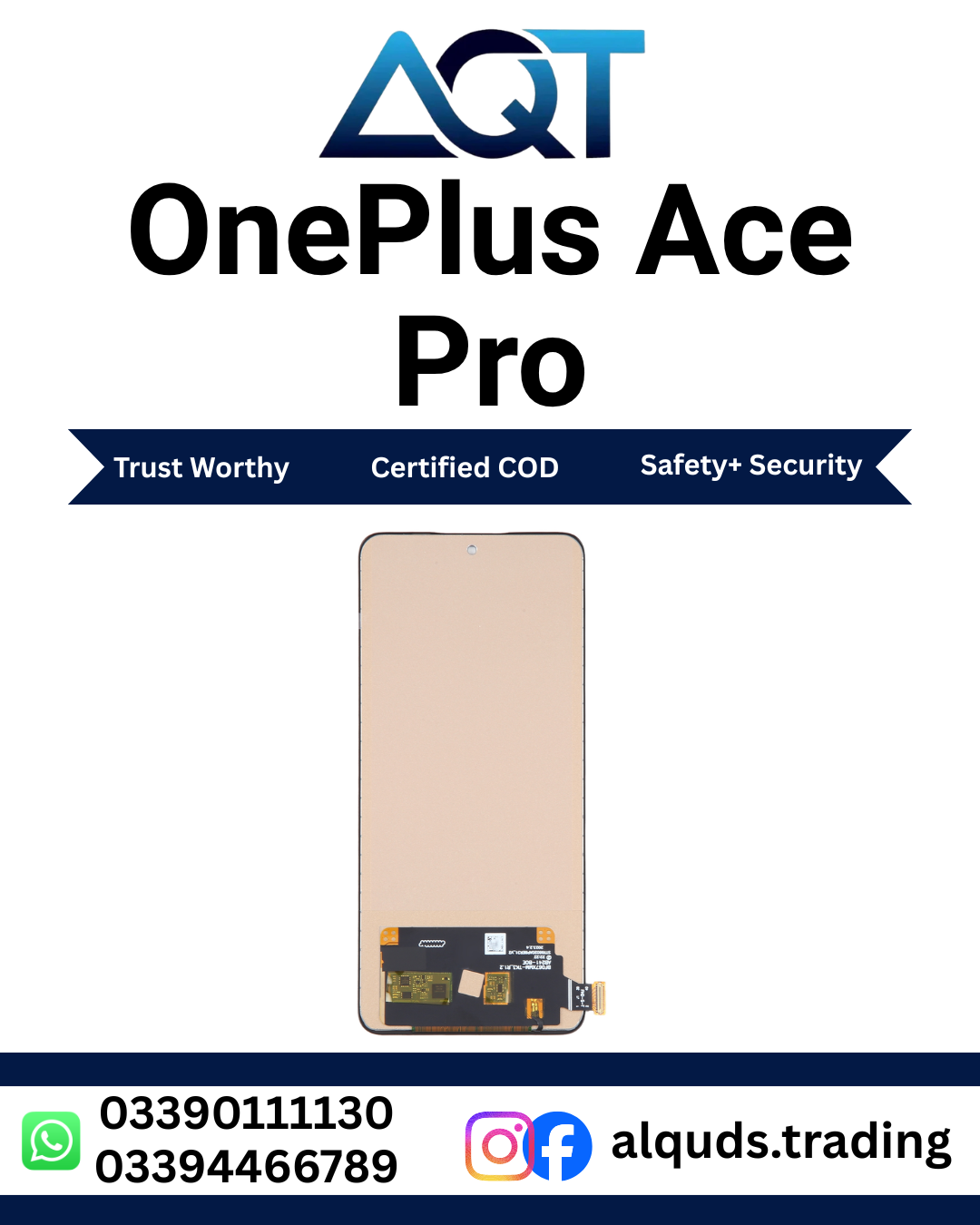

OnePlus Ace Pro Original Panel | Premium 100% Quality Display
The OnePlus Ace Pro Original Panel is a premium display replacement option for compatible OnePlus Ace Pro smartphones with a cracked, broken, damaged, black, flickering, or faulty screen. The display is one of the most important parts of a smartphone because almost every function of the device depends on the screen. Users need the display for making calls, reading messages, browsing websites, using social media, watching videos, playing games, taking photos, checking applications, and controlling the phone through touch.
When the original display of a OnePlus Ace Pro becomes damaged, replacing the faulty panel can be a practical repair solution if the remaining phone hardware is working correctly. The OnePlus Ace Pro Original Panel is intended for compatible OnePlus Ace Pro devices and can be suitable for professional mobile repair technicians, repair shops, retailers, wholesalers, and customers who require a display replacement.
Before ordering a replacement panel, customers should always confirm the exact smartphone model and required panel configuration. Different OnePlus smartphones can have similar designs while using different display connectors, flex cables, dimensions, or internal arrangements. Correct model verification is therefore an important part of the buying process.

OnePlus Ace Pro Original Panel – Product Overview
The OnePlus Ace Pro Original Panel is a powerful smartphone designed for users who want a large and responsive display for everyday use, entertainment, gaming, browsing, photography, social media, and other mobile activities. Because the screen is continuously used, physical damage to the display can significantly affect the usability of the smartphone.
A damaged screen can range from a small crack to complete display failure. Some users may experience touch problems while the image remains visible, while others may have a working touch function but no visible image. Lines, flickering, unusual colors, dark areas, and broken glass are also common reasons for seeking a replacement display.
The OnePlus Ace Pro Original Panel can be considered when the existing display requires replacement after proper diagnosis. A qualified technician should inspect the phone before installation because display symptoms can sometimes be caused by a connector, flex cable, motherboard component, or another internal hardware problem.
Quick Product Information
| Product Name | OnePlus Ace Pro Original Panel |
|---|---|
| Brand | OnePlus |
| Compatible Model | OnePlus Ace Pro |
| Product Type | Original Display Panel |
| Primary Use | Smartphone Display Replacement |
| Suitable For | Compatible OnePlus Ace Pro Devices |
| Ideal Users | Technicians, Repair Shops, Retailers & Wholesalers |
| Installation | Professional Installation Recommended |
| Market | Pakistan |

Why Choose OnePlus Ace Pro Original Panel?
Selecting a suitable replacement display is important because the screen directly affects the usability of the smartphone. A poor-fitting or incompatible panel can create additional repair problems, while the correct replacement can provide a practical solution for a damaged device.
The OnePlus Ace Pro Original Panel is intended to provide a replacement option for compatible OnePlus Ace Pro Original Panel smartphones. It can be useful when the existing display has suffered physical damage or has developed a serious display-related problem.
Suitable Replacement Solution
A compatible display panel can replace a damaged screen when the smartphone itself remains suitable for repair. Instead of replacing the complete phone, a display replacement may allow the customer to continue using the existing device.
Useful for Professional Repair
Mobile phone repair technicians can use the panel when servicing compatible OnePlus Ace Pro smartphones. The technician can diagnose the original problem, verify compatibility, connect the replacement panel, test its functions, and complete the final installation.
Useful for Repair Shops
Repair shops can keep OnePlus Ace Pro Original Panel display panels in their inventory for customers who require screen replacement. Properly organized stock makes it easier for technicians to identify the correct part when a customer brings in a damaged phone.
Suitable for Retail and Wholesale
Retailers and wholesalers can also keep compatible OnePlus display panels as part of their mobile parts inventory. Businesses purchasing multiple units should confirm the exact product type, quality, configuration, quantity, packaging, and availability before placing a bulk order.
Common Reasons for OnePlus Ace Pro Display Replacement
Smartphone screens can be damaged in many different situations. Accidental drops are one of the most common causes, but pressure, impact, sharp objects, and other physical incidents can also damage the display.
Customers may search for a OnePlus Ace Pro Original Panel because of one or more of the following problems:
- Cracked screen glass
- Broken display
- Black or blank screen
- Display not showing correctly
- Touch not responding
- Partial touch response
- Vertical display lines
- Horizontal display lines
- Screen flickering
- Abnormal or distorted colors
- Dark spots or display areas
- Physical damage after accidental dropping
- Display damage caused by excessive pressure
Cracked OnePlus Ace Pro Screen
A cracked screen can make a smartphone difficult to use and can also affect the appearance of the device. A minor crack may remain usable for some time, while a larger crack can spread or affect touch operation.
If the phone has suffered a major impact, the technician should inspect the complete display and internal components before deciding on a replacement. In some cases, the screen may have visible cracks while the touch function continues to work. In other cases, both the visual display and touch function may be affected.
A compatible OnePlus Ace Pro Original Panel can be considered when the existing screen needs replacement and the rest of the phone is suitable for repair.
Black or Blank Display
A completely black display does not always mean that the display panel itself has failed. The technician should first determine whether the phone is powering on correctly. If the device is operating but no image is visible, the display connection and other relevant components should be inspected.
After checking the phone, a replacement panel can be connected for testing. If the replacement produces a normal image, this can help the technician identify whether the original display was the source of the problem.
Touchscreen Problems
Touch functionality is essential for modern smartphones. A damaged display can cause certain areas of the screen to stop responding or can make the entire touch surface unusable.
If the OnePlus Ace Pro Original Panel shows touch problems, the technician should inspect the display connector and flex cable before replacing the panel. After connecting the replacement, the complete touch area should be tested by tapping, swiping, scrolling, typing, and opening applications.
Display Lines and Flickering
Lines appearing on a smartphone screen can indicate display damage or a connection problem. Lines may be vertical or horizontal and can sometimes become more noticeable after physical impact.
Flickering can also have several possible causes. A technician should inspect the display connection and flex cable and confirm that the correct compatible panel is being used. If the problem continues, professional hardware diagnosis is recommended.

Abnormal Display Colors
A damaged or faulty screen can sometimes produce unusual colors, uneven brightness, or distorted images. These problems should be checked carefully before deciding that a replacement is required.
The technician can test the smartphone with different images and applications and inspect the display connection. If the problem is confirmed to be related to the display, a compatible OnePlus Ace Pro Original Panel can be tested as a replacement.
Who Needs OnePlus Ace Pro Original Panel?
Mobile Phone Repair Technicians
Professional technicians can use compatible OnePlus Ace Pro Original Panel display panels for customer repair jobs. Technicians should verify the model, inspect the phone, and test the replacement before permanent installation.
Mobile Repair Shops
Repair shops can maintain OnePlus Ace Pro Original Panel display stock for customers who require screen replacement. Keeping the product correctly labeled can help prevent confusion between different OnePlus models.
Retailers
Retail businesses supplying mobile phone parts can offer compatible OnePlus Ace Pro Original Panel to customers and repair technicians. Retailers should provide accurate product information and confirm compatibility before supplying the part.
Wholesalers
Wholesalers can purchase compatible panels for distribution to mobile repair shops and retailers. Bulk buyers should confirm product details and quality before making larger purchases.
Individual Customers
Individual customers with a damaged OnePlus Ace Pro Original Panel can purchase a suitable replacement panel and have it installed by a professional technician. Customers without repair experience should avoid opening the smartphone without proper tools and knowledge.
How to Choose the Correct OnePlus Ace Pro Panel
Choosing the correct replacement panel starts with identifying the exact phone model. OnePlus has released many smartphones with similar names and designs, so visual similarity alone should not be used to determine compatibility.
Confirm the Model
Check the phone model before ordering. Confirm that the device is the OnePlus Ace Pro and not another OnePlus model with a similar appearance.
Confirm the Panel Configuration
The connector, flex cable, physical dimensions, mounting arrangement, and other relevant specifications should be compatible with the phone. If there is any doubt, ask a professional technician to confirm the required component.
Check Product Condition
Inspect the panel carefully after receiving it. Check the screen surface, edges, connector, flex cable, and visible components for any signs of damage.
Test Before Permanent Installation
Never skip testing. Connect the OnePlus Ace Pro Original Panel carefully and check the display and touch functions before applying final adhesive or completing the assembly.
OnePlus Ace Pro Original Panel in Pakistan
Customers searching for a OnePlus Ace Pro Original Panel in Pakistan should focus on compatibility, product information, quality, and proper installation. AQT Mobile Parts provides mobile phone repair components for customers, technicians, repair shops, retailers, and wholesalers across Pakistan.
Customers in Lahore, Karachi, Islamabad, Rawalpindi, Faisalabad, Multan, Peshawar, Gujranwala, Sialkot, Hyderabad, and other Pakistani cities can check product availability and confirm the required panel before ordering.
For repair businesses, maintaining correctly labeled OnePlus inventory can make it easier to respond to customer requests for specific models. For individual customers, confirming the exact phone model before ordering can help avoid compatibility problems.
Important Compatibility Reminder
The OnePlus Ace Pro Original Panel should only be installed on a compatible device. Do not assume that a display from another OnePlus smartphone will work simply because the screen size or design looks similar.
Always confirm the exact model and required panel configuration. If you are uncertain, provide the phone model information to a professional technician or supplier before ordering.
Part 1 Conclusion
The OnePlus Ace Pro Original Panel is a premium replacement option for compatible OnePlus Ace Pro smartphones with damaged, cracked, broken, or faulty screens. It is suitable for professional repair technicians, mobile repair shops, retailers, wholesalers, and customers who need a compatible display replacement.
Correct model verification is the first step toward a successful repair. The OnePlus Ace Pro Original Panel should be inspected after delivery and tested before permanent installation. Image output, touch response, brightness, colors, lines, and flickering should all be checked before the final repair is completed.
OnePlus Ace Pro Original Panel – Testing, Installation & Buying Guide
After selecting the correct OnePlus Ace Pro Original Panel, proper testing and installation are important for achieving a reliable repair. A replacement screen should never be permanently installed before the technician has confirmed that the display and touch functions are working correctly.
How to Test OnePlus Ace Pro Original Panel
Testing the replacement panel before final installation helps identify possible problems while the component is still accessible. A professional technician should connect the panel carefully and test all important functions of the screen.
1. Check the Display Image
Power on the smartphone and check the complete display area. Look for a clear image and inspect the screen for dark areas, lines, unusual patterns, or other visible problems.
2. Test Touch Response
Move a finger across the complete screen and test different areas. Open applications, scroll through menus, type on the keyboard, tap icons, and perform swipe gestures. This helps confirm that the touch function works across the display.
3. Check Brightness
Adjust the brightness from a low setting to a higher setting and observe the display. The technician should check for unusual brightness behavior or areas that appear significantly different from the rest of the screen.
4. Check Colors
Open images and applications with different colors. Check the display for unusual color changes, dark patches, or inconsistent areas.
5. Check for Lines and Flickering
Carefully observe the screen for vertical lines, horizontal lines, flickering, or intermittent display problems. If an issue appears, inspect the connection before completing installation.
Basic Installation Guide
Display replacement should preferably be completed by an experienced mobile repair technician. Smartphone repair involves delicate connectors, flex cables, adhesives, and internal components. Incorrect handling can damage the replacement screen or other hardware.
- Switch off the OnePlus Ace Pro before beginning the repair.
- Open the smartphone using suitable professional repair tools.
- Disconnect the battery where required by the repair procedure.
- Carefully disconnect the damaged display.
- Inspect the connector and flex cable for visible damage.
- Connect the OnePlus Ace Pro Original Panel carefully.
- Power on the smartphone for testing.
- Check the complete image and brightness.
- Test the entire touch surface.
- Check colors, lines, and flickering.
- Complete the permanent installation only after successful testing.
Installation Mistakes to Avoid
Careful handling is important during display replacement. Avoid unnecessary pressure and do not force connectors or flex cables into position.
- Do not force the display connector.
- Do not pull the flex cable.
- Do not sharply bend the display flex.
- Do not press heavily on the screen.
- Do not skip the testing process.
- Do not use excessive adhesive.
- Do not install the panel without confirming compatibility.
- Do not complete final assembly before testing touch.
- Do not use unsuitable tools around the display.
Common Troubleshooting After Installation
Black Screen After Installation
If the screen remains black after connecting the replacement panel, first confirm that the smartphone is powering on. Check the display connector, flex cable, and battery connection where appropriate. The technician should also confirm that the correct compatible OnePlus Ace Pro Original Panel has been installed.
Touch Not Working
If the display produces an image but touch does not respond, inspect the connector and flex cable. Recheck the connection and test the complete touch surface. If the issue continues, professional diagnosis may be required.
Only Part of the Screen Responds
Partial touch response may be related to the display, connection, flex cable, or another hardware condition. Test different areas of the screen and inspect the connection carefully.
Lines on the Screen
If lines appear after installation, inspect the display connector and flex cable. Avoid applying pressure to the screen in an attempt to remove the lines because this can cause additional damage.
Screen Flickering
If the OnePlus Ace Pro Original Panel flickers, check the connection and confirm compatibility. A technician should inspect the phone before deciding whether another component needs attention.
Abnormal Colors
If colors appear unusual, test different images and applications and inspect the display connection. If the problem continues, professional diagnosis is recommended.
Care and Maintenance After Replacement
After installing the OnePlus Ace Pro Original Panel, users should protect the smartphone from accidental drops, heavy pressure, sharp objects, and unnecessary exposure to moisture. A suitable protective case can help reduce the chance of physical damage.
Avoid placing heavy objects directly on the phone and do not keep sharp items together with the smartphone. If the screen develops new lines, flickering, touch problems, or other unusual behavior, have the device checked by a professional technician.
Storage Instructions for Repair Shops
Mobile repair shops and wholesalers should store display panels carefully in protective packaging. OnePlus Ace Pro Original Panel should be protected from excessive pressure, impact, moisture, and heavy objects.
Different OnePlus models should be stored separately and clearly labeled. This is particularly important for businesses that maintain a large inventory of mobile display panels.
OnePlus Ace Pro Original Panel for Wholesale Buyers
Wholesale buyers should confirm the exact product configuration, quality, quantity, packaging, and current availability before placing a bulk order. If a repair business regularly receives OnePlus Ace Pro repair jobs, maintaining suitable display inventory can help technicians respond more efficiently to customer requirements.
Retailers can also keep compatible OnePlus panels available for mobile repair technicians and customers. Accurate product labeling and model verification are important when managing multiple display products.
Buying Guide for OnePlus Ace Pro Original Panel
- Confirm that the smartphone is OnePlus Ace Pro.
- Verify the required display configuration.
- Confirm compatibility with the supplier or technician if necessary.
- Check the product condition after delivery.
- Inspect the connector and flex cable.
- Test the panel before permanent installation.
- Check image quality and brightness.
- Test the complete touch area.
- Check colors, lines, and flickering.
- Use professional installation for the final repair.
Frequently Asked Questions
What is OnePlus Ace Pro Original Panel?
The OnePlus Ace Pro Original Panel is a replacement display component intended for compatible OnePlus Ace Pro Original Panel smartphones with damaged, cracked, broken, or faulty screens.
Can this panel be installed on another OnePlus model?
Compatibility should always be confirmed before installation. Different OnePlus models can use different display connectors and configurations, even when their screens look similar.
Should the OnePlus Ace Pro Original Panel be tested before installation?
Yes. The replacement panel should be connected and tested before permanent installation. The technician should check image output, brightness, colors, touch response, lines, and flickering.
Can I install the OnePlus Ace Pro Original Panel myself?
Professional installation is recommended. Display replacement requires suitable tools and technical experience, and incorrect handling can damage the display or other smartphone components.
What should I do if the OnePlus Ace Pro Original Panel remains black?
Check whether the phone is powering on, then inspect the display connector and flex cable. Confirm that the correct compatible panel is being used. If the issue continues, consult a qualified technician.
What should I do if touch is not working?
Inspect the display connection and flex cable and test the complete touch area again. If touch remains unresponsive, professional diagnosis is recommended.
How can I protect my replacement display?
Avoid drops, excessive pressure, sharp objects, and unnecessary moisture. A suitable protective case and screen protection can help reduce the risk of future physical damage.
OnePlus Ace Pro Original Panel in Pakistan
For customers looking for a OnePlus Ace Pro Original Panel in Pakistan, AQT Mobile Parts provides mobile phone repair components for technicians, repair shops, retailers, wholesalers, and individual customers.
Customers in Lahore, Karachi, Islamabad, Rawalpindi, Faisalabad, Multan, Peshawar, Gujranwala, Sialkot, Hyderabad, and other Pakistani cities can check product availability and confirm compatibility before ordering.
If you are purchasing one panel for a personal repair or multiple units for a mobile parts business, always verify the exact model and required configuration before placing the order.
Why Choose AQT Mobile Parts?
AQT Mobile Parts is a mobile phone parts store serving customers and businesses in Pakistan. The store provides display panels and other mobile repair components for a range of smartphone brands and models.
AQT Mobile Parts supports professional mobile repair technicians, repair shops, retailers, wholesalers, and customers who need replacement parts for their smartphones.
- Wide range of mobile phone parts
- OnePlus display panels
- Xiaomi and Redmi panels
- Samsung panels
- Parts for professional repair technicians
- Retail and wholesale support
- Products for multiple smartphone brands
Related Mobile Phone Parts
Explore more mobile phone parts from AQT Mobile Parts:
Official OnePlus Information
For general information about OnePlus smartphones and products, customers can visit the official OnePlus website.
Final Product Summary
The OnePlus Ace Pro Original Panel is a premium replacement option for compatible OnePlus Ace Pro smartphones that have damaged or faulty displays. It can be useful for repairing cracked screens, broken displays, touch problems, black screens, lines, flickering, and other display-related issues after proper diagnosis.
Before ordering, confirm the exact OnePlus Ace Pro Original Panel model and required panel configuration. After receiving the product, inspect the panel carefully and test it before permanent installation. A technician should check the complete image, brightness, colors, touch response, lines, and flickering.
Professional installation is recommended because smartphone display replacement involves delicate connectors, flex cables, adhesives, and internal components. Correct installation and testing can help reduce unnecessary repair problems.
Order OnePlus Ace Pro Original Panel from AQT Mobile Parts
If you are searching for a OnePlus Ace Pro Original Panel in Pakistan, visit AQT Mobile Parts to check current product availability and explore other mobile phone repair components.
AQT Mobile Parts provides mobile parts for OnePlus, Xiaomi, Redmi, Samsung, Vivo, Oppo, Realme, Infinix, Tecno, and other smartphone brands.
Visit AQT Mobile Parts for mobile phone parts and repair solutions in Pakistan.
Reviews
There are no reviews yet.