






Tecno Pova Neo 2 LG6 LCD Panel – Best Quality Display for Your Mobile
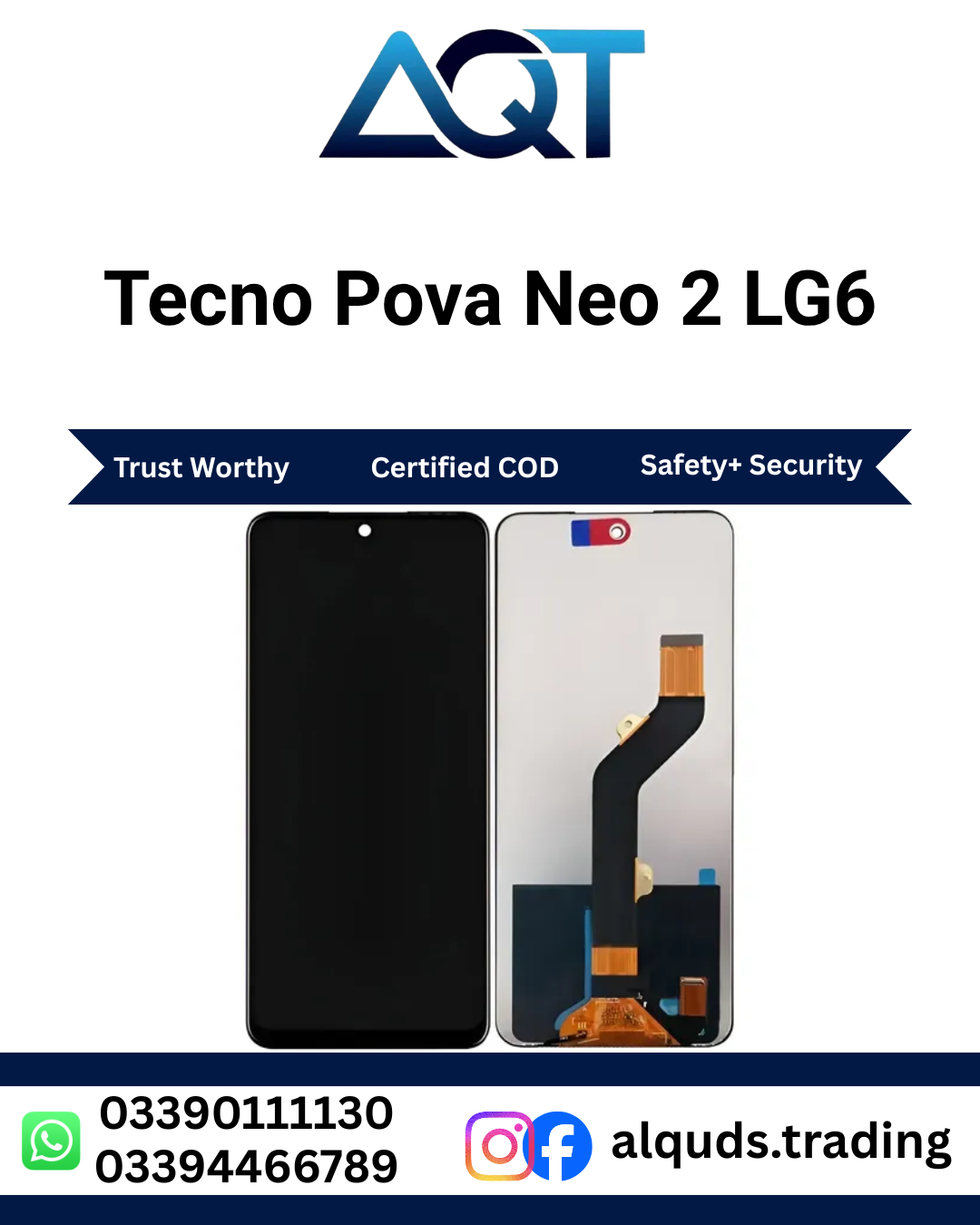
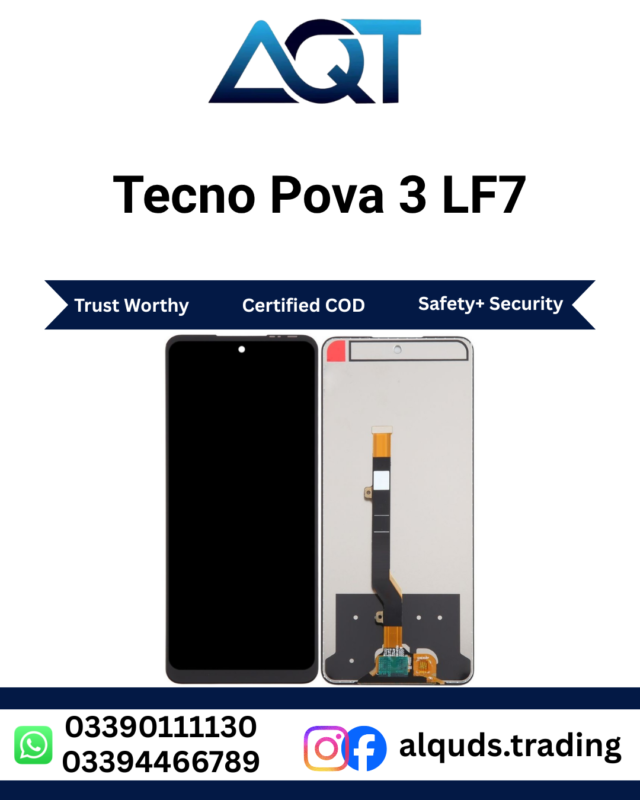
Looking for a reliable display for your Tecno Pova Neo 2? The Tecno Pova Neo 2 LG6 LCD Panel is a suitable option for repairing a damaged, cracked, unresponsive, or malfunctioning screen when the replacement part matches your phone’s exact model and display specifications. At AQT Mobile Parts, we help customers and mobile repair technicians find quality mobile display components for everyday repair needs.
A damaged display can make your smartphone difficult to use. Cracks, black spots, lines, touch problems, and display flickering can affect your daily activities. Choosing the correct Tecno Pova Neo 2 LG6 LCD Panel can help restore your phone’s practical usability when the fault is caused by the display assembly. Before purchasing, confirm the model code, connector, and panel compatibility with your repair technician.
Explore our Tecno mobile panels collection to find compatible display options for different Tecno smartphones.
Why Choose the Tecno Pova Neo 2 LG6 LCD Panel?
The display is one of the most important components of a smartphone because it allows you to view information, navigate applications, watch videos, read messages, and interact with the device. When the original screen becomes damaged, selecting a compatible replacement is essential for a successful repair.
The Tecno Pova Neo 2 LG6 LCD Panel is intended for customers looking for a display component specifically associated with the Tecno Pova Neo 2 LG6 model designation. However, product quality, available grades, included components, and warranty conditions can vary. Always confirm the exact variant and the quality option available before placing your order.
- Model-specific selection: Choose a panel intended for the correct Tecno Pova Neo 2 model.
- Display repair: A suitable replacement can address screen damage caused by cracks or display failure.
- Everyday usability: A correctly fitted, functioning screen supports normal smartphone activities.
- Repair technician friendly: Suitable for professional assessment, testing, and installation.
- Purchase support: Contact AQT Mobile Parts to confirm the available quality and compatibility before ordering.
Common Problems That May Require an LCD Panel
Smartphone display problems can occur after accidental drops, pressure, impact, moisture exposure, or normal wear. Not every screen problem means that the display must be replaced. A technician should diagnose the device before ordering the Tecno Pova Neo 2 LG6 LCD Panel.
1. Cracked or Broken Screen
A phone may develop cracks after falling onto a hard surface. Even if the display still shows an image, broken glass can make the phone uncomfortable or unsafe to operate. Deep cracks may also affect touch response and allow dust or moisture to enter the damaged area. A technician can inspect the damage and determine whether the complete display assembly needs replacement.
2. Black Screen or No Display
If the phone powers on but the screen remains black, the problem may involve the display, connector, power supply, or another internal component. Before fitting a new Tecno Pova Neo 2 LG6 LCD Panel, the technician should check whether the device is receiving power and whether the display connection is secure. This helps prevent unnecessary replacement of a part that may not be responsible for the fault.
3. Lines, Spots, or Unusual Colours
Vertical lines, horizontal lines, dark patches, flickering, or unusual colours can indicate physical damage or an internal display fault. These symptoms may become more noticeable after a drop or pressure on the screen. Professional diagnosis helps establish whether a compatible display assembly is required.
4. Touchscreen Not Responding
When some areas of the touchscreen stop responding, typing messages and navigating applications can become difficult. The cause may be a damaged touch layer, a loose connector, software issues, or another hardware fault. A technician should test the touch function before deciding whether the Tecno Pova Neo 2 LG6 LCD Panel is the correct repair solution.
5. Flickering or Intermittent Display
A screen that flashes, goes dark, or works intermittently may have a damaged connector or display component. Similar symptoms can sometimes result from motherboard faults or other electrical problems. A proper inspection is important because replacing the screen alone will not solve every display-related issue.
Check Compatibility Before Buying
Compatibility is one of the most important considerations when purchasing a mobile display. Tecno smartphones can have different model numbers, hardware configurations, connectors, and display assemblies. Two phones with similar names should not automatically be assumed to use the same screen.
Before ordering the Tecno Pova Neo 2 LG6 LCD Panel, check the following details with your supplier or repair technician:
- Exact model code: Verify that your handset corresponds to the LG6 designation and the correct Tecno Pova Neo 2 variant.
- Connector position: Confirm that the flex cable and connector match the device.
- Physical dimensions: Check the shape, size, mounting points, and assembly design.
- Display specification: Confirm that the offered panel matches the required screen technology and specifications.
- Frame requirements: Ask whether the product is supplied as a panel only or includes a frame.
- Quality grade: Confirm whether the available option is compatible aftermarket, OEM-grade, or another specifically described quality.
- Return and warranty conditions: Understand the supplier’s testing, installation, and claim requirements before fitting the part.
Checking these details before purchase can reduce compatibility problems and save time during the repair process. If you are unsure which display your phone needs, contact AQT Mobile Parts with the model information and photographs of the damaged device or existing display label where available.
Display Quality and Available Options
Mobile displays may be sold in different quality grades, depending on the supplier and stock. The appearance, brightness, colour reproduction, touch response, durability, and price may vary between grades. Customers should select a product according to their requirements and confirm its specifications before ordering.
Compatible Replacement Quality
A compatible replacement display is designed to fit a specified handset, but its performance depends on the manufacturer, components, and quality control. Ask about the particular product grade rather than relying only on a general quality label.
OEM-Grade Options
Some suppliers describe certain replacement screens as OEM-grade. This wording can mean different things in the mobile-parts market and does not automatically establish that a part was manufactured by the original phone brand. Confirm the seller’s description and product details before making a purchase.
Original or Higher-Grade Options
If original or higher-grade stock is available, ask the seller to explain how it differs from other options. Do not assume that every listing includes an original manufacturer part, a frame, or the same warranty. Product details should clearly state what is included.
When buying the Tecno Pova Neo 2 LG6 LCD Panel, select the quality that meets your budget and repair expectations. A professional technician can help compare available options and identify the most suitable component for your handset.
Benefits of Replacing a Damaged Display
A correctly selected and professionally installed display can make a damaged smartphone more practical to use. The result depends on the quality of the component, the nature of the original fault, and the condition of the rest of the device.
- Improved screen usability: Resolve display problems when a faulty panel is confirmed as the cause.
- Better touch interaction: Restore touch operation when the defective display assembly is responsible for unresponsive areas.
- Clearer viewing: Replace a damaged screen that has lines, spots, or other visual defects.
- More comfortable operation: Remove the inconvenience of using a badly cracked display.
- Potentially extended phone use: Repairing a suitable device may be more economical than replacing the entire smartphone.
- Support for everyday tasks: A functioning screen allows users to access messaging, calls, applications, browsing, and media.
Replacing the display does not guarantee that every phone function will return to normal. Cameras, charging, speakers, battery performance, network connectivity, and motherboard functions are separate areas that may require their own diagnosis.
Professional Installation and Testing Guide
Installing a smartphone display requires suitable tools, careful handling, and experience with delicate electronic components. For best results, the Tecno Pova Neo 2 LG6 LCD Panel should be checked before installation and fitted by a qualified mobile repair technician.
Step 1: Inspect the New Display
Check the panel for visible cracks, damaged flex cables, bent connectors, or other shipping damage. Verify the model and product grade against the order. If the part appears damaged or incorrect, contact the supplier before proceeding with installation.
Step 2: Check the Phone’s Condition
The technician should inspect the handset for signs of impact, liquid exposure, damaged connectors, or motherboard faults. Back up important information whenever possible before repair work begins. Sensitive personal data should be handled carefully throughout the process.
Step 3: Disconnect the Battery Safely
Before handling internal display connectors, the technician should follow the appropriate disassembly procedure and disconnect the battery where required. Using unsuitable tools or working on a powered circuit may damage the device or create a safety risk.
Step 4: Test Before Final Assembly
Where the device design and repair procedure permit, the technician should temporarily connect and test the replacement display before sealing the handset. Check image output, touch response across the screen, brightness adjustment, and any other relevant display functions. Follow the supplier’s testing policy to preserve eligibility for a warranty claim.
Step 5: Fit and Secure the Assembly
After confirming that the component works, the technician can complete the installation using appropriate tools, adhesives, and assembly procedures. Excessive pressure, poor alignment, and incorrect adhesive application can damage a new screen. The repair should follow the device’s construction and the technician’s professional procedures.
Step 6: Complete a Final Function Test
After assembly, test the touchscreen, display visibility, front-facing components, calling functions, charging, and other features that may have been affected during disassembly. Inspect the edges and ensure that the display is correctly seated. Report any unrelated faults discovered during testing.
How to Maintain Your New Display
Once your Tecno Pova Neo 2 LG6 LCD Panel repair is complete, a few sensible precautions can help reduce the risk of future damage. Although no accessory can guarantee complete protection, careful use can help preserve the condition of your smartphone.
- Use a suitable protective case to reduce damage from everyday bumps and accidental drops.
- Choose a properly fitted screen protector compatible with the handset.
- Avoid placing the phone under heavy objects or sitting on it.
- Keep the device away from liquids, excessive heat, and humid environments.
- Clean the screen with a soft, suitable cloth instead of abrasive materials.
- Avoid pressing hard on the display when a touch problem occurs.
- Arrange a professional inspection if lines, flickering, or unresponsive areas appear.
Taking these precautions can help keep the phone comfortable to use and reduce avoidable physical damage after a repair.
Buy Tecno Pova Neo 2 LG6 LCD Panel in Pakistan
AQT Mobile Parts serves mobile-parts customers and repair professionals looking for display components and other smartphone spare parts. If you need the Tecno Pova Neo 2 LG6 LCD Panel, contact our team to confirm current availability, price, quality grade, and compatibility before placing an order.
Our business operates from Hall Road Centre, Lahore, a well-known mobile-parts market. We support customers looking for mobile display components and repair parts, whether they are purchasing for personal repairs or professional workshop requirements.
Why Contact AQT Mobile Parts?
- Access to a range of mobile display and spare-part categories.
- Assistance with confirming the correct model before ordering.
- Information about available product grades and pricing.
- Support for retail and wholesale enquiries, subject to current stock and terms.
- Product enquiries through WhatsApp for convenient communication.
For customers searching from Lahore to all Pakistan, we recommend confirming stock, delivery arrangements, payment details, and warranty terms directly with our team. Availability and dispatch times may depend on current inventory and the destination.
Before buying, provide the exact model code and explain the screen problem. This helps our team guide you towards the appropriate component and avoid confusion between similar Tecno models.
Frequently Asked Questions
1. Which phone is this LCD panel intended for?
The Tecno Pova Neo 2 LG6 LCD Panel listing is intended for the Tecno Pova Neo 2 associated with the LG6 model designation. Always verify the full handset model and display compatibility before purchasing because similar model names do not guarantee interchangeable parts.
2. Can this panel fix a cracked screen?
It may resolve the problem if the screen assembly is damaged and the replacement is compatible. A technician should inspect the phone first because cracks can sometimes be accompanied by connector, frame, or motherboard damage.
3. Will replacing Tecno Pova Neo 2 LG6 LCD Panel fix touch problems?
If the touch fault originates in the damaged display assembly, replacing it with a compatible, functioning part may restore touch response. If the fault comes from software, connectors, or another internal component, additional troubleshooting may be necessary.
4. Is Tecno Pova Neo 2 LG6 LCD Panel original?
Originality depends on the exact stock offered. Ask AQT Mobile Parts to confirm whether the available option is original, OEM-grade, or compatible aftermarket before ordering. Do not assume that every replacement display has the same manufacturing origin or quality.
5. Does Tecno Pova Neo 2 LG6 LCD Panel come with a frame?
That depends on the specific product listing and current stock. Confirm whether the supplied component is a panel-only assembly or a display with a frame. This detail can affect installation time, repair method, and price.
6. Should I install Tecno Pova Neo 2 LG6 LCD Panel myself?
Professional installation is recommended if you do not have smartphone repair experience and the proper tools. A technician can handle delicate connectors, inspect the handset, test the new component, and complete the installation safely.
7. How can I confirm the correct model before ordering?
Check the model information in the phone settings if the device is operational, inspect the model label where appropriate, or ask a technician to identify the handset. Share the model code with the supplier before ordering the Tecno Pova Neo 2 LG6 LCD Panel.
8. Is this Tecno Pova Neo 2 LG6 LCD Panel available for wholesale purchase?
Wholesale enquiries can be directed to AQT Mobile Parts. Availability, minimum quantities, pricing, and applicable terms depend on current stock and the specific order. Contact the team to discuss your requirements.
9. Can a new Tecno Pova Neo 2 LG6 LCD Panel repair a black screen?
A replacement may solve a black screen if the display itself has failed. However, power faults, damaged connectors, and motherboard problems can cause similar symptoms. Proper diagnosis should come before ordering a part.
10. How do I check Tecno Pova Neo 2 LG6 LCD Panel warranty?
Ask for the current warranty and testing conditions before installation. Confirm the inspection period, any installation-related exclusions, and the procedure for reporting a defective component. Keep your purchase information and follow the supplier’s instructions.
Order Your Tecno Pova Neo 2 LG6 LCD Panel Today
If your Tecno Pova Neo 2 has a broken screen, display lines, black spots, or touch problems, start by confirming the actual cause of the fault. Choosing the correct replacement component and arranging proper installation can help restore everyday usability when the display is responsible for the issue.
Contact AQT Mobile Parts to enquire about the Tecno Pova Neo 2 LG6 LCD Panel, available quality options, current pricing, and delivery arrangements. Confirm the model, grade, included components, and warranty terms before completing your purchase.
For additional product information, you can also consult the official TECNO website.
Reviews
There are no reviews yet.