







Google Pixel 7 Side Buttons – Best Quality Pakistan
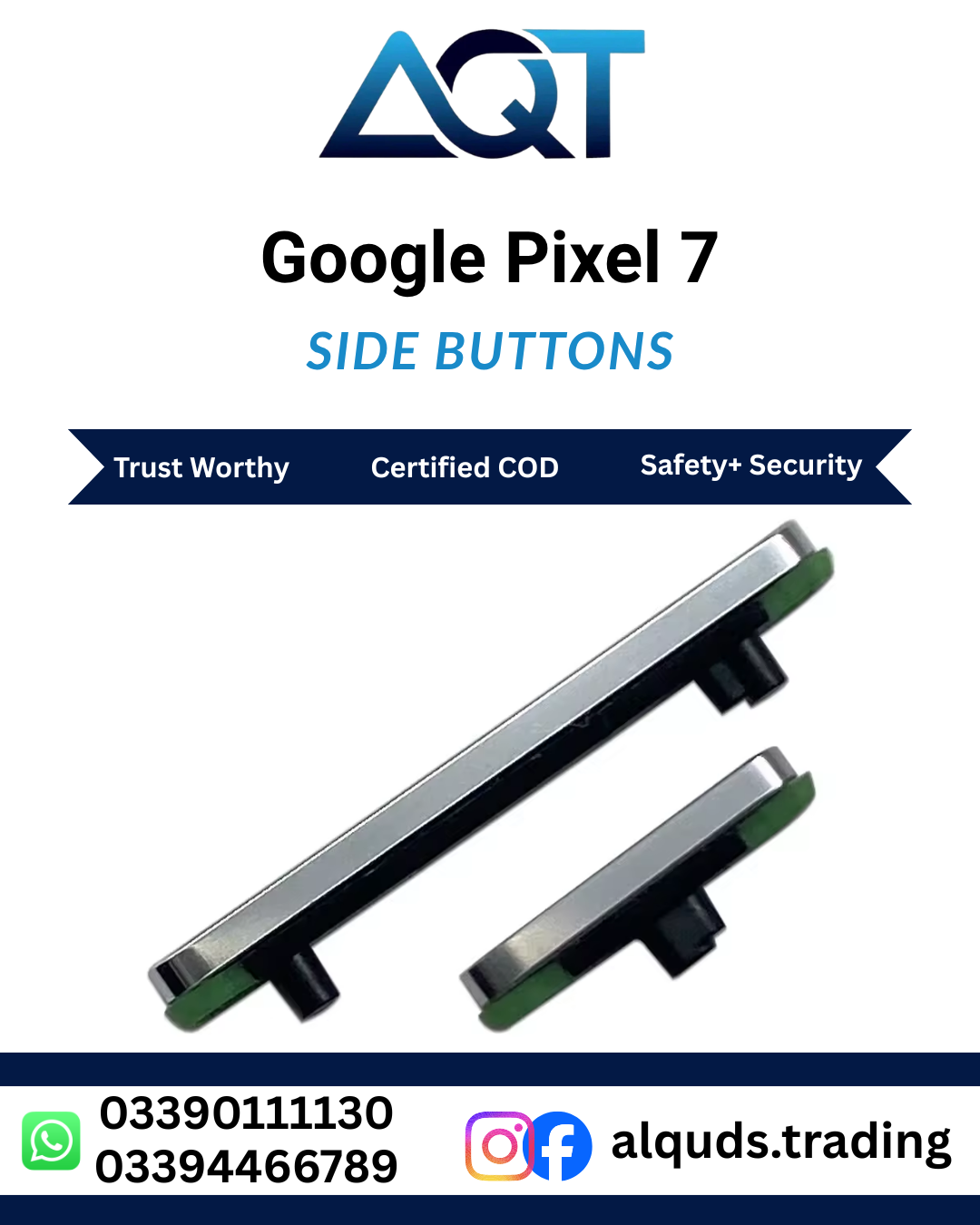
The Google Pixel 7 side buttons from Al Quds Trading are a best quality replacement set of power and volume buttons for the Google Pixel 7 smartphone. They are tested before dispatch, delivered across Pakistan, and suitable for individual customers and professional mobile repair shops. If a button on your phone is stuck, loose, missing, or not responding, these Google Pixel 7 side buttons are the practical way to fix the problem without buying a new phone.
Product Summary at a Glance
- Product name: Google Pixel 7 side buttons
- Compatible phone: Google Pixel 7
- Part type: Replacement power and volume side button set
- Quality grade: Best quality
- Seller: Al Quds Trading (alqudstrading.com.pk)
- Delivery: Nationwide across Pakistan
- Best for: Stuck buttons, loose or rattling buttons, missing buttons, buttons that do not click, and buttons that do not respond
What Are the Google Pixel 7 Side Buttons?
The Google Pixel 7 side buttons are the small external keys on the frame of the phone that you press to switch the phone on, lock the screen, and change the volume. They sit on the outside of the phone and press against switches on the inside. When a button cracks, wears out, or falls out, the switch underneath may still be fine, but you cannot press it properly. Installing new Google Pixel 7 side buttons restores a firm click and full control of the phone at a fraction of the cost of buying a new phone.
The Google Pixel 7 is a popular smartphone that many people use daily for photos, calls, social media, and video. Because the power and volume keys are pressed many times a day, the Google Pixel 7 side buttons take constant wear. Drops, pressure, dust, moisture, and a loose button that keeps moving can all damage them over time. Replacing them is usually the most sensible repair, and a good set of Google Pixel 7 side buttons makes the phone feel fresh again.
Why Choose Our Google Pixel 7 Side Buttons?
Al Quds Trading supplies mobile phone spare parts and replacement components to customers and repair shops across Pakistan. Our Google Pixel 7 side buttons are selected for consistent quality, a precise fit, and dependable day-to-day performance. Here is what you get:
- Firm click: Each button gives a clear press, so you know the phone has registered it.
- Smooth movement: The buttons move freely in the frame without sticking or rattling.
- Direct fit: The buttons are sized for the Google Pixel 7, so they sit correctly in the frame without forcing.
- Power and volume control: The set restores the keys you use every day to switch on, lock, and adjust the sound.
- Tested before dispatch: Every set of Google Pixel 7 side buttons is checked before it leaves our store.
- Fast delivery: Orders are dispatched quickly and delivered to cities and towns across Pakistan.
- Trade friendly: Suitable for single piece buyers and for mobile repair shops that need reliable stock.
Signs Your Google Pixel 7 Needs New Side Buttons
Not every button problem needs a new part, but these symptoms often point to worn or damaged side buttons:
- A button is missing or has fallen out of the frame
- A button is cracked, chipped, or bent
- A button feels loose and rattles when you shake the phone
- A button sticks and does not spring back
- A button feels mushy and gives no click
- The phone does not switch on or lock when you press the power button
- The volume changes by itself or does not change when you press the key
- A button works only when you press it very hard or at one spot
If you notice any of these problems, new Google Pixel 7 side buttons are the right solution. Fixing the buttons early also stops dust and moisture from reaching the switches inside the phone.
Button Problem or Switch Problem: How to Tell the Difference
Not every button problem comes from the button itself, so it helps to check a few things first. Restart the phone and see if the problem remains, because a software fault can sometimes copy a button fault. Look closely at the button. If it is cracked, missing, bent, or rattles in the frame, the Google Pixel 7 side buttons are the most likely cause. If the button looks fine and clicks, but nothing happens on the screen, the switch or flex cable inside the phone may be damaged instead.
In that case, a technician should check the inside of the phone. Testing before you buy saves time and avoids replacing the wrong part.
Features of the Google Pixel 7 Side Buttons
The Google Pixel 7 side buttons are built to match the original keys of the phone, so installation and everyday use feel familiar from the first press. The main points are:
- Part type: Power and volume side button set
- Function: Switching the phone on, locking the screen, and changing the volume
- Fitment: Google Pixel 7 only
- Use: Daily use, in the pocket, in a case, and while gaming or watching video
- Packing: Secure packing to avoid damage in transit
Compatibility: Will These Buttons Fit Your Phone?
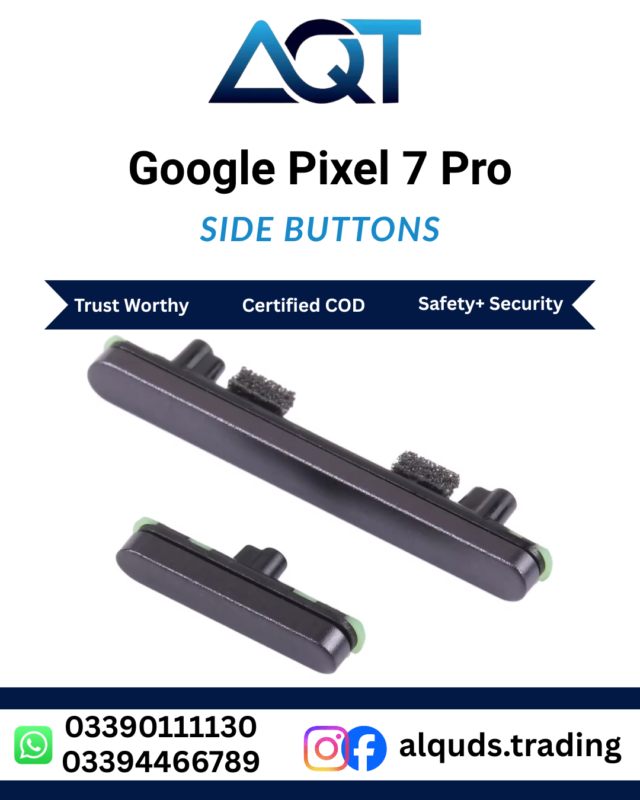
This set of Google Pixel 7 side buttons is made only for the Google Pixel 7. It will not fit other Google phones, including the Pixel 7 Pro, Pixel 7a, and Pixel 6, because the size of the buttons and the shape of the frame differ between phones. Before you order, check the model name on the phone’s box and in Settings > About Phone.
If you are not sure about your model, send us a message with a photo of your phone’s box or settings page and we will help you confirm that your Google Pixel 7 side buttons are the correct match before you pay.
Best Quality vs Original: What to Expect
Buyers often ask how a best quality replacement compares with the original part. Our Google Pixel 7 side buttons are chosen to give a firm click, smooth movement, and a snug fit in the frame at a price that is far lower than a new phone or a frame repair. They are replacement parts made to match the original buttons’ size and shape, so they work as a direct swap in a normal repair.
Because quality grades differ between suppliers, we check each set of Google Pixel 7 side buttons before dispatch. This reduces the chance of receiving buttons that are too loose, too tight, or poorly finished, which is a common problem with low cost unchecked parts sold in the market.
How to Replace the Google Pixel 7 Side Buttons
Replacing the Google Pixel 7 side buttons needs care, the right tools, and a steady hand. If you are not experienced, we strongly recommend a trained technician. The general process is:
- Switch off the phone and remove the SIM tray.
- Gently heat the back cover edges to soften the adhesive.
- Lift the back cover carefully with a thin opening tool.
- Disconnect the battery connector before touching other parts.
- Remove the screws and internal parts that block the side frame, and keep each screw in order.
- Take out the old buttons and clean the slots in the frame.
- Fit the new buttons, and check that each one presses smoothly and springs back.
- Reassemble the phone, apply fresh adhesive to the back cover, and test the power and volume keys.
Always test the new buttons before final assembly. If a button sticks or feels uneven, stop and check its position instead of pressing harder.
For Mobile Repair Shops and Wholesale Buyers
Repair shops across Pakistan need dependable stock to keep customers happy and avoid repeat repairs. A popular model like the Google Pixel 7 sees steady demand for small parts, and a poor button means a returning customer and a lost reputation. Our Google mobile spare parts Pakistan range, including the Google Pixel 7 side buttons, is checked so technicians can fit it with confidence.
If you buy in quantity for your shop, contact Al Quds Trading about pricing and availability. Having reliable mobile phone spare parts Pakistan technicians can trust saves time and lets you finish repairs on the same day.
Delivery Across Pakistan
We deliver the Google Pixel 7 side buttons to customers in Lahore, Karachi, Islamabad, Rawalpindi, Faisalabad, Multan, Peshawar, Quetta, Sialkot, Gujranwala, and many other cities and towns. Orders are packed carefully to protect the small parts during transport, and delivery time depends on your city and the courier service.
If you are a repair shop owner in a smaller town and cannot find good spare parts locally, ordering online from Al Quds Trading saves you travel and gives you access to checked stock.
Care Tips After Replacing the Buttons
New buttons last longer when you look after them:
- Use a good case that protects the side frame from knocks.
- Press the buttons with normal pressure, without pushing hard or at an angle.
- Keep the phone away from water, dust, and direct sunlight for long periods.
- Clean around the buttons with a soft, dry brush or a slightly damp cloth.
- Avoid dropping the phone on its side, which can bend the frame and jam the keys.
Following these simple steps protects your Google Pixel 7 side buttons and keeps them working smoothly for a long time.
Buy Online from Al Quds Trading
Al Quds Trading is an online store for mobile phone panels and spare parts in Pakistan. When you buy your Google Pixel 7 side buttons from alqudstrading.com.pk, you get a clear product listing, checked stock, and support if you have questions about compatibility. Check the Google Pixel 7 side buttons price in Pakistan on our product page to see the current price and availability.
Frequently Asked Questions
What are Google Pixel 7 side buttons?
Google Pixel 7 side buttons are the power and volume keys on the side frame of the Google Pixel 7 phone. This replacement set fixes buttons that are missing, cracked, loose, or stuck.
Are these buttons compatible with my phone?
Yes, if your phone is the Google Pixel 7. These Google Pixel 7 side buttons are made for that model only, so please confirm your exact model before ordering.
What is the Google Pixel 7 side buttons price in Pakistan?
The price is shown on the product page and can change with market rates. Please check the current price on alqudstrading.com.pk or contact us for the latest rate.
Can I replace the buttons myself?
You can if you have experience and the right tools, but opening the phone can damage it if done wrongly. For most users, a professional technician is the safer choice for Google Pixel 7 button replacement.
How long does delivery take?
Delivery time depends on your city and the courier. Orders are dispatched quickly, and we deliver across Pakistan.
Are the buttons checked before delivery?
Yes. Every set of Google Pixel 7 side buttons is checked before dispatch.
Will new buttons fix a button that does not respond?
In most cases, yes, if the problem comes from a damaged or worn button. If the issue continues after replacement, a technician should check the switch and flex cable inside the phone.
Where can I buy Google Pixel 7 side buttons in Pakistan?
You can order them online from Al Quds Trading at alqudstrading.com.pk, with delivery to your city.
Order Your Google Pixel 7 Side Buttons Today
A broken button does not mean the end of your phone. With a checked, best quality set of Google Pixel 7 side buttons from Al Quds Trading, you can bring back a firm click and full control of power and volume at a fair cost. Confirm your model, place your order, and get your Google Pixel 7 working properly again.
If you also need parts for other phones, browse our complete range of Google mobile spare parts Pakistan products and find the right part for every Pixel customer.
Before you order, you can compare your phone’s official model details on GSMArena to confirm that these buttons match your Google Pixel 7.
Reviews
There are no reviews yet.