





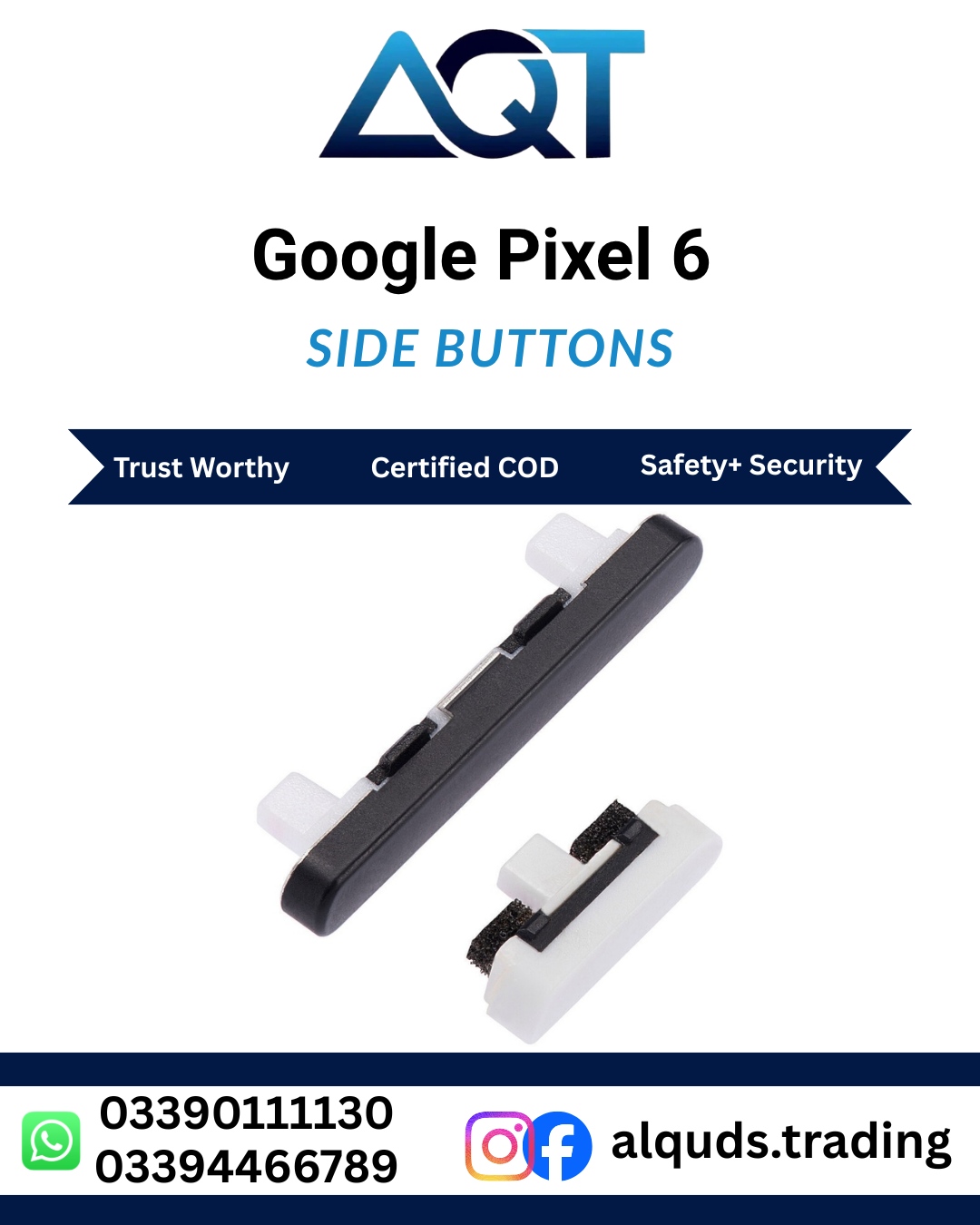


Google Pixel 6 Side Buttons in Pakistan | AQT
If the side buttons on your phone are loose, stuck, damaged or difficult to press, choosing a compatible part is an important step toward a reliable repair. Google Pixel 6 Side Buttons are intended for repair work involving the external power and volume controls on the Google Pixel 6. Before ordering, confirm whether you need the external button pieces or a related internal flex assembly, because these are different components. This distinction matters when selecting Google Pixel 6 Side Buttons for a specific repair.
Explore the Google Pixel spare parts range at AQT Mobile Parts and contact the team to check availability for your required component. Our shop serves mobile repair technicians, retailers, wholesale buyers and customers looking for compatible smartphone parts.
What Are Google Pixel 6 Side Buttons?
The side buttons allow users to operate key functions without opening an app. The power button is commonly used to wake or lock the display and access power options, while the volume buttons adjust sound levels. When these controls become damaged, everyday use can become inconvenient. Google Pixel 6 Side Buttons may be considered when the physical button part is missing, cracked, worn or no longer sits correctly against the phone frame.
Button problems can also come from dirt, impact damage, a bent frame, internal connection faults or a damaged flex cable. A replacement external button will not necessarily solve an electrical fault. Diagnose the issue before purchasing Google Pixel 6 Side Buttons.
Power Button and Volume Button Functions
Power Button
The power button is used for common actions such as waking or locking the screen. If it feels unusually soft, sticks in the pressed position or has been physically damaged, the phone may be harder to operate. Before buying Google Pixel 6 Side Buttons, check whether the issue is caused by the external button, the frame, or the internal switch and flex assembly.
Volume Buttons
The volume controls help adjust media, call and notification sound levels. If a volume button feels loose, is missing, or does not press properly, inspect the button alignment and surrounding frame. Do not force a stuck button, as excess pressure can cause further damage. Ask a qualified technician to determine whether the external pieces or an internal component require attention before selecting Google Pixel 6 Side Buttons.
Check Compatibility Before Ordering
Smartphone parts can look similar while differing in size, shape, finish and mounting design. Google Pixel 6 Side Buttons should be selected specifically for the Google Pixel 6, not simply because a listing mentions Google Pixel. Do not assume that a part for the Pixel 6 Pro, Pixel 6a or another generation will fit the standard Pixel 6. Always match Google Pixel 6 Side Buttons to the exact handset model.
- Confirm that your phone is the standard Google Pixel 6.
- Compare the part description and photographs with the component being repaired.
- Check whether the listing is for external buttons, a button set or a flex cable.
- Ask the seller to confirm compatibility if the part type is unclear.
- Keep the original part available for comparison until the repair is complete.
These checks reduce the chance of ordering an incompatible component and help technicians plan the repair correctly. If you are unsure which Google Pixel 6 Side Buttons component is required, share the exact model details and a clear description of the fault with AQT Mobile Parts before placing an order.
Common Signs of a Faulty Side Button
A side-button problem may appear in several ways. The button may be physically missing, visibly cracked, difficult to press, loose in its channel or unable to return to its normal position. Sometimes the button feels normal but the phone does not respond, which may indicate a problem beyond the external piece.
- Loose movement: The button shifts excessively or does not sit securely.
- Sticking: The button remains pressed or does not move smoothly.
- Physical damage: A crack, dent or missing piece affects normal operation.
- No response: The phone does not react when pressed, so further diagnosis may be needed.
- Uneven pressing: The button feels different from the other controls or requires unusual force.
These symptoms do not prove that the external button is the only faulty part. A technician should inspect the frame, button mechanism and related internal connections before you order Google Pixel 6 Side Buttons. Replacing Google Pixel 6 Side Buttons is appropriate only when the diagnosis confirms that the button component is damaged or unsuitable for reuse.
External Buttons Versus Button Flex Cable
It is important to distinguish between the visible button pieces and the electrical parts inside the phone. External buttons transfer the user’s press to an internal switch. A flex cable or switch assembly connects internal controls to the phone’s electronics. The exact construction and replacement procedure should be checked against a reliable repair reference for the device.
If the external button is cracked or missing but the internal switch works, an external part may be enough. If the button clicks normally but the phone does not register the press, the issue may involve the switch, flex cable, connection or another hardware fault. In that situation, ordering Google Pixel 6 Side Buttons alone may not resolve the problem.
Read the product listing carefully and confirm exactly what is included. Do not assume a button listing includes a flex cable, adhesive, frame component or installation service unless the seller states that it does. Confirm what is supplied with Google Pixel 6 Side Buttons. Contact AQT Mobile Parts to confirm the supplied part and current availability before checkout.
Repair and Installation Guidance
Modern smartphones contain delicate cables, connectors, batteries and display components. Opening a phone without the correct tools and experience can cause additional damage. For this reason, installation should be performed by a qualified mobile repair technician, especially if the repair requires opening the device.
- Diagnose the fault: Check whether the problem is physical damage, poor button movement or an unresponsive internal switch.
- Confirm the model: Verify that the handset is a Google Pixel 6 and match the replacement part to the device.
- Inspect the replacement: Before installation, check the part for visible damage and compare its shape and mounting points with the original.
- Use suitable tools: A technician should follow an appropriate repair procedure and protect fragile components.
- Test before closing: Where the repair procedure permits, test power and volume functions before fully reassembling the phone.
- Check the finished repair: Confirm that the buttons move freely, sit evenly and respond consistently.
Do not use excessive force to make a part fit. If the replacement does not align correctly, stop and verify the model and part number. Correctly matched Google Pixel 6 Side Buttons should fit the intended device without improvised bending or trimming. Check alignment carefully when installing Google Pixel 6 Side Buttons. Any uncertainty should be resolved before installation of Google Pixel 6 Side Buttons.
How to Test the Buttons After Repair
After the repair, test each control separately. Press the power button gently and check the expected screen response. Use the volume controls and confirm that the displayed volume level changes. Check that each button returns to its resting position and does not remain stuck. Repeat the tests a few times to identify intermittent operation.
If a button remains unresponsive, do not immediately assume the new part is defective. The internal switch, connector, frame alignment or another component may need inspection. A technician can reopen and diagnose the phone using the appropriate service procedure if Google Pixel 6 Side Buttons do not restore normal operation. Keep the purchase details and any packaging until the repair has been tested successfully.
Why Buy from AQT Mobile Parts?
AQT Mobile Parts, also known as Al Quds Trading, serves customers looking for mobile spare parts in Lahore and across Pakistan. The business supports retail and wholesale inquiries and helps customers check part availability before ordering. If you need Google Pixel 6 Side Buttons, contact the team to confirm the exact item, included components and compatibility with your handset.
When contacting the shop, provide the phone model, describe the button fault and explain whether you need the external buttons or an internal button flex assembly. This information helps avoid confusion between similar-looking parts when sourcing Google Pixel 6 Side Buttons. Ask about current stock, price, delivery options and applicable return or warranty terms before confirming your purchase.
For repair shops and technicians, confirming the component before ordering can save time and reduce avoidable returns. For individual customers, getting a professional diagnosis first can help identify whether a button part is actually required. Product availability and specifications can change, so verify the current listing for Google Pixel 6 Side Buttons rather than relying on an old photograph or description.
Ordering Google Pixel 6 Side Buttons Online
Before checkout, review the product title, compatibility notes, photographs and included items. If you are buying for a repair business, confirm the quantity and whether the same part is suitable for every handset in your batch. A similar appearance is not a guarantee of compatibility, and a part intended for a different Pixel model may not fit. Confirm compatibility for Google Pixel 6 Side Buttons before payment.
Customers can contact AQT Mobile Parts for current availability and ordering assistance. Share your requirements clearly and ask any questions about the component before payment. For orders within Pakistan, confirm the delivery method, estimated dispatch details and any applicable terms directly with the seller. AQT Mobile Parts serves customers from Lahore to all Pakistan, subject to the available delivery options.
Choose Google Pixel 6 Side Buttons only after verifying that the listing matches the part needed for your repair. Accurate model identification, a clear diagnosis and careful installation all contribute to a better repair experience. If the symptoms suggest an internal electrical fault rather than physical button damage, have the device inspected before ordering a replacement.
Frequently Asked Questions
Are Google Pixel 6 Side Buttons compatible with the Pixel 6 Pro?
Do not assume compatibility. The standard Pixel 6 and Pixel 6 Pro are different models and their parts may differ. Confirm the exact device and obtain seller confirmation before ordering.
Do the buttons include a flex cable?
Not necessarily. Some listings refer to external button pieces, while others may describe an internal flex or switch assembly. Read the listing and confirm the included components with the seller.
Why is my power button not responding?
The cause may be a damaged external button, a faulty internal switch, a flex-cable issue, frame damage or another hardware fault. A diagnosis helps determine whether Google Pixel 6 Side Buttons are the correct part.
Can I install the buttons myself?
Opening a smartphone can damage delicate components if done incorrectly. Professional installation is recommended if the repair requires opening the phone or handling internal connectors, including when fitting Google Pixel 6 Side Buttons.
How can I confirm the correct part before ordering?
Confirm that your phone is the standard Google Pixel 6, review the product description and images, and ask the seller whether the listing for Google Pixel 6 Side Buttons is for external buttons or an internal flex assembly.
Can I order from Lahore for delivery elsewhere in Pakistan?
Contact AQT Mobile Parts to check current stock, delivery options and charges for your location. Confirm all order details before payment, including compatibility for Google Pixel 6 Side Buttons.
Contact AQT Mobile Parts
For current availability, compatibility questions and wholesale inquiries about Google Pixel 6 Side Buttons, contact AQT Mobile Parts before ordering. Share the exact phone model and the component you need so the team can help clarify the listing and available options. Always verify the item and applicable purchase terms before completing your order.
For official device information and support resources, visit Google Pixel Phone Help.
Reviews
There are no reviews yet.